How to Verify Emails in lemlist
lemlist runs cold campaigns through a sending algorithm that watches bounce and engagement signals, and it can throttle or pause a campaign when bounces climb. The cleanest way to reduce avoidable bounce pressure is to verify your lead list before launch. This guide covers exporting a lemlist lead list to CSV, cleaning it with VeriMails, and re-importing only valid rows.
TLDR
- Export from the campaign Lead list tab, and use filters first when you only need a segment such as deliverable, replied, or bounced leads.
- Keep Email, names, company, LinkedIn URL, phone, and custom variables so lemlist personalization survives re-import.
- Verify the CSV in VeriMails before launching or relaunching the campaign.
- Import valid rows only; keep catch-all and role-based rows in review so uncertain mailboxes do not affect the main campaign.
- Pause the campaign before major list edits, then resume only after the cleaned audience is confirmed.
lemlist Export Decisions
lemlist gives you useful lead-list filters. Use them before export so the verification job answers a specific operating question.
| Decision | Best operating choice | Why it matters |
|---|---|---|
| Export source | Open the exact campaign and export from Lead list. | The export includes campaign context and the fields needed to rebuild the list. |
| Segment filters | Filter by status such as Deliverable, Bounced, Replied, or a custom segment before selecting leads. | Lets you verify only the group you are about to reuse or diagnose. |
| Columns to preserve | Keep Email, First Name, Last Name, Company, LinkedIn URL, Phone, and custom variables. | Those columns drive lemlist variables during CSV import. |
| Import safety | Use a new campaign or rollback-ready import when testing a cleaned file. | Maintains a clean recovery path if the wrong batch is imported. |
| Launch gate | Keep sending paused until invalid and review statuses are removed from the send-ready file. | Stops the first campaign step from becoming a bounce test. |
Why Verify Your lemlist Contacts
lemlist is a cold outreach platform with a built-in sending algorithm and the lemwarm warm-up tool. Those systems respond to sending signals after they appear. An unverified lead list can create avoidable bounce signals that reduce sending volume or delay a campaign.
The lemlist algorithm throttles campaigns that bounce too much
lemlist's sending algorithm automatically adjusts delivery speed based on bounce rate, open rate, and domain age. A high bounce rate from an unverified list can push the algorithm to slow your campaign down. lemlist triggers a bounce-rate alert at 10 percent and pauses a campaign at 50 percent once at least 100 leads have been contacted. Verifying first helps reduce the chance that invalid rows contribute to those triggers; the bounce rate benchmarks explain why operators treat this as a pre-send gate.
lemlist sending volumes are deliberately conservative, so every send counts
lemlist recommends modest daily volumes, often around 40 campaign emails per inbox with the rest of the day's capacity reserved for lemwarm. When you only send a few dozen emails per inbox per day, wasting sends on invalid addresses is expensive. Verifying the list means fewer of those carefully rationed sends go to obvious invalid rows.
Cold lead lists carry the highest error rates of any source
The leads loaded into lemlist campaigns typically come from data providers, event lists, CRM exports, or older prospecting files. These can carry higher error rates than a CRM you have maintained. Verifying before launch turns a raw cold list into a status-labeled file operators can review before import.
Catch-all and disposable addresses distort your campaign results
Some B2B domains are catch-all, accepting every address whether or not a mailbox exists. lemlist cannot tell a catch-all from a confirmed inbox. Imported lead lists can also include disposable addresses that should stay out of normal campaigns. Verification flags both so performance reporting is less skewed by review-needed rows.
lemlist Screens to Check Before You Send
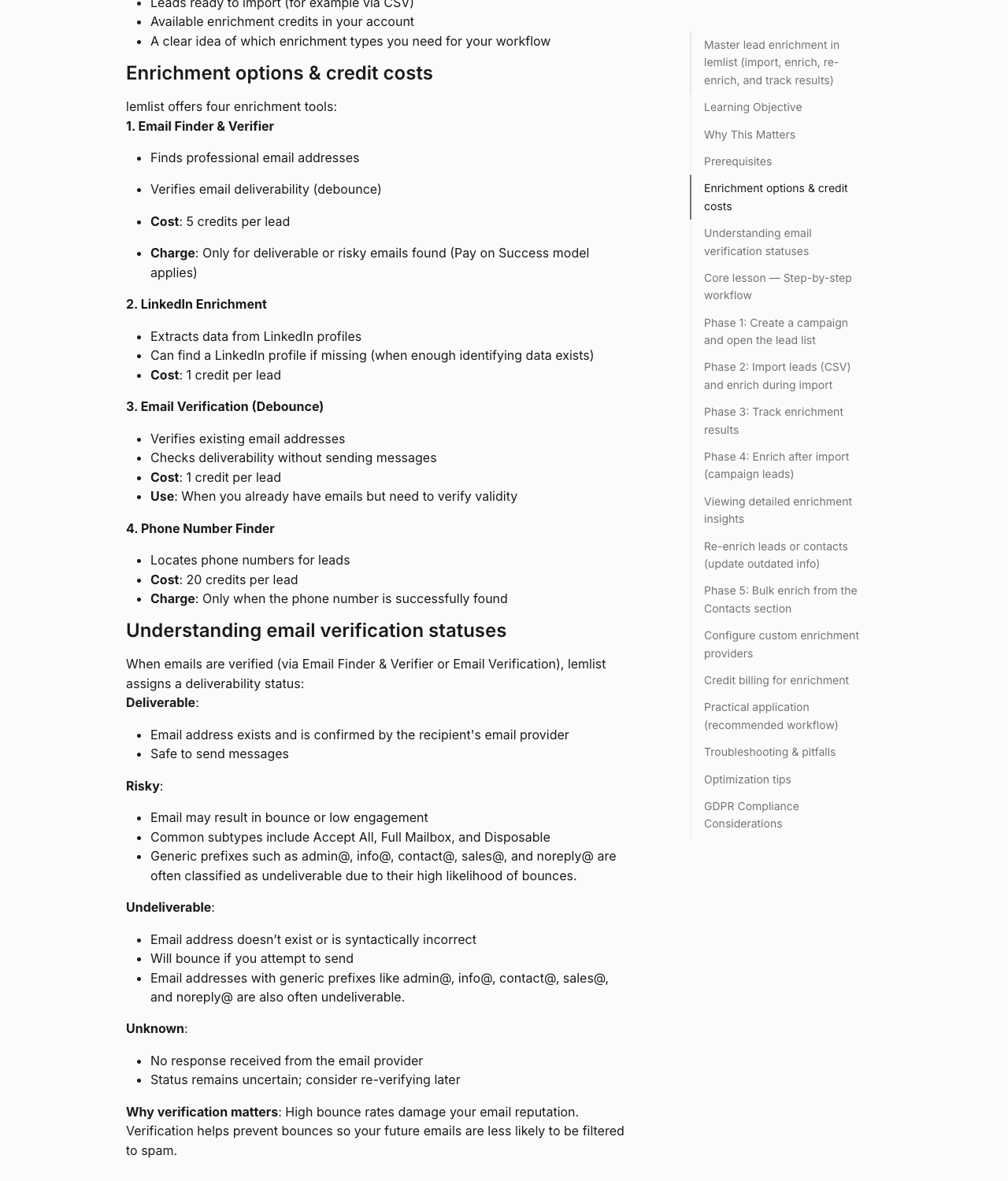
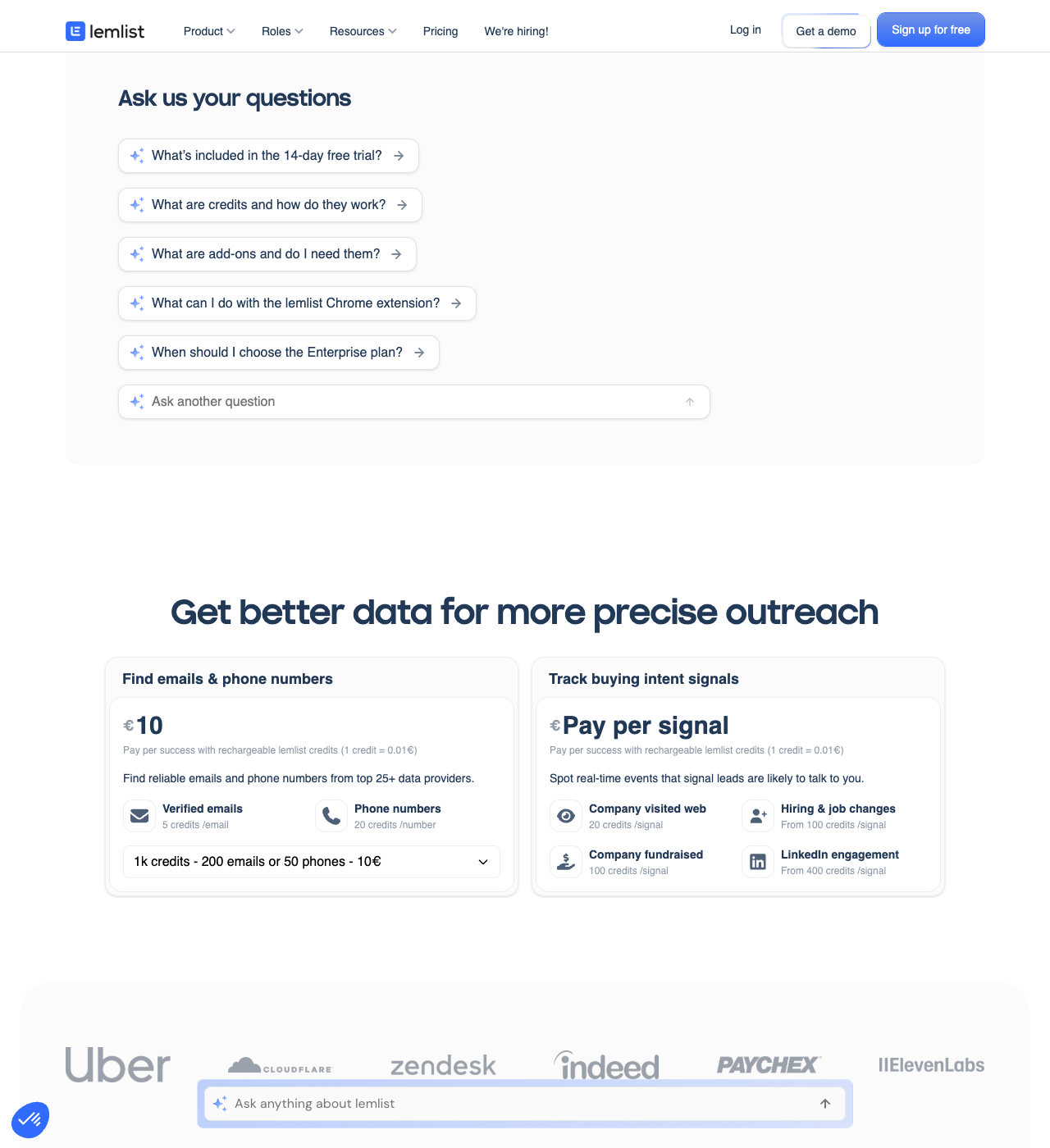
Use these screens to decide whether lemlist's built-in workflow is enough for the list you plan to import. For the larger buying context, see VeriMails vs lemlist.
What VeriMails Checks
VeriMails runs every lead from your lemlist export through bulk verification, with a layered set of checks that targets a different category of bad email and returns a clear status for each lead rather than a vague score.
It starts with syntax validation to catch malformed addresses, which are common in manually assembled lead files. MX and DNS checks then confirm the domain exists and is configured to receive mail. A live SMTP handshake opens a real connection with the receiving mail server and confirms the specific mailbox will accept a message, without ever sending one, so your leads see nothing.
VeriMails also runs catch-all detection to identify domains that accept all addresses, disposable detection to flag throwaway inboxes that imported lists often carry, and role-based detection to surface generic addresses like info@ or hello@. Catch-all status is reported as a clear detection result, never a vague rating. Across all of these checks VeriMails returns clear verification results that work well in live workflows.
Pricing for lemlist Users
Verification is priced to fit cold email teams who launch campaigns regularly. VeriMails credits start at $0.0019 per email, so a 10,000-lead list costs about $19 on the entry pack. Credit packs scale up to 5 million verifications for $1,499, and credits never expire, so a balance you buy now carries forward to your next campaign.
If you run campaigns on a steady cadence, annual plans start at $12.50/month when billed yearly. Every new VeriMails account includes 100 free credits with no credit card required, enough to verify a small lead list and see the result before committing. The best habit is to verify every lead list immediately before you import it into a lemlist campaign, and teams that capture leads continuously can use the Email Verification API before a CSV is created.
Step-by-Step
Open the campaign Lead list tab
In lemlist, open the campaign with the leads you want to verify and click the Lead list tab. This shows every lead in the campaign. If you only want a segment, click the Filter icon and filter by a field such as Status to scope the export before selecting.
Select leads and export as CSV
Tick the checkbox at the top of the lead list to select all leads, or check specific ones. In the bulk actions toolbar, click Export as .CSV. lemlist downloads a file named with the campaign that includes first name, last name, email, company, LinkedIn URL, phone, and any custom variables.
Upload the lead CSV to VeriMails for bulk verification
Sign in to VeriMails, open bulk verification, and upload the lemlist CSV. VeriMails automatically detects the email column, so there is no manual mapping. The job runs as a queued bulk verification while the syntax, MX, DNS, SMTP, catch-all, disposable, and role-based checks run.
Review the valid, invalid, catch-all, and risky results
VeriMails sorts every address by status. Valid addresses are the best candidates for launch. Invalid addresses carry high bounce risk and should be removed before launch. Catch-all results are flagged so you can decide whether to include them. Disposable and role-based addresses appear separately. Download the filtered valid results.
Re-import the cleaned list into lemlist
Open your lemlist campaign and use Import leads from a CSV file. lemlist maps standard fields like first name, last name, email, and company, plus any custom variables. With only recently verified valid rows in the campaign, the first send starts from a cleaner list with fewer avoidable bounce risks.
What to Do With Each Result
lemlist campaigns should only receive the statuses you are willing to send. Split the VeriMails result file before re-import.
- Valid Import into the campaign and map all variables needed by the sequence.
- Invalid Exclude from the campaign and update the source file so the row is not reused.
- Catch-all Keep in a smaller decision list for high-value accounts and lower daily volume.
- Disposable Remove from outreach because the address is temporary.
- Role-based Review manually; generic inboxes need different copy and should not be mixed with named leads.
Frequently Asked Questions
Related Guides
Try VeriMails Free
100 free credits on signup. No credit card required. Put this guide into practice today.
Start Free