DKIM Record Generator
Format a DKIM TXT record from your selector, sending domain, and public key so receiving mailboxes can verify signed email from your domain.
TL;DR
- DKIM uses a private key to sign outgoing mail and a public key in DNS so receivers can verify the signature.
- This generator formats the DNS host name and TXT value for the selector your email provider gives you.
- After publishing, use the DKIM checker, then confirm SPF and DMARC alignment before sending campaigns.
Generate DKIM DNS Record
Common selectors: google, s1, s2, mail, selector1, selector2
Get this from your email sending service (Google Workspace, SendGrid, Postfix, etc.)
How DKIM Works
Your mail server signs outgoing emails with a private key. The recipient's server fetches your public key from DNS and verifies the signature. This proves the email wasn't tampered with in transit.
Finding Your Public Key
Your ESP (Google Workspace, Microsoft 365, SendGrid, Mailgun) generates the key pair. They give you the public key to publish in DNS. The format is: v=DKIM1; k=rsa; p=YOUR_PUBLIC_KEY
How to prepare a DKIM record correctly
DKIM records are published under a selector, not directly at the root of the domain. A selector is a short label chosen by your email service, such as google, selector1, s1, or mail. The full DNS host usually looks like selector._domainkey.example.com. The TXT value contains the public key that matches the private signing key used by your mail service.
Use this generator when your sender provides the selector and public key but your DNS provider expects the value in a clean copy-paste format. Paste the base64 public key without the begin and end certificate lines. The generated value will use the standard DKIM TXT shape, including v=DKIM1, key type, and public key.
Do not invent a public key. The sending platform controls the private key used to sign email, so the public key must come from that platform. If you manage your own mail server, generate the key pair on the server and publish only the public key in DNS. Keep the private key private and rotate keys when access changes.
Copy the selector and public key from your email platform or mail server configuration.
Enter the selector, domain, and public key, then copy the generated TXT record value.
Publish the TXT record and check it with the DKIM checker after DNS has updated.
DKIM works best with SPF, DMARC, and clean sending data
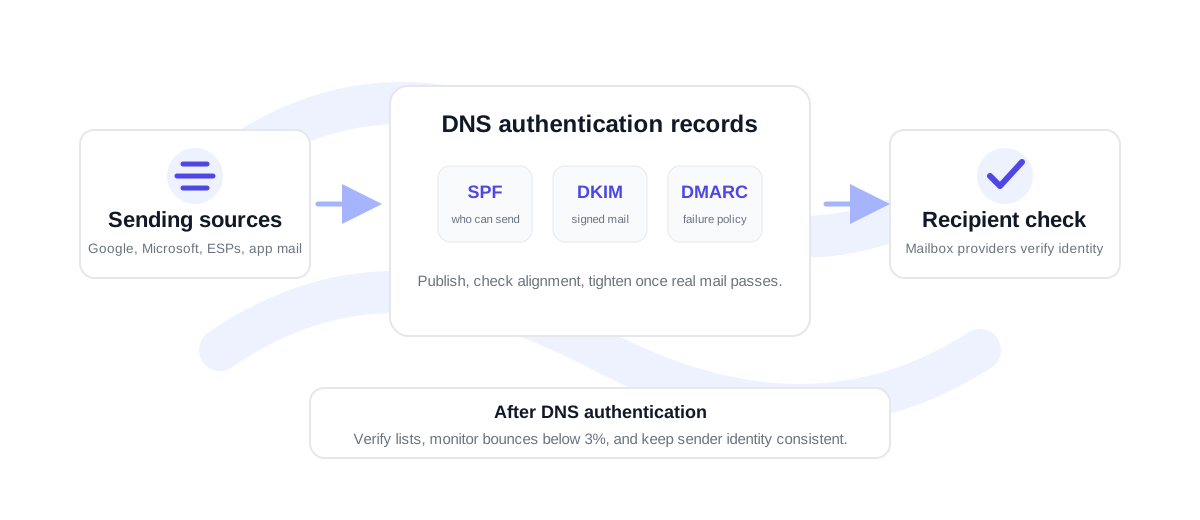
DKIM proves that the signed message matches the sending domain's public key, but deliverability still depends on the full setup. SPF identifies approved senders. DMARC defines how mailbox providers should handle authentication failures and whether SPF or DKIM aligns with the visible From domain.
Once authentication is in place, keep the recipient list healthy. A signed email can still bounce if the address is stale or invalid. Before sending larger campaigns, verify CSVs through bulk verification and keep bounce rate under 3% where possible. If bounce rate moves into the 3-5% range, clean the list before the next send; above 5% is high risk.
Practical DKIM setup checklist
Before you publish a DKIM record, confirm the selector belongs to the same sender that will sign the message. Many teams use one selector for Google Workspace, another for Microsoft 365, and separate selectors for platforms such as SendGrid, Mailgun, Postmark, or Amazon SES. Keeping selectors separate makes troubleshooting cleaner because you can identify which service owns each key.
After publishing, wait for DNS propagation and check the selector. If the record is visible but mail still fails DKIM, send a test message and inspect the authentication headers. That tells you whether the sender is signing with the expected selector or still using an old key.
DKIM generator FAQ
What is a DKIM selector?
A selector is the label used to find the DKIM public key in DNS. It lets a domain publish more than one DKIM key, which is useful for separate senders or key rotation.
Where do I find my DKIM public key?
Your email sending platform or mail server generates it. Look in the domain authentication, sender authentication, or DNS setup area of that service.
Should I publish the private key in DNS?
No. DNS receives only the public key. The private key stays inside the sending system that signs outgoing email.
Can I use one DKIM key for every sender?
Sometimes, but separate selectors are cleaner when different platforms send for the same domain. Separate selectors also make rotation and troubleshooting easier.