VeriMails vs MailerCheck
MailerCheck combines email list verification with deliverability tools such as Email Insights and Inbox Placement. VeriMails is built for teams that mainly need to clean email lists at a lower per-email cost before campaigns, CRM imports, and signup checks.
Updated May 21, 2026
At a Glance
| Decision point | VeriMails | MailerCheck |
|---|---|---|
| Best fit | Bulk list cleaning, API checks, and catch-all review | Teams that want email verification plus deliverability checks such as Email Insights and Inbox Placement |
| 10,000 email cost | $19 | $80 in MailerCheck's pricing slider |
| 100,000 email cost | $99 | $500 in MailerCheck's pricing slider |
| 1,000,000 email cost | $499 | $2,000 in MailerCheck's pricing slider |
| Free credits | 100 free credits on signup | 10 free credits for Email List Verification testing |
| Credit expiration | Credits never expire | Credits never expire |
| API | REST API for single and bulk verification | Single check, async check, list upload, list verification, and list-result endpoints |
| Catch-all handling | Catch-all emails stay separate for review | MailerCheck places catch-all emails in its Risky group |
MailerCheck Pricing and Credit Notes
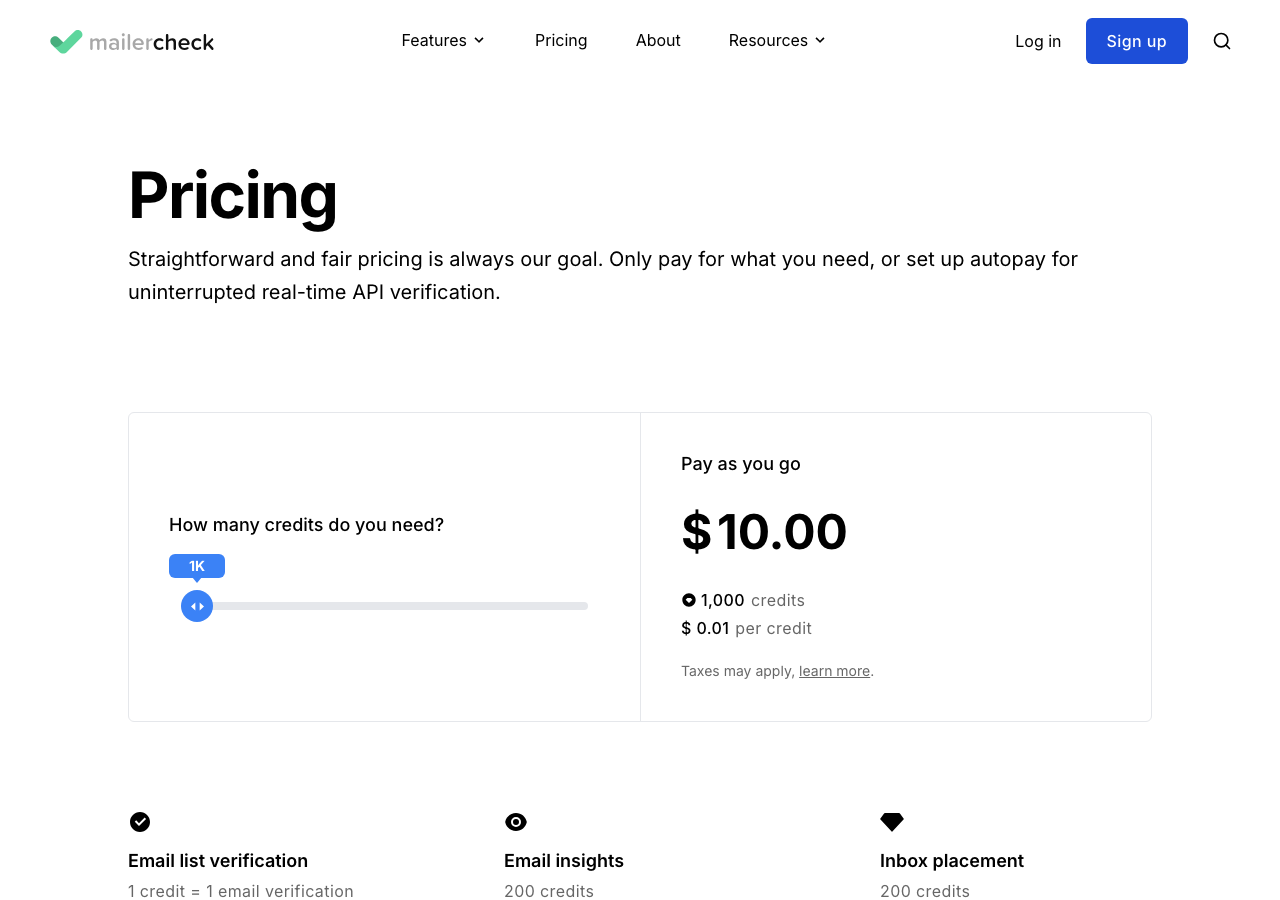
MailerCheck sells a shared credit wallet for several deliverability tasks. Email list verification costs 1 credit per verified email. Email Insights costs 200 credits, and Inbox Placement costs 200 credits. That makes MailerCheck useful when you want verification and pre-send deliverability testing together.
Pricing and Total Cost
MailerCheck's pricing page includes a slider with credit packs. The table below compares those listed prices to current VeriMails credit packs for common list-cleaning volumes.
| Volume | VeriMails | MailerCheck price | Difference |
|---|---|---|---|
| 10,000 emails | $19 | $80 | VeriMails is about 76% less |
| 100,000 emails | $99 | $500 | VeriMails is about 80% less |
| 1,000,000 emails | $499 | $2,000 | VeriMails is about 75% less |
MailerCheck says taxes may apply. Prices are the USD values published on MailerCheck's pricing page when this comparison was updated.
MailerCheck credit tiers
| MailerCheck credits | Price | Price per credit |
|---|---|---|
| 100 | Free | $0 |
| 1,000 | $10 | $0.010 |
| 5,000 | $45 | $0.009 |
| 10,000 | $80 | $0.008 |
| 25,000 | $175 | $0.007 |
| 50,000 | $300 | $0.006 |
| 100,000 | $500 | $0.005 |
| 500,000 | $1,500 | $0.003 |
| 1,000,000 | $2,000 | $0.002 |
Email list verification uses 1 credit per email. Email Insights and Inbox Placement each use 200 credits.
VeriMails credit pricing
| Credits | VeriMails price | Price per email |
|---|---|---|
| 10,000 | $19 | $0.0019 |
| 25,000 | $39 | $0.00156 |
| 50,000 | $59 | $0.00118 |
| 100,000 | $99 | $0.00099 |
| 250,000 | $199 | $0.000796 |
| 500,000 | $349 | $0.000698 |
| 1,000,000 | $499 | $0.000499 |
| 2,500,000 | $999 | $0.0004 |
| 5,000,000 | $1,499 | $0.0003 |
Email Finder costs 20 credits only when VeriMails returns a verified person-level email. At the 10,000-credit pack, that is $0.038 per found email. Monthly plans start at $12.50/mo when billed yearly.
What the Pricing Means in Practice
The important question is not only which tool has credits. It is what those credits are meant to buy. MailerCheck credits can cover list verification and deliverability checks, which can be useful if a team wants one account for several pre-send checks. VeriMails credits are meant for email verification, so the pricing is easier to judge when the task is cleaning a list before outreach.
That difference matters most when list size changes from a small hygiene check to a full CRM cleanup. A 10,000-email campaign list may be easy to price in either tool. A 100,000-email database cleanup or recurring agency workflow makes the per-email verification cost much more important.
| Situation | What matters most | Better fit |
|---|---|---|
| One small list before a newsletter | Simple upload, clean export, and confidence before sending | Either tool can work |
| Large CRM cleanup | Low per-email cost and clear suppression decisions | VeriMails |
| Deliverability test before a major campaign | Inbox placement and content-level checks in addition to list cleaning | MailerCheck |
| Agency list cleaning for multiple clients | Predictable verification pricing and reusable credits | VeriMails |
| Developer signup checks | API checks that keep bad addresses out at the point of entry | Either tool can work |
API and List Cleaning
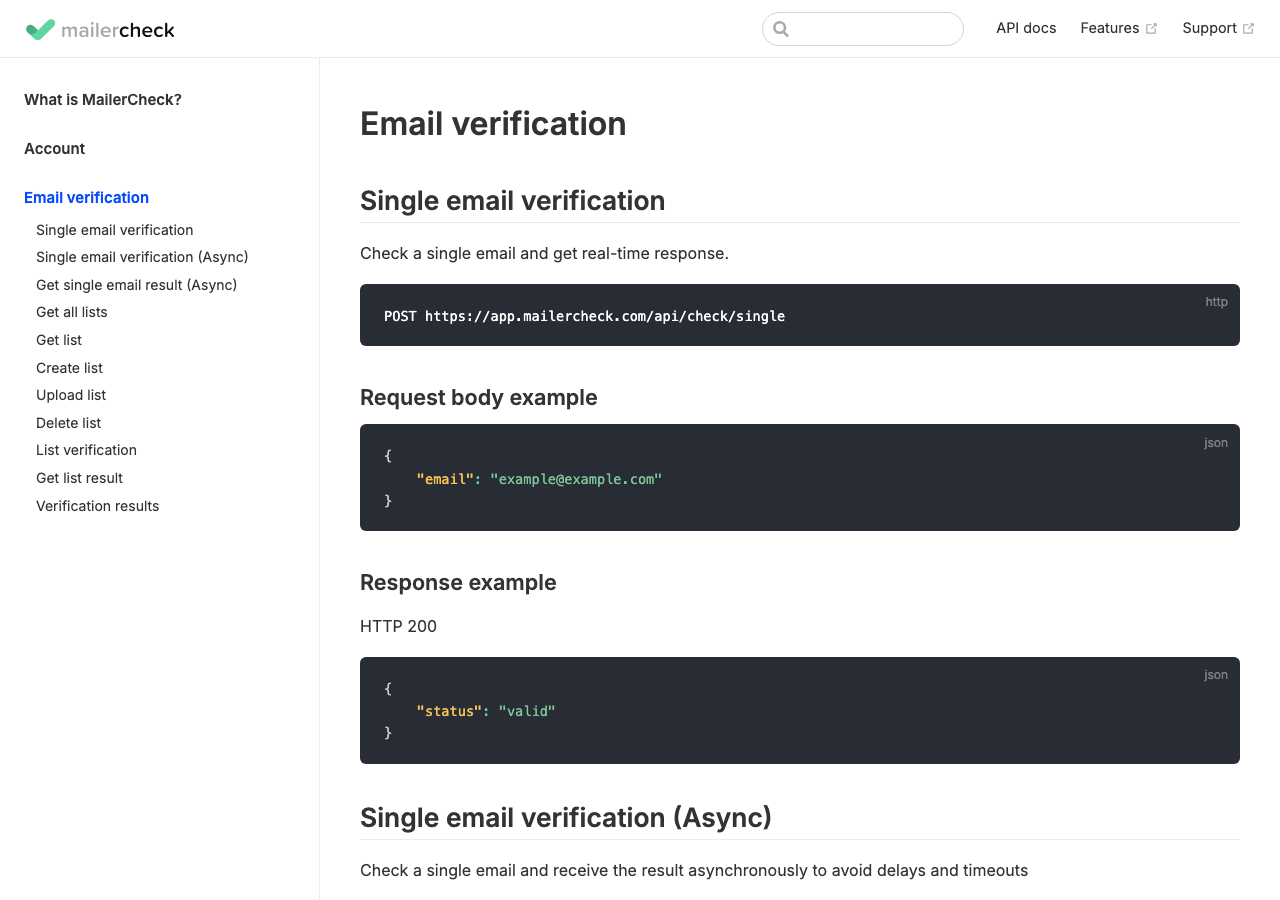
MailerCheck publishes API documentation for checking a single email, running an async single check, creating a list, uploading CSV or TXT files, starting list verification, and retrieving list results. That is useful when a team wants both website form checks and larger file-based cleanup.
| Question | VeriMails | MailerCheck |
|---|---|---|
| Single check | REST verification API | MailerCheck documents a single email verification endpoint |
| Async single check | Best for direct checks where VeriMails is already integrated | MailerCheck documents an async check that returns an ID for later result lookup |
| Bulk upload | CSV bulk verification | POST /api/lists/upload accepts CSV or TXT files |
| List verification | Bulk cleanup and downloadable results | MailerCheck documents an endpoint that starts list verification |
| Result filtering | Filterable results for safer exports | MailerCheck documents filters for groups such as valid, unknown, catch-all, disposable, role, blocked, and error |
Deliverability Tools vs Email List Cleaning
MailerCheck has a broader deliverability angle than a plain verifier. Its pricing page describes Email Insights and Inbox Placement as credit-using features, and its product pages position those tools around pre-send testing. That can be valuable when the next campaign depends not only on whether addresses exist, but also on whether a message is likely to land well.
VeriMails is narrower by design. If a team already has an ESP, sending platform, warmup process, or inbox placement workflow, it may not need those extras from the verification vendor. In that case, paying less to clean the email list can be the more practical decision.
| Need | How MailerCheck approaches it | How VeriMails approaches it |
|---|---|---|
| Clean bad emails | Email list verification uses credits per checked email | Dedicated list verification and export flow |
| Check inbox placement | Inbox Placement is available as a separate credit-using feature | Use your existing deliverability stack alongside VeriMails |
| Review campaign content signals | Email Insights is available as a separate credit-using feature | Keep VeriMails focused on address quality |
| Control verification cost | Higher listed cost per credit at common volumes | Lower listed credit packs for bulk verification |
Catch-all and Risk Categories
MailerCheck groups verification results into Send to, Risky, and Do not send to. Its developer material places catch-all, mailbox full, role, and unknown emails in the Risky group. For catch-all emails, MailerCheck explains that the receiving server may accept the email, but that does not prove the mailbox belongs to a real person.
VeriMails takes the same practical approach: keep catch-all and uncertain emails separate from the safest list so marketers, sales teams, and developers can decide how conservative the next send should be.
International and Localized Lists
For teams cleaning lists across several countries, the best choice depends on where the work happens. If your team is preparing country-specific campaigns, CRM imports, or recruiting outreach, the list-cleaning step should stay simple: separate safer emails, suppress bad emails, and review catch-all or uncertain addresses before they enter a local sequence.
MailerCheck can make sense when a localized campaign also needs pre-send deliverability testing from the same platform. VeriMails makes sense when the main job is high-volume hygiene across regional exports, especially when the team wants lower verification costs and consistent result groups from market to market.
| Localized scenario | Recommended approach | Tool fit |
|---|---|---|
| Clean a regional CRM export | Verify the full list and keep questionable emails separate from the safest send group. | VeriMails |
| Prepare a high-risk launch campaign | Clean the list, then run any needed inbox placement or content checks. | VeriMails plus deliverability testing, or MailerCheck if one account is preferred |
| Agency cleanup across clients | Use predictable credit pricing and consistent exports for each client list. | VeriMails |
| Small international newsletter send | Verify the list and review risky groups before sending. | Either tool can work |
Who Should Choose Which?
Choose VeriMails if
You want lower per-email verification costs, bulk CSV verification, REST API checks, and clear catch-all separation without paying extra for inbox placement or content testing features you may not need.
Choose MailerCheck if
You want a broader deliverability toolkit where the same credit wallet can be used for list verification, Email Insights, Inbox Placement, and real-time API verification.
Run the Next Check in VeriMails
For a direct verifier-to-verifier test, upload the same sample list to VeriMails and compare the valid, invalid, catch-all, disposable, role-based, and unknown segments before sending.
Sources Used for This Comparison
This comparison uses public MailerCheck and VeriMails pages. Check current pricing, credit rules, and developer documentation before buying because vendor pages can change.
Verification Accuracy
Both VeriMails and MailerCheck can help reduce bad addresses before a campaign. The difference is how clearly the result fits your next send: VeriMails keeps valid, invalid, disposable, role-based, catch-all, and unknown rows separate for decision-making.
Use a recent sample from your own CRM, not a perfect test list. The addresses that matter are the ones you plan to mail this week: old leads, imported contacts, role inboxes, catch-all domains, and records from mixed sources.
Who VeriMails Is Best For
Choose VeriMails when verification is the job and you want the result before the send.
- You already have a list and need to clean it before a campaign.
- You want prepaid verification credits that never expire.
- You need API and CSV verification without paying for a larger sales platform.
Frequently Asked Questions
Why teams switch to VeriMails
“Volume pricing is the reason we switched. At 500K credits we pay $0.000698 per email. Nobody else comes close at that scale.”
— Oliver B. — Infrastructure Lead at Email Marketing Platform, United States
“Cleaned our HubSpot database of 95K contacts. 12% were invalid. Email open rates jumped 15% in the next campaign because we stopped hitting dead addresses.”
— Maria C. — Marketing Director at B2B Services Company, Germany
Related Comparisons
Try VeriMails Free
100 free credits on signup. No credit card required. Compare a real sample against your current verifier before sending.
Start Free