Email Verification for Marketing Teams
Verify subscriber lists before newsletters, launches, automations, and seasonal campaigns so your reporting reflects real reachable contacts.
The short version: verify first, then send.
Marketing teams use VeriMails to clean subscriber lists, protect sender reputation, and segment email audiences before campaigns go live. Verify full CSV exports or add API checks to signup forms.
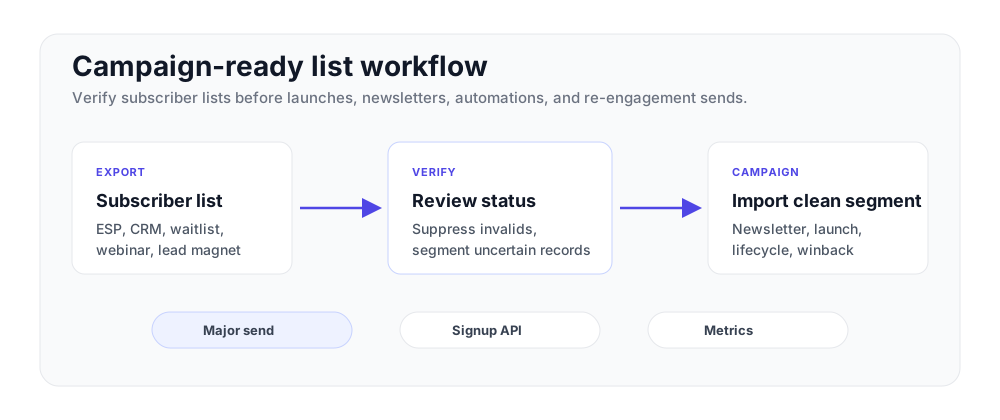
Where marketers use email verification
Put verification before sends that depend on list quality.
| Marketing workflow | What to verify | Recommended next step |
|---|---|---|
| Newsletter and lifecycle sends | Active subscriber exports | Suppress invalid records before the next campaign. |
| Product launches | Pre-launch waitlists and announcement segments | Verify before launch week so the highest-value sends start clean. |
| Paid lead capture | Landing page, webinar, and lead magnet signups | Use the API to catch typos and disposable addresses at capture. |
| Re-engagement | Older subscribers and dormant segments | Verify first, then run winback campaigns to reachable contacts. |
Email marketers are measured on open rate, click rate, conversion rate, and revenue per send. Every one of those metrics assumes the message reached a real inbox. Subscriber lists naturally change over time as people switch roles, abandon older inboxes, mistype form entries, or use temporary addresses for a one-time download.
That is why list hygiene belongs before major marketing activity, not after a campaign reports a bounce problem. Mailbox providers monitor bounce rate, and consistent verification supports sender reputation, inbox placement, and cleaner campaign analytics.
VeriMails fits a marketing workflow at two points. Run bulk verification on a subscriber export before a major campaign, and add real-time API verification to signup forms so addresses are checked at capture. For the broader playbook, see how to clean an email list and how to reduce email bounce rate.
Built for email marketing teams
Protect sender reputation and improve list quality across campaigns and automations.
Sender reputation support
Verify before high-volume sends so invalid records do not create avoidable bounce patterns against your domain.
Cleaner engagement metrics
Remove unreachable addresses before measuring opens, clicks, and revenue so reports reflect a reachable audience.
Risk labels for segmentation
Flag disposable, role-based, catch-all, invalid, and risky records so your team can decide which contacts belong in each campaign.
Bulk list cleaning
Upload a subscriber CSV, run verification as a background job, and download a results file ready for ESP import.
ESP and platform workflows
Use CSV, Zapier, or the REST API with Mailchimp, HubSpot, ActiveCampaign, Klaviyo, and similar platforms.
Signup verification
Check email addresses at form submission before they enter welcome flows, lead scoring, or lifecycle automations.
Marketing list cleanup workflow
From export to send-ready segment.
Export your subscriber list
Export a CSV from Mailchimp, HubSpot, Klaviyo, or any email platform. Any format with an email column works.
Upload and verify
Run the file as a background verification job and review valid, invalid, risky, catch-all, role-based, and disposable labels.
Import the approved segment
Suppress invalid records, decide how to handle risky segments, and import the clean audience back into your ESP.
Campaign checklist for verified lists
Verify before the campaign build, suppress invalid and disposable records, review catch-all addresses separately, then document the result mix beside the final send audience.
Clean the list before the campaign report
A dirty list makes every marketing metric harder to read. Bounces drag down deliverability, but they also distort open rate, click rate, and conversion rate because the audience was never reachable. Verify before a launch, before a reactivation send, and before moving old CRM segments into a new email platform. You will know whether the campaign underperformed or the list was broken.
Keep the workflow simple. Export the segment, verify it, suppress invalid addresses, and treat catch-all or risky records as a separate test group. Then send the clean segment through HubSpot, Mailchimp, Klaviyo, or your current tool. Use the bounce-rate guide to set the benchmark and the pricing page to plan list-cleaning volume.
If the cleaned segment is smaller than expected, treat that as useful information, not lost reach. It means the old list was inflating audience size. Your next campaign starts with a reachable base, and the report compares performance against people who could actually receive the email.
Frequently asked questions
Common questions from marketing teams.