SPF Record Generator
Create an SPF TXT record for the mail services that are allowed to send from your domain, then publish it in DNS before your next campaign or product email goes out.
TL;DR
- Use this SPF generator to list the IP addresses, MX servers, and email platforms that can send mail for your domain.
- Start strict when you know every legitimate sender. Use soft fail only when you are still auditing mail sources.
- After publishing the record, run the SPF checker and the email health check to confirm DNS is visible.
Configure Your SPF Record
-all (Hard Fail)
Recommended for most setups. Servers not listed in your SPF record are marked as failing authentication.
~all (Soft Fail)
Messages from unlisted servers are accepted but marked. Good for testing a new SPF record before going strict.
Lookup Limit
SPF records have a 10 DNS lookup limit. Exceeding it causes failures. Use this tool to stay within bounds.
How to build an SPF record that does not break legitimate mail
An SPF record is a TXT record at the root of your domain. It tells receiving mailboxes which systems are allowed to send email for that domain. That list usually includes Google Workspace or Microsoft 365 for team mail, an email service provider for newsletters, a transactional email service for receipts and password resets, and sometimes a CRM or sales engagement platform.
The safest way to create SPF is to inventory every sending source before switching to a hard fail policy. Check your email provider, CRM, helpdesk, billing system, product app, and any cold outreach tool that sends from the same domain or subdomain. If a sender is missing from SPF, mailbox providers can treat otherwise legitimate mail as unauthenticated.
SPF also has a practical constraint: mechanisms such as include:, a, mx, exists, and redirect can trigger DNS lookups, and SPF evaluation is limited to 10 DNS lookups. A record that looks clean but exceeds that limit can fail during mailbox evaluation. Keep the record focused, avoid duplicate includes, and use dedicated subdomains when different teams or tools need separate sending setups.
Collect every service that sends as your domain, including inbox mail, newsletters, app notifications, invoices, and sales tools.
Add required IPs and include domains, choose the fail policy, and copy the generated SPF value.
Publish the record, wait for DNS propagation, then check the result with the SPF checker and DMARC checker.
Where SPF fits with DKIM, DMARC, and list quality
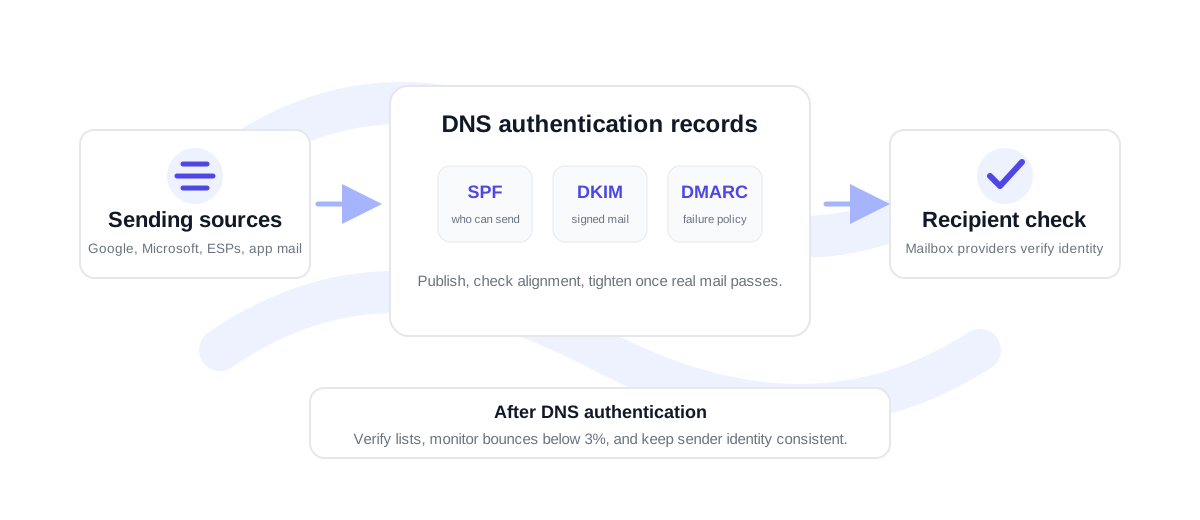
SPF is necessary, but it is not the whole deliverability setup. DKIM signs the message so receiving servers can confirm the email was not changed after sending. DMARC tells mailbox providers what to do when SPF or DKIM does not align with the visible From domain. Together, those records help mailboxes understand whether a message is authorized.
Authentication does not make a bad list safe. If you send to stale, misspelled, or risky addresses, authentication may pass while bounce rate and complaint signals still hurt sender reputation. For campaigns and CRM exports, verify the list first with the free email verifier or bulk verification before sending. A bounce rate under 3% is healthy; 3-5% needs cleanup and review; above 5% is high risk for a sending domain.
For teams with several senders, document who owns each include before publishing changes. That makes future audits easier when a vendor is removed, a subdomain is added, or a sending platform changes its recommended SPF include.
SPF generator FAQ
Where do I publish an SPF record?
Publish the generated value as a TXT record at the root of the sending domain, such as example.com. If you send from a subdomain, publish the SPF record on that subdomain instead.
Should I use -all or ~all?
Use -all when you are confident the record includes every legitimate sender. Use ~all while auditing or migrating, because it gives mailbox providers a softer signal during setup.
Can a domain have more than one SPF record?
No. A domain should have one SPF TXT record. If multiple SPF records exist, receiving servers can return a permanent error. Merge all senders into a single record.
Do I still need DKIM and DMARC if SPF is configured?
Yes. SPF authorizes senders, DKIM signs the message, and DMARC connects authentication to domain policy. All three records work together for modern mailbox trust.