SPF Record Checker
Look up a domain's SPF TXT record, review the authorized sending sources, and catch missing or duplicated SPF setup before mail is sent.
TL;DR
- Use the SPF checker after every DNS change to confirm the record is visible and points to the right sending services.
- A clean SPF record should have one
v=spf1TXT value for the domain, not multiple competing SPF records. - If SPF is missing, generate a record with the SPF generator, then check DKIM and DMARC before sending at volume.
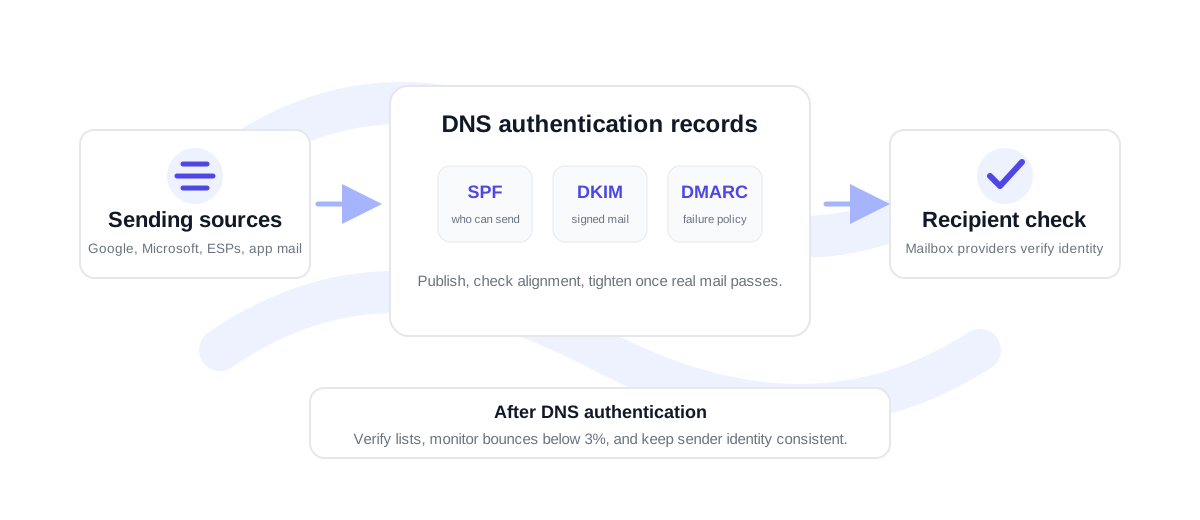
What to check after SPF is published
SPF mistakes usually happen when teams add a new sender but forget to update DNS, or when two vendors each ask for their own SPF record and both get published. Mailbox providers expect one SPF record per domain. If there are two records that start with v=spf1, SPF can fail even if each individual record looks reasonable.
After entering a domain, review the raw record and the mechanisms. include: mechanisms usually point to external sending platforms. ip4: and ip6: authorize fixed sending infrastructure. mx authorizes the domain's mail exchangers. The final policy, often -all or ~all, tells receivers how strongly to treat mail from unlisted systems.
If the checker finds no SPF record, do not assume the domain is ready to send. Build a record with the SPF record generator, publish it as a TXT record, and test again after DNS propagation. If the record exists but a legitimate platform is missing, add that sender before launching a campaign.
Use the exact sending domain, not a website URL. For subdomain sending, check the subdomain itself.
Confirm every email platform is represented and remove duplicate or outdated entries.
Check DKIM, DMARC, and list quality before sending to a large audience.
SPF checks should be part of every sender change
Any new email service can change your authentication footprint. A newsletter platform, CRM, helpdesk, ecommerce notification app, or sales sequencer may send from your domain. When that happens, SPF should be reviewed alongside DKIM and DMARC. This keeps the sender identity consistent across inbox providers.
SPF does not prove the address list is clean. If you are preparing a launch, verify recipients as well. Use the email health check for a domain-level review and the bulk verification workflow for larger CSV lists. Authentication helps mail be trusted; list hygiene helps keep bounces and negative engagement under control.
Operational SPF checklist before a campaign
Before sending to a large list, check the sending domain and any dedicated subdomain. Confirm there is one SPF record, every active sender is listed, and unused vendors are removed. If a CRM or marketing platform sends from a branded subdomain, check that subdomain separately instead of assuming the root domain covers it.
Next, compare the SPF record against the actual campaign path. If your campaign goes through a sales engagement platform, that platform needs to be authorized. If product notifications go through a transactional provider, that provider needs to be authorized too. Keeping this list current prevents last-minute deliverability surprises when a team changes tools.
Finally, check the recipient list. SPF tells mailboxes that your sender is authorized; it does not remove invalid addresses from an export. For CRM, newsletter, or prospecting lists, verify the file before the send and re-check bounce results after the campaign. Under 3% bounce rate is healthy, 3-5% needs cleanup, and above 5% is high risk.
For shared domains, make this checklist part of sender onboarding. When sales, marketing, support, and product teams all use the same brand domain, a forgotten sender can affect everyone. A short SPF review before launch is much cheaper than diagnosing authentication failures after a campaign has already sent.
SPF checker FAQ
Why does my domain show no SPF record?
The SPF record may not be published, may be on a different subdomain, or may not have propagated yet. Check the exact sending domain and confirm the TXT record starts with v=spf1.
What does include: mean in SPF?
An include mechanism authorizes another domain's SPF policy. It is commonly used by email services so you can authorize their sending infrastructure without listing every IP address manually.
Is ~all bad for SPF?
Not always. Soft fail can be useful while testing, but a mature setup usually moves to -all once every legitimate sender is included and checked.
Does SPF protect against spoofing by itself?
SPF helps, but it is not enough alone. DKIM and DMARC are needed to connect authentication results to the visible From domain and policy handling.