DKIM Record Checker
Check whether a DKIM selector is published correctly in DNS so recipient mailboxes can verify signed email from your domain.
TL;DR
- Enter the domain and selector exactly as your email platform provides them.
- The checker looks for the TXT record at
selector._domainkey.domain.comand shows the published value. - If no record appears, use the DKIM generator to format the value, then verify SPF and DMARC too.
How to interpret a DKIM lookup
A DKIM lookup depends on two inputs: the sending domain and the selector. The selector is not always obvious from the domain itself. It normally comes from Google Workspace, Microsoft 365, SendGrid, Mailgun, Postmark, Amazon SES, or the mail server that signs your messages. If the selector is wrong, the record can look missing even when DKIM is configured under another selector.
When a record is found, confirm the value starts with v=DKIM1 and includes a public key in the p= tag. Some providers also include key type or service tags. The most important operational point is that the published public key must match the private key used by the sender. If your email platform rotates keys, the DNS record must be updated with the new public value.
If no DKIM record is found, check for typos in the selector, confirm the DNS host name, and allow time for DNS propagation. Some DNS providers ask for only the selector part of the host name, while others require the full selector._domainkey name. After the record is visible, send a small test message and review authentication headers to confirm DKIM passes in real mailbox processing.
Use the exact selector from the sender setup screen. Do not guess from the provider name unless that is how it was issued.
Run the selector and domain through the checker and confirm a TXT record is returned.
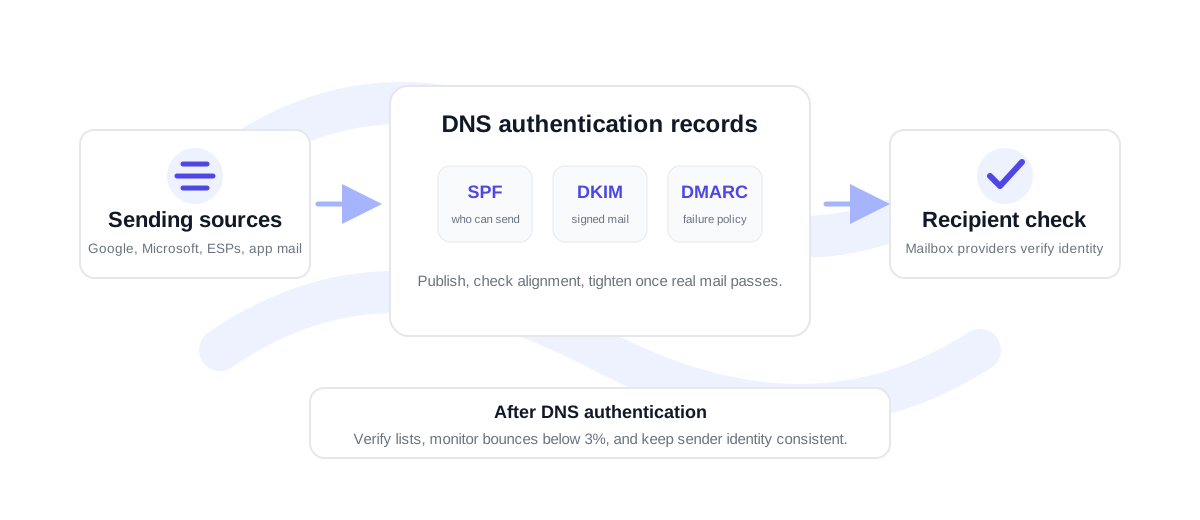
Check SPF and DMARC so the domain has sender authorization, message signing, and policy alignment.
Common DKIM failures before sending
The most common DKIM failures are selector mismatch, key pasted with missing characters, DNS record split incorrectly, and old keys left behind after rotation. Another common issue is authenticating a root domain while the campaign sends from a subdomain, or vice versa. Always check the exact domain used in the From address and the exact selector used by the sender.
DKIM is one part of inbox trust. For outreach or marketing campaigns, pair authentication checks with list verification. VeriMails can help verify addresses through the email verifier, the verification API, or bulk CSV verification. Authentication confirms who sent the message; verification reduces the chance of sending to dead or risky addresses.
DKIM checks for multiple sending platforms
A domain often has more than one DKIM selector. Team inbox mail, lifecycle email, newsletters, cold outreach, support software, and billing notifications may all send from the same brand but sign with different keys. Check each active selector instead of checking only the first one you find in a setup guide.
Keep a simple record of selector ownership: selector name, sending platform, domain or subdomain, DNS host, and date last verified. This helps when a platform is replaced or when a key rotation creates a new selector. If a provider tells you DKIM is enabled but the checker cannot find the record, the ownership list gives you the fastest path to the missing DNS host.
For campaign sending, do this check before importing a list into your sequencer or email platform. A clean DKIM result will not fix bad recipient data, but it removes one avoidable authentication issue before bounce and engagement signals start affecting the domain.
If several selectors are active, check the one used by the platform that will send the next campaign. A domain can have one working DKIM selector and another broken one at the same time, so testing only the easiest selector can create a false sense of readiness.
DKIM checker FAQ
Why is my DKIM record not found?
The selector may be wrong, the DNS host may be incomplete, the record may not have propagated, or DKIM may be published under another sending domain.
Can I check DKIM with only a domain?
No. DKIM requires a selector plus the domain. Without the selector, the checker does not know which DNS host to query.
What should a DKIM record contain?
Most DKIM records start with v=DKIM1 and include a public key in the p= tag. Your sending provider may add other tags depending on its setup.
Do I need to check DKIM after rotating keys?
Yes. After key rotation, verify the new selector or updated public key is visible in DNS before relying on it for production sending.