VeriMails vs Verifalia
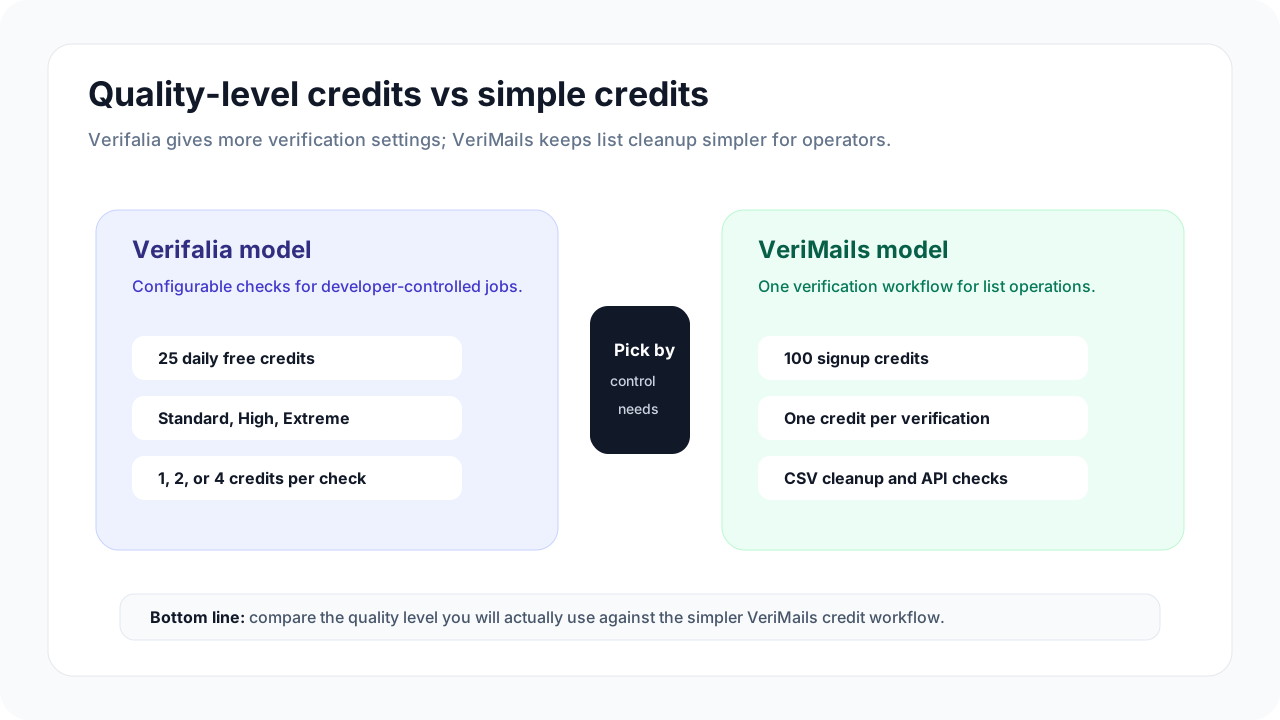
Both VeriMails and Verifalia help teams remove bad email addresses before they send. The difference is how much choice you want before a list is cleaned. VeriMails keeps the workflow simple for sales, marketing, agency, recruiting, and CRM teams. Verifalia gives teams more settings, quality levels, daily credits, and API options.
Want the full credit table in one place? Check VeriMails pricing before you choose a pack.
At a Glance
| Category | VeriMails | Verifalia |
|---|---|---|
| Best fit | Teams that want a clean list quickly | Teams that want more verification settings |
| Free usage | 100 signup credits | 25 daily credits on the Free plan |
| Paid credits | Straightforward verification credits | Credit use changes by selected quality level |
| List cleaning | Upload CSV, verify, review, export | Upload lists and choose verification depth |
| Hard-to-read addresses | Clear result groups for review | More detailed report classifications |
| API and app checks | Focused API for verification checks | API, SDKs, widgets, and more setup options |
| Buyer effort | Lower: fewer choices before running a job | Higher: more choices can improve control |
Comparison Visual
What This Means for Buyers
Most buyers do not wake up wanting a more complicated verification setup. They want fewer bounces, fewer wasted sends, and a cleaner list they can trust before a campaign goes live. That is where VeriMails is deliberately simple: upload a CSV, verify the addresses, separate the records that need review, and export the result.
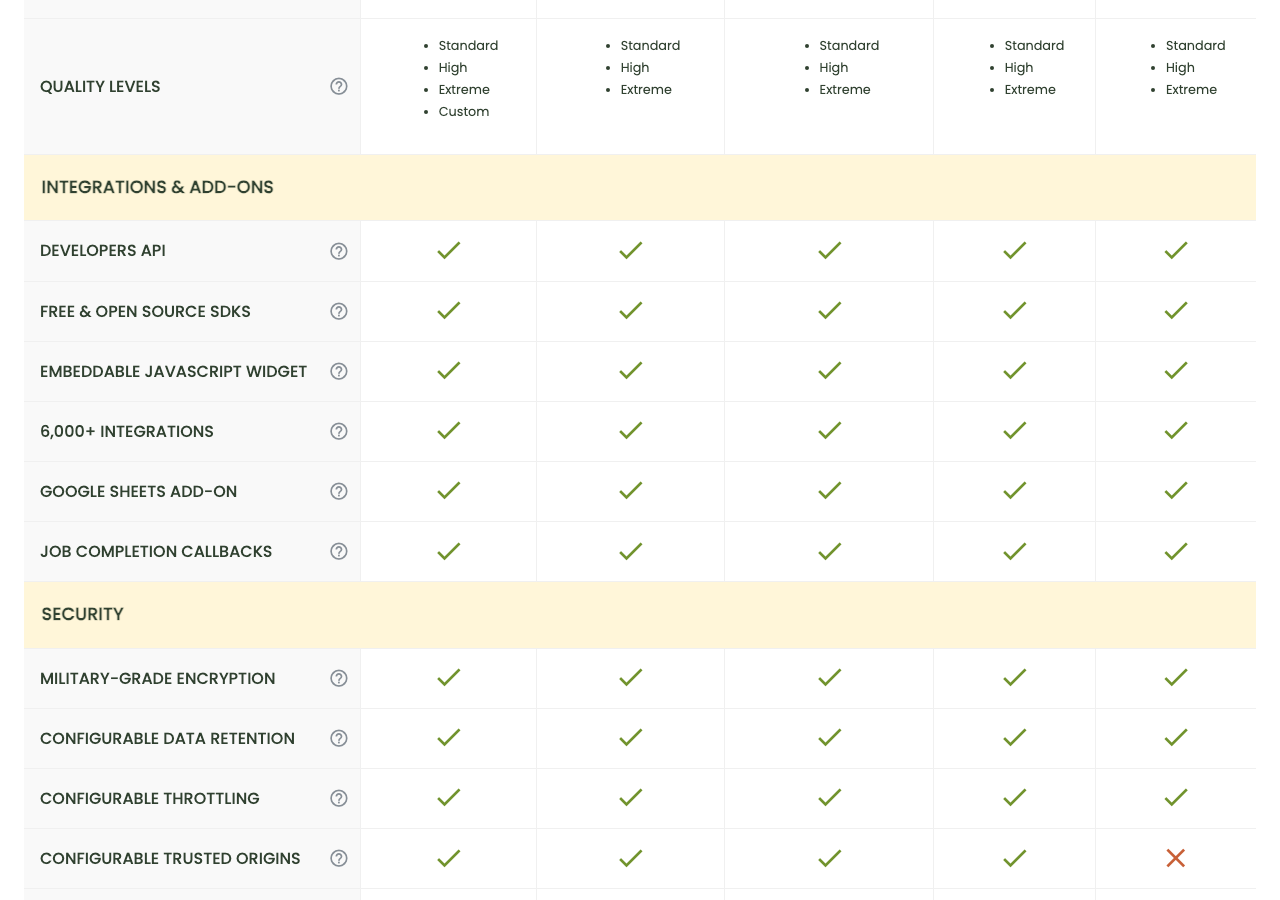
Verifalia is a better fit when the extra choices are a real advantage. Its public pricing page describes daily credits, paid credit packs, quality levels, API access, SDKs, widgets, and integrations. Those options can be useful for a team with software support, but they also mean the buyer needs to understand which setting is right for each list.
| Buying question | Choose VeriMails when... | Choose Verifalia when... |
|---|---|---|
| Do we need this today? | You want a quick list cleanup before a send. | You have time to tune settings and compare quality levels. |
| Who owns the workflow? | A marketer, salesperson, recruiter, founder, or agency operator owns the list. | A software or operations teammate will manage verification choices. |
| How predictable should buying feel? | You want simple credits and a familiar CSV workflow. | You are comfortable comparing plans, daily credits, paid credits, and quality levels. |
| How much detail do we need? | You need clear groups for send, review, and suppress decisions. | You want more detailed classifications and configurable verification depth. |
For either product, test a real sample from your own list. The right tool is the one that gives your team a clear decision before the campaign is scheduled.
Pricing, Free Credits, and Daily Credits
Verifalia publishes a Free plan with 25 daily credits. Its help center says daily free credits expire at the end of each day, while purchased credits do not expire. That can be attractive if you verify small batches every day, but it is less useful when your work comes in larger campaign waves.
VeriMails is easier to evaluate when your team wants to run a sample now, then buy credits when a real list needs cleaning. There is no quality-level decision to make before a normal CSV cleanup. The buyer can focus on the result: which addresses are safe to use, which should be reviewed, and which should be removed before sending.
| Cost factor | VeriMails | Verifalia | Buyer takeaway |
|---|---|---|---|
| Free start | 100 signup credits | 25 daily credits on the Free plan | VeriMails is simple for a first sample; Verifalia rewards daily use. |
| Paid use | Use verification credits for list cleaning or API checks | Buy credits or use subscription daily credits | Compare the real list size you need to clean, not only headline plan names. |
| Verification depth | One standard workflow for normal buyers | Standard, High, and Extreme levels use different credit amounts | Verifalia gives more control; VeriMails removes a decision from the buying process. |
| Campaign timing | Useful for one-off and recurring list cleanups | Strong if you can use daily credits consistently | Match the tool to how your team actually works. |
VeriMails Credit Pricing
| Credits | VeriMails Price | Price per Email |
|---|---|---|
| 10,000 | $19 | $0.0019 |
| 25,000 | $39 | $0.00156 |
| 50,000 | $59 | $0.00118 |
| 100,000 | $99 | $0.00099 |
| 250,000 | $199 | $0.000796 |
| 500,000 | $349 | $0.000698 |
| 1,000,000 | $499 | $0.000499 |
| 2,500,000 | $999 | $0.0004 |
| 5,000,000 | $1,499 | $0.0003 |
VeriMails credits never expire. Email Finder costs 20 credits only when VeriMails returns a verified person-level email. At the 10,000-credit pack, that is $0.038 per found email. Monthly plans start at $12.50/mo when billed yearly.
Quality Levels Without the Jargon
Verifalia's quality levels are the main reason to choose it over a simpler list-cleaning tool. Standard is the lower-cost default, while High and Extreme spend more credits for deeper checking. That can make sense when your list is valuable, messy, international, or difficult to classify.
The tradeoff is that someone has to decide when the extra depth is worth the extra credits. For many sales and marketing teams, that decision slows down the job. VeriMails is aimed at teams that want the product to stay out of the way: clean the list, show the review groups clearly, and let the team decide what to send.
| Scenario | Better buyer experience | Why |
|---|---|---|
| Cleaning a webinar export before follow-up | VeriMails | The team needs a quick CSV cleanup and clear export, not extra setup. |
| Building verification into a custom app | Verifalia | Its API, SDK, widget, and quality levels are useful when a software team owns the flow. |
| Reviewing an old CRM list | VeriMails | Operators can separate good, risky, catch-all, and bad records before a campaign. |
| Testing several verification depths | Verifalia | The quality-level choices are a feature when the team wants that control. |
Bulk Uploads and Campaign Cleanup
For a buyer, the bulk workflow matters more than the feature checklist. You need to know whether a CSV from your CRM, ecommerce platform, webinar tool, or lead source can be cleaned without a long setup process.
VeriMails is built around that practical list-cleaning workflow. Upload the file, verify the emails, review the groups, and export the version your campaign team can use. That makes it a strong fit for sales teams preparing outbound lists, agencies cleaning client data, recruiters checking candidate lists, and marketers protecting sender reputation before a launch.
Verifalia also supports bulk list verification and publishes support for common file formats such as CSV, TSV, XLS, and XLSX, including files up to 100MB. It is a capable option when your team wants more import choices and does not mind the additional verification settings.
Catch-all and Risky Addresses
Catch-all addresses are not automatically good or bad. They belong in a review group because the receiving domain may accept many addresses even when an individual mailbox is uncertain. The practical buyer question is simple: can your team see those records clearly before they send?
VeriMails keeps catch-all review visible in the list-cleaning workflow, so campaign teams can decide whether to suppress, segment, or test those addresses more carefully. Verifalia also provides detailed validation reports and classifications, which can be helpful when a team wants a more granular view of every result.
Regional and Multilingual Lists
If your campaigns span multiple countries or languages, do not treat the list as one generic spreadsheet. Separate contacts by market, consent source, language, and campaign owner before you verify. That makes it easier to compare bounce risk, review catch-all addresses, and decide which records should be sent, refreshed, or removed.
For most go-to-market teams, VeriMails is the simpler choice here because the workflow stays consistent across each market list. Verifalia can still be the right tool if a team wants to tune quality levels for different regions or build verification into a custom intake process.
| Regional task | Recommended buyer step | Why it matters |
|---|---|---|
| Country campaign | Verify each country list separately. | You can compare quality and bounce risk by market before sending. |
| Multilingual outreach | Keep language and consent source in the export. | Clean email data is only useful if the right message goes to the right audience. |
| Old CRM segment | Review catch-all and risky records before reactivation. | Older lists often need more careful suppression decisions. |
| Agency client work | Deliver the cleaned file with clear result groups. | Clients need an action-ready export, not a technical explanation. |
Which Should You Choose?
Choose VeriMails if...
- You want a simple way to clean a CSV before a campaign.
- You need bulk CSV verification and export workflows.
- You want catch-all and risky records grouped clearly for review.
- You are cleaning lists for sales, marketing, agency, recruiting, or CRM hygiene teams.
- You want fewer choices before verification starts.
Choose Verifalia if...
- You want configurable Standard, High, or Extreme quality levels.
- Your team wants Verifalia's API, SDKs, widgets, and integrations.
- You can use daily free credits efficiently on recurring small jobs.
- You need bulk upload support across several spreadsheet and text formats.
- You want more detailed result classifications and are comfortable managing them.
Public Sources
This comparison uses Verifalia's public product and help pages as buyer evidence, checked on May 21, 2026. Plan details, currency, and credit pricing can change, so confirm the live checkout page before you buy.
Verification Accuracy
Verifalia can be useful when you need a small validation API or a lightweight checker. VeriMails is built for the full list-cleaning job: single checks, bulk CSV jobs, and exports that your sender can use immediately.
The practical accuracy test is simple: check a real sample, compare valid, invalid, catch-all, disposable, and unknown rows, then send only the confirmed valid segment. Guessing on uncertain mailboxes is what creates bounce risk.
API and Developer Experience
VeriMails gives developers single and bulk REST endpoints with clear JSON results. Verifalia may have its own API shape, limits, or product assumptions, so compare response fields before wiring either tool into production.
The safe build is boring: validate one address in real time, queue large files as bulk jobs, and keep catch-all or unknown rows out of automated sends until a human policy decides what to do with them.
Who VeriMails Is Best For
Choose VeriMails when verification is the job and you want the result before the send.
- You already have a list and need to clean it before a campaign.
- You want prepaid verification credits that never expire.
- You need both real-time API checks and bulk cleanup from the same credit balance.
Who Verifalia Is Best For
Choose Verifalia when its broader product strengths match the job you are buying for.
- Choose Verifalia when you need its specific API bundle, free checker, hosted form, or validation endpoint.
- Choose it for small one-off checks if the pricing and limits fit your usage.
- Choose it when its response format already matches an existing integration you do not want to change.
Frequently Asked Questions
Why teams switch to VeriMails
“We clean lists for 12 clients. VeriMails processes all of them for less than what one client used to cost us on NeverBounce.”
— Laura K. — Operations Lead at B2B Lead Gen Agency, United Kingdom
“Credits never expiring is a bigger deal than it sounds. We buy in bulk when we have budget, use them over months. No other verifier lets us do that without a subscription.”
— Lena M. — Head of Partnerships at Sales Enablement Platform, Germany
Related Comparisons
Clean Your Next List
Start with 100 free credits. Verify a sample CSV or API workflow and review catch-all records before you send.
Start Free