Why cold email lists break so quickly
A cold email list is not a static asset. People change roles, companies shut down inboxes, domains move mail providers, and enrichment tools guess patterns when they cannot confirm a direct address. The list may look complete in a spreadsheet, but a meaningful share of rows can be unusable by the time the campaign goes live.
The risk is not only wasted sends. A bad list creates hard bounces, weak engagement, and early negative signals for the domain behind the campaign. Mailbox providers, sending platforms, and internal deliverability dashboards all react badly when a new sequence starts with a visibly dirty file.
Verification does not replace targeting or copy quality. It protects the delivery layer so a good campaign is not undermined by addresses that should never have reached the sequencer. That is why cold email verification belongs before list import, not after a campaign starts bouncing.
What VeriMails checks before a campaign
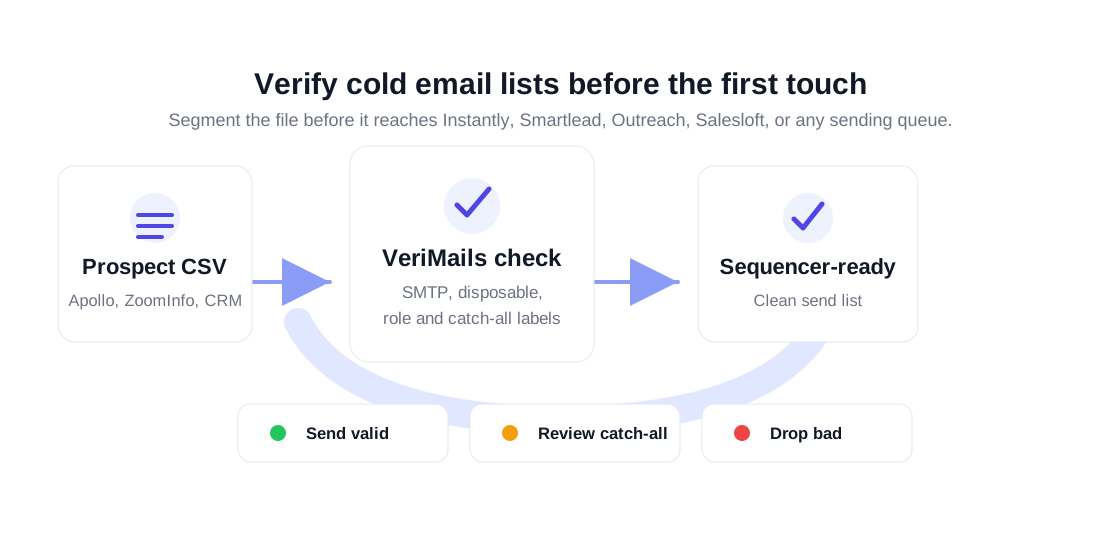
VeriMails separates the list into categories your team can act on. Valid contacts can move toward the main sequence. Invalid and disposable addresses should be suppressed. Role-based addresses such as info@, support@, and sales@ should be reviewed because they are usually shared inboxes. Catch-all domains should be treated as a separate risk segment rather than mixed into the primary send list.
That segmentation makes the campaign operator's job clearer. Instead of asking whether the list is clean in general, the team can decide what to do with each category. A high-value account might justify manual review. A lower-value prospect row with a risky label may not belong in the first wave at all.