Best Email Finder Tools in 2026
Email finder tools help teams turn prospecting research into work-address candidates. Discovery is only half the job, though. This guide compares eight strong finders available in 2026, how to evaluate them, and why verification belongs in every workflow before outreach begins.
Shortlist email finder tools by workflow fit, verification review, export controls, and credit behavior. VeriMails is the focused choice for finding and verification together; Hunter is a clean general-purpose finder; Snov.io and Apollo add outreach platform depth; RocketReach, VoilaNorbert, Findymail, and Lusha solve different coverage and lookup needs.
What an email finder actually does
An email finder turns a prospecting request into a business email result that a sales, recruiting, or marketing team can review. For buyers, what matters is whether the result is verified, current enough to trust, and priced in a way that does not punish unsuccessful searches.
Found contact data can age quickly. People change roles, teams retire mailboxes, and company mail systems change. That gap between a returned result and a confirmed deliverable address is the single most important thing to understand before you load finder output into a campaign.
The best tools narrow the risk with verified results, clear status labels, and billing that aligns with usable outcomes. A finder that returns addresses without verification still leaves you with the work of checking every result before outreach.
| Tool type | Best fit | Verification move | Buying cue |
|---|---|---|---|
| Focused finder | Targeted lookups where simplicity and clean exports matter most. | Verify the export before it enters a sequencer. | Best when your team prospects in batches and wants low operational overhead. |
| Finder plus outreach suite | Small teams that want discovery, verification, and sending under one login. | Confirm which result labels are safe to send and which should be held out. | Best when the same team owns list building and campaign execution. |
| Large sales database | Teams building broad target lists from company, role, and territory filters. | Run exports through a strict verification pass because coverage and freshness are different goals. | Best when coverage and enrichment are more important than a narrow finder workflow. |
| Finder with verification workflow | Teams that want discovery and deliverability review in the same operating process. | Review verified results, separate risk labels, and keep suppression lists synchronized. | Best when bounce control and usable contact output matter more than platform breadth. |
Best email finder tools in 2026
Use this selection table to compare the job each tool is best suited for. The right choice depends less on brand name and more on whether you need a focused finder, a database, a campaign suite, or a verified-result workflow.
| Tool | Best for | Verification posture | Pricing shape | Watch out |
|---|---|---|---|---|
| VeriMails Email Finder | Finding and verification in one focused workflow | Found-and-verified results before outreach review | 100 free credits on signup; charged on successful find | Focused on clean contact output, not a full sales engagement suite |
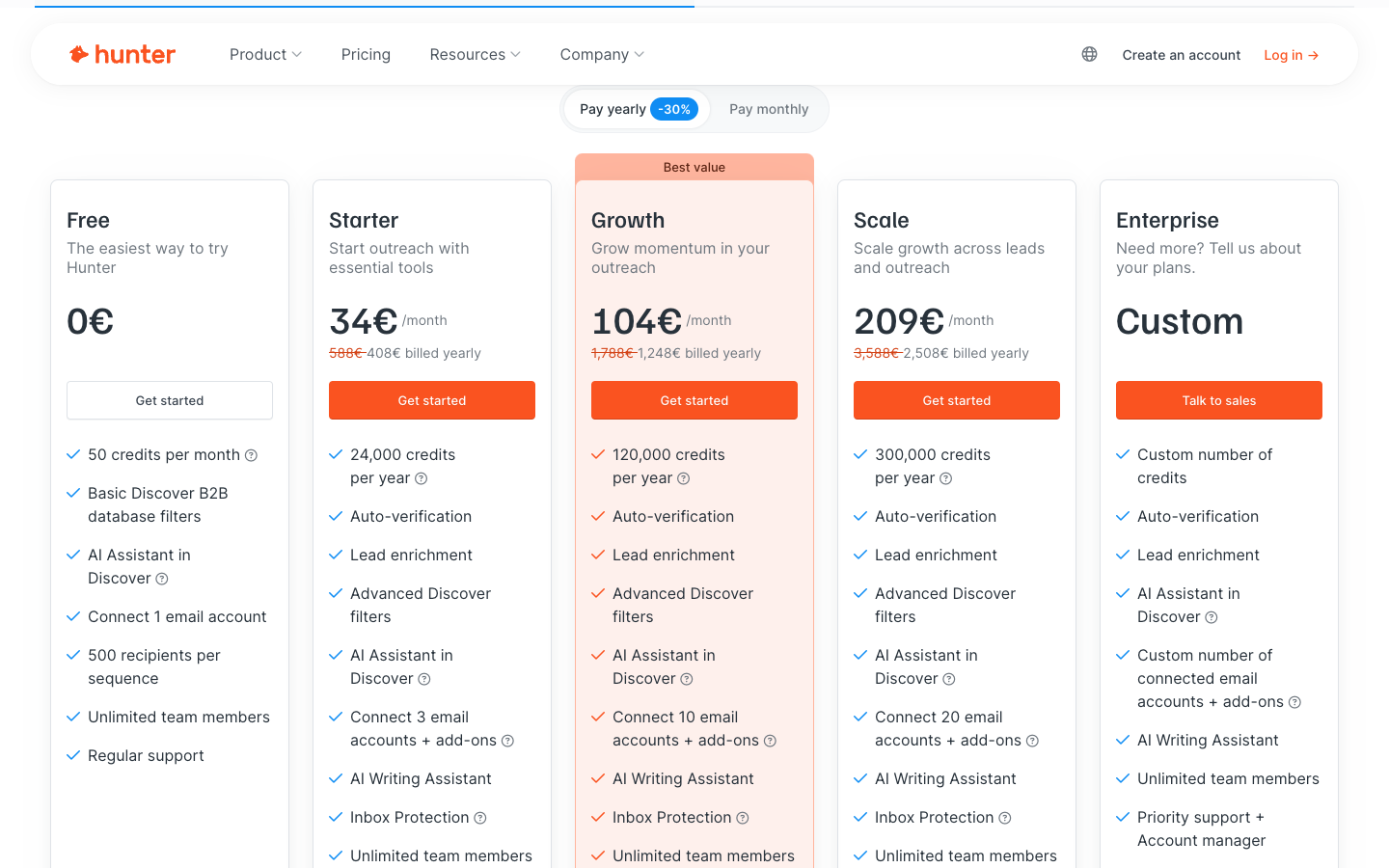
| Hunter | Straightforward email lookup and domain-level discovery | Finder and verification features live in the Hunter workflow | Free monthly allowance plus paid credit tiers for higher volume | Campaign and enrichment depth may be lighter than broader platforms |
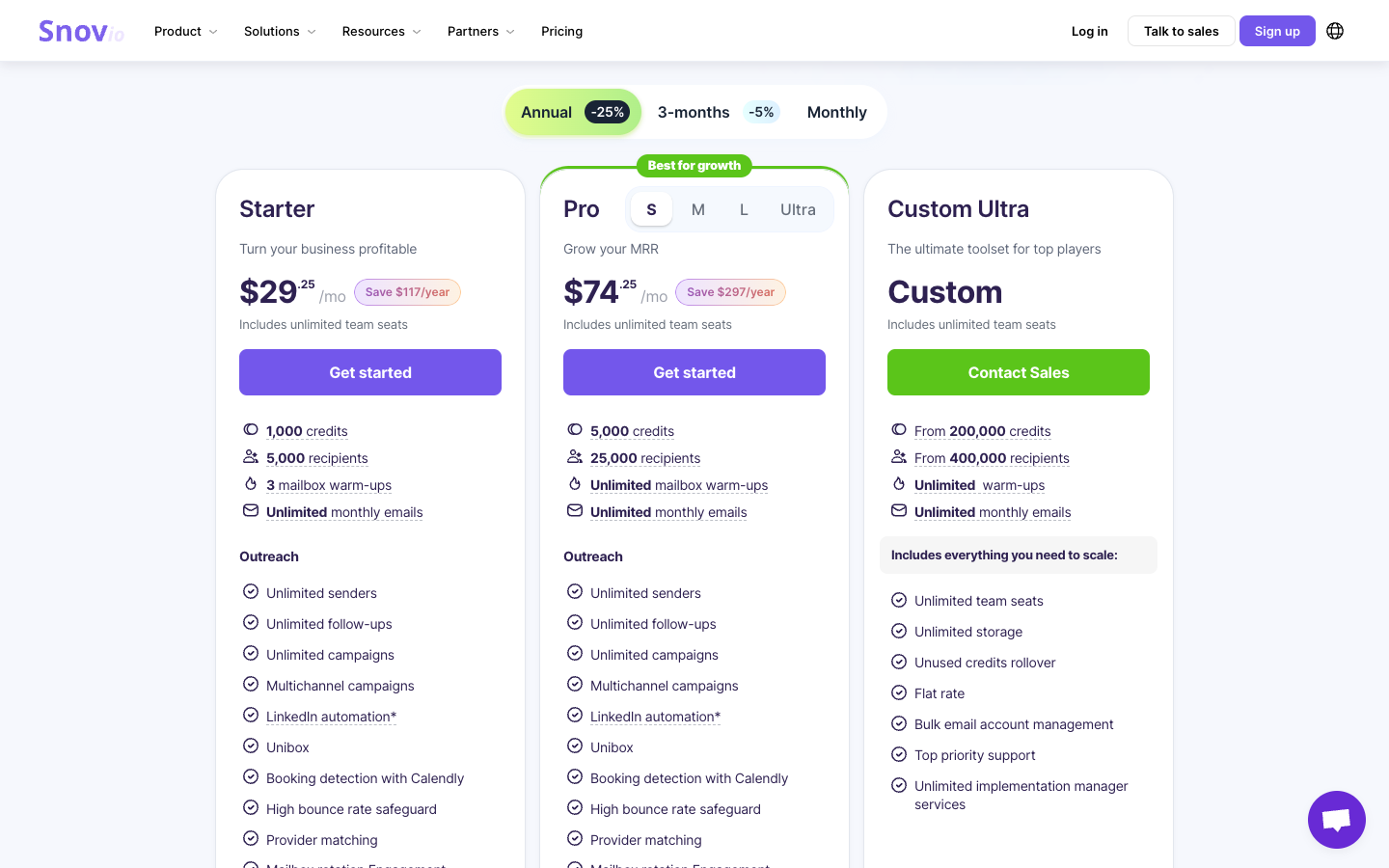
| Snov.io | Finder, verification, and drip campaigns under one login | Verification is bundled with prospecting and campaign features | Free trial and paid credit tiers that scale by plan | Good all-in-one fit only if you will use the outreach features |
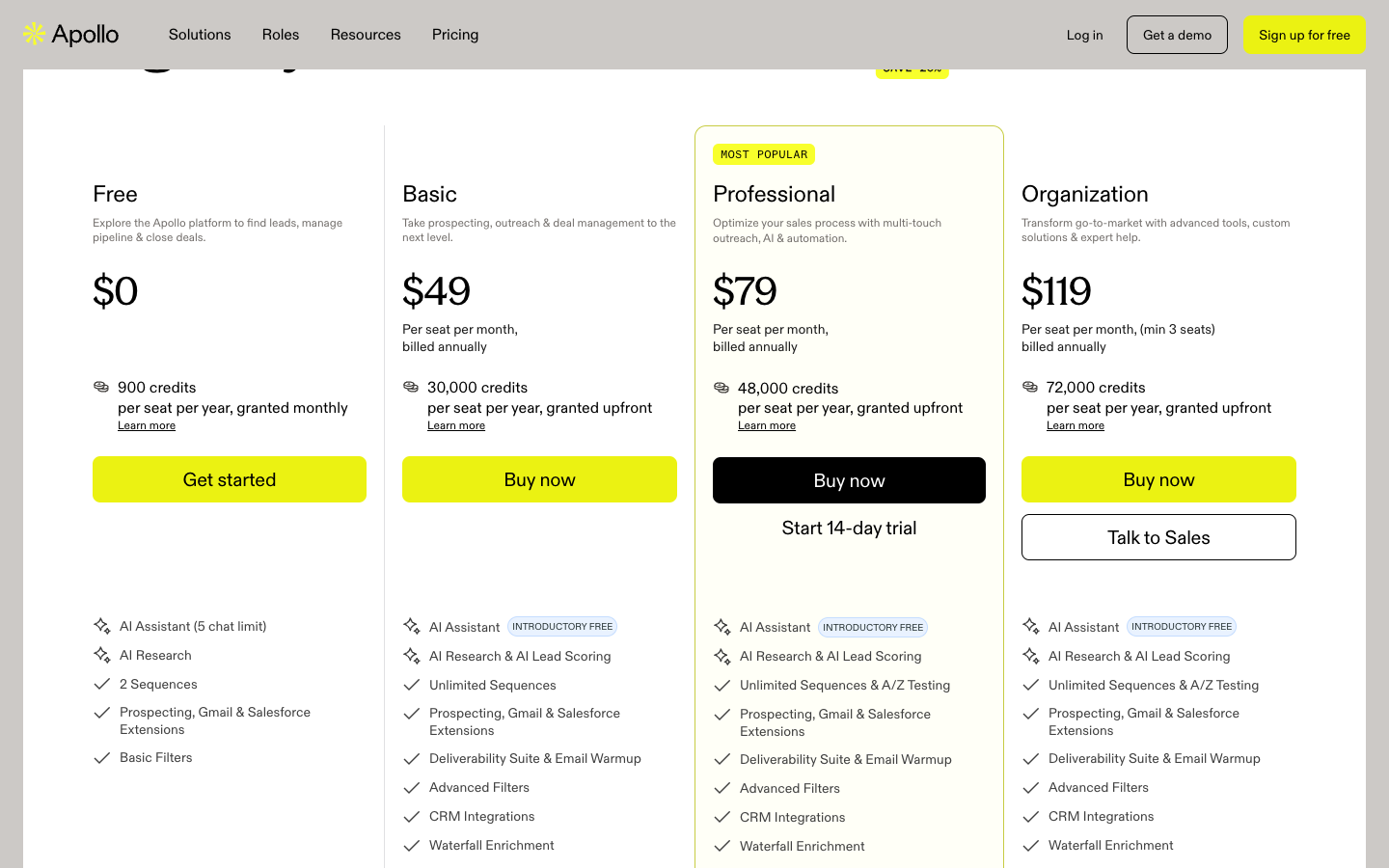
| Apollo | Sales database, sequencing, dialer, and CRM-style workflows | Database output should be verified before sequencing | Seat-based platform tiers with feature limits and credits | More platform than many teams need for simple email finding |
| RocketReach | Large contact database access and difficult contact research | Use verification review before outreach | Lookup and export credit tiers | Coverage and send-readiness are separate questions |
| VoilaNorbert | Simple targeted lookup for sales teams | Lead credits focus on correct email results | Free starter allowance and monthly lead tiers | Less useful when you need a full prospecting database |
| Findymail | Verified contacts and CRM hygiene workflows | Finder credits include automatic verification | Monthly finder credit tiers with emphasis on verified results | Best for teams that value output quality over a broad platform bundle |
| Lusha | Fast B2B contact discovery and enrichment | Credit reveal model with data quality signals | Free and paid seat or credit packages | Verify revealed contacts before adding them to active sequences |
VeriMails Email Finder
VeriMails is the best fit when your primary goal is a found-and-verified result your team can review before outreach. It keeps email finding close to bulk verification, API checks, and cold email verification, which makes the workflow easier for teams that already care about bounce reduction. It is deliberately narrower than a sales engagement platform.
Hunter
Hunter is one of the longest-running names in this space and remains a sensible default for straightforward email lookup. Its Domain Search and Email Finder workflows are clean, familiar, and paired with verification features so you can decide how much review each result needs. Current Hunter pricing lists a free monthly allowance and paid tiers with larger monthly credit allowances; compare the credit model carefully if you run frequent searches.
Snov.io
Snov.io sits between a simple finder and a full sales platform. Alongside email finding it bundles list verification, prospecting workflows, drip campaigns, and inbox warm-up, which makes it attractive if you want fewer tools in your stack. Snov.io is a strong pick for a small sales team that wants discovery, sending, and a verification check under one login.
Apollo
Apollo is a sales intelligence platform rather than a pure finder. It pairs a large contact database with sequencing, dialer, and CRM features. If you need breadth and the ability to build target lists from filters across many companies, Apollo is hard to ignore. The practical caveat is data freshness: verify Apollo exports before you load them into a sequence.
RocketReach
RocketReach is useful when coverage is the hard part. It gives teams a database-led way to research contacts across companies, roles, and regions. It is best evaluated on how many usable contacts remain after verification, not simply how many contacts are returned by a search.
VoilaNorbert
VoilaNorbert is a straightforward email finder for targeted outreach. It does not try to be a complete sales platform, which can be an advantage for teams that want simple lookup and export. It is a practical choice when your workflow is already built elsewhere and you only need a finder layer.
Findymail
Findymail emphasizes verified contacts, prospecting list cleanup, and CRM hygiene. Its model is attractive when the buyer cares about usable contacts and does not want to spend credits on broad database exploration. Test it against the same accounts as Hunter or RocketReach if quality after verification is your main criterion.
Lusha
Lusha is a B2B sales intelligence tool with contact reveal credits and enrichment workflows. It is useful for sales teams that want quick contact discovery from a database interface. Because revealed contacts can still age or change, route Lusha output through verification before active outreach.
How to choose between them
Match the tool to the job rather than chasing a single winner. If you do occasional, targeted lookups and value simplicity, a focused finder or finder-verifier workflow is usually easier to run. If you are a small team that wants discovery and sending together, Snov.io reduces the number of subscriptions you manage. If you build large prospecting lists from filters and feed a busy outbound motion, a database platform like Apollo, RocketReach, or Lusha gives you coverage, provided you verify aggressively.
The credit model matters
Watch how each tool charges. Some use credits whether or not a usable address is found, which means misses consume budget. VeriMails Email Finder is charged on successful find, so the buying model is tied to found-and-verified results. Over a few thousand searches, that difference is real money. Read the credit policy before you commit.
Best-for criteria
Choose VeriMails for verified-result review, Hunter for a clean general-purpose finder, Snov.io for an all-in-one finder and campaign tool, Apollo for a full sales platform, RocketReach for contact coverage, VoilaNorbert for simple targeted lookup, Findymail for verified contact output, and Lusha for database-led B2B enrichment.
Why finding is only half the work
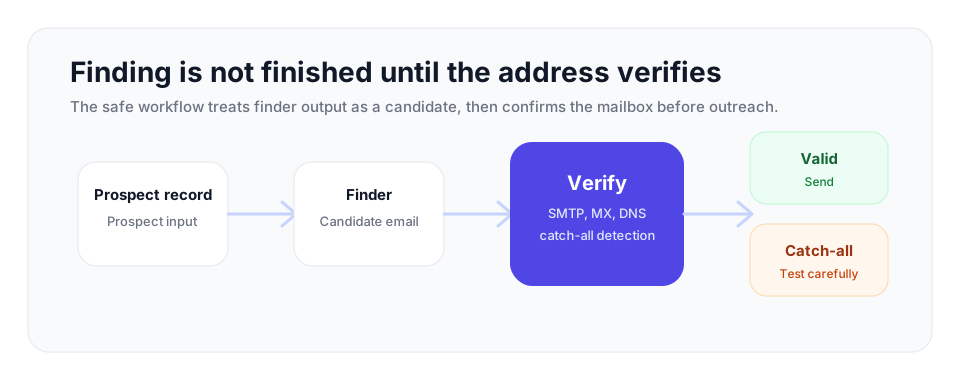
Finding an address is not the finish line. The job is not done until the address is checked deeply enough to reduce bounce risk. A useful verification pass reviews address format, domain mail setup, mailbox signals where the receiving server allows them, and the risk labels that quietly damage outreach: disposable addresses, role-based inboxes like info@ or sales@, and catch-all domains that accept mail broadly even when a person-level mailbox is not confirmed.
| Verification result | Campaign action | Why it matters |
|---|---|---|
| Deliverable | Add to the active outreach segment. | The mailbox passed the checks needed for a normal send. |
| Undeliverable | Suppress before import. | Sending creates hard bounces and reputation damage. |
| Catch-all | Hold in a separate low-volume test segment. | The domain accepts mail broadly, but the mailbox is not confirmed. |
| Role-based | Review against the campaign goal. | Shared inboxes can be useful for some offers and poor for personal outreach. |
| Disposable | Remove from sales and marketing workflows. | Temporary inboxes are unlikely to become durable prospects. |
Catch-all domains deserve attention. On a catch-all domain the mail server answers yes to every address, so unverified results on those domains should not be treated as confirmed mailboxes. The right response is detection: identify the domain as catch-all, flag it, and decide how to handle it rather than treating its addresses as confirmed. Catch-all status is a fact about the domain, not a quality score for the address.
VeriMails was built for this confirmation step. It checks syntax, MX, DNS, mailbox signals, catch-all behavior, disposable domains, and role-based addresses. Verification is available through a REST API for real-time checks and through bulk CSV upload for cleaning an existing list. The VeriMails Email Finder keeps that outcome in the workflow: returned contacts are found-and-verified before use, with finder billing charged on successful find. Pricing for verification starts at $0.0019 per email, with credit packs from 10,000 credits at $19 up to 5 million credits at $1,499, and monthly annual plans from $12.50/month when billed yearly. New accounts get 100 free credits on signup with no card required, and those credits never expire.
A practical workflow for 2026
Put the pieces together into a repeatable process. Use a finder to identify possible contact emails, verify every discovered address before it touches a sending tool, then segment the output: send to addresses that pass cleanly, hold catch-all addresses for careful low-volume testing, and suppress failures. Re-verify saved leads periodically because contact data goes stale fast.
- Define the target account and contact rules. Decide which roles, regions, domains, and seniority bands are worth finding before credits are spent.
- Export only usable prospect fields. Keep name, company, title, profile URL if available, email, and finder confidence or status labels.
- Verify before sequencing. Run every found address through verification and keep the raw finder export separate from the approved send segment.
- Route results into segments. Send to deliverable addresses, test catch-all results cautiously, review role-based inboxes, and suppress failures.
- Re-check stale saved leads. Any saved finder result that sits for weeks should be verified again before it is used.
This sequence keeps your bounce rate low, which matters more than ever. Mailbox providers now reject mail aggressively when bounce rates climb, so a finder that hands you unverified addresses is not saving you time; it is borrowing against your sender reputation. The best email finder workflow in 2026 is a good finder followed by a good verifier, every single time.
Frequently Asked Questions
Start with Clean Data
100 free credits on signup. No credit card required. Put the advice into practice today.
Start Free