What an email blacklist check tells you
Email blacklists, also called DNSBLs or RBLs, are lists that flag domains, IPs or URLs connected to spam-like behavior. Some are used by corporate mail gateways, some are used by filtering vendors, and some are mainly advisory. A listing can hurt delivery, but the practical impact depends on the list, the receiving environment and the sender's overall reputation.
This checker helps you spot common warning signs quickly. It should be used alongside a broader deliverability check, authentication review and list verification workflow. If a domain is listed, the goal is not just to make the listing disappear. The goal is to remove the sending behavior that made the domain or infrastructure risky in the first place.
Why domains and IPs get listed
Unverified or stale lists
Old exports, purchased lists, scraped data and neglected CRM records can contain invalid addresses, recycled addresses and spam traps. If those addresses are mailed at scale, bounce and complaint signals can rise quickly. A bounce rate under 3% is healthy, 3-5% needs cleanup and attention, and above 5% is high risk.
Compromised or poorly controlled forms
Open forms can be abused to inject bad addresses into a database. If those contacts enter newsletters, onboarding flows or sales sequences without verification, the sender inherits the risk. Verifying addresses at the point of capture helps prevent that damage from reaching campaign systems.
Authentication or infrastructure mistakes
Missing SPF, broken DKIM, weak DMARC and misconfigured tracking domains make it harder for receivers to trust the sender. Those issues may not create a blocklist listing by themselves, but they make cleanup harder and can amplify the impact of poor list quality.
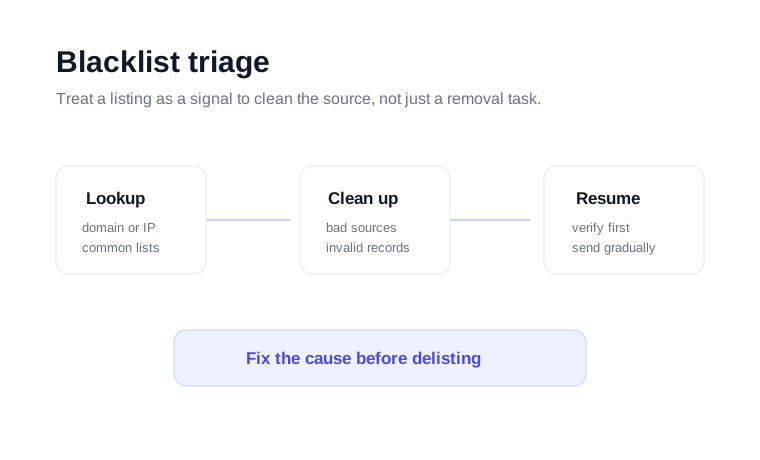
What to do if you find a listing
Stop the campaign or source that triggered the issue. Continuing to send while listed can make removal harder.
Run bulk email verification, remove invalid contacts and separate risky segments before you resume.
Check SPF, DKIM, DMARC, MX and tracking records. A clean DNS layer makes the recovery work more credible.
Use the relevant blocklist removal process only after the cause has been addressed. Then rebuild volume gradually.
How VeriMails helps prevent repeat listings
Most blacklist cleanup advice eventually comes back to the same operational habit: do not send to bad addresses. VeriMails helps teams verify contacts before bulk sends, clean CRM lists, and verify new leads before they enter sales or marketing automations. That reduces hard bounces and makes it easier to keep campaign volume focused on reachable recipients.
If you are diagnosing a deliverability problem, start with this checker, then run the domain reputation checker and DNS checker. If the domain setup is clean, verify the list before sending again.
It is also worth checking how the risky records entered the system. A one-time old CSV import is different from an ongoing form abuse problem. If the source is still open, the same kind of addresses can keep entering the CRM and the listing risk can return even after a successful cleanup.
For campaign teams, use the result as a send/no-send checkpoint. A clean check does not make a list safe, but a listing is enough reason to pause, verify the audience, and review sending infrastructure before more volume goes out.
If several brands or clients share infrastructure, document which domain, platform and list source produced the warning so the next cleanup step is targeted.