What domain reputation means
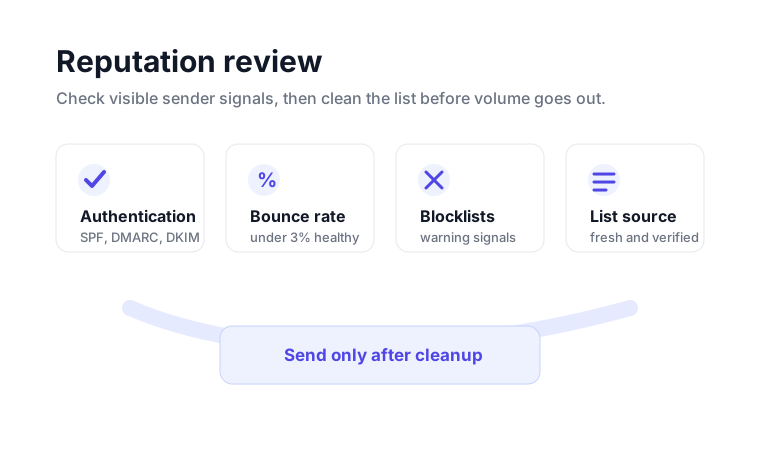
Domain reputation is the trust profile attached to the domain you use for email. Mailbox providers do not only evaluate a single message. They also look at how a domain has behaved over time, whether it authenticates correctly, whether recipients engage or complain, and whether recent campaigns produced too many bounces.
This checker reviews visible domain signals such as SPF, DMARC, MX records and common blacklist checks. Those signals are not the whole reputation picture, because mailbox providers also use private engagement and complaint data, but they are the parts a sender can inspect and fix directly. If those basics are weak, a campaign can struggle even before message copy or targeting is considered.
The signals to review before sending
Authentication
SPF, DKIM and DMARC help prove that a sender is allowed to use a domain. SPF lives in a TXT record on the root domain. DKIM usually lives on a selector under _domainkey. DMARC lives under _dmarc and tells receivers what policy to apply when authentication fails. Clean authentication does not guarantee inbox placement, but broken authentication is a clear preventable risk.
List quality
High bounce rates are one of the fastest ways to damage a sender profile. Under 3% is healthy. A 3-5% bounce rate needs cleanup and attention. Above 5% is high risk because it tells mailbox providers that the sender is contacting too many unreachable or stale addresses. Run bulk verification before important sends, especially when a list came from exports, scraped data, old CRM records or mixed sources.
Blocklist exposure
Blocklists are not all equal. Some are advisory and rarely affect delivery by themselves, while others can create immediate B2B delivery issues. A listing should be treated as a symptom. The right order is to pause the risky sending source, identify whether the issue came from bad addresses, compromised forms, aggressive volume or authentication problems, then request removal after the cause is fixed.
A practical reputation review workflow
Confirm SPF, DMARC and MX records are present. If a sending platform gives you DKIM selectors, verify those too.
If the last campaign crossed 3%, verify the next list before sending. If it crossed 5%, treat list cleanup as urgent.
A clean result is useful, but a listing should trigger root-cause cleanup before a delisting request.
Once the domain is clean, avoid sudden volume spikes. Stable, relevant sending is easier for mailbox providers to trust.
Where VeriMails fits
VeriMails helps with the list-quality side of domain reputation. Use the free tools for domain diagnostics, then use single email verification, bulk CSV verification or the verification API to keep bad addresses out of campaigns and sign-up flows. That keeps reputation work practical: fix the domain setup, clean the list, and only send to contacts that have a real chance of receiving the message.
For operators, the useful habit is to separate domain issues from list issues. If authentication is missing, fix DNS first. If authentication is clean but bounces are high, verify the list before changing copy, cadence or inbox rotation. That prevents teams from treating every deliverability issue as the same problem.
For agencies, the same checklist gives clients a clear handoff. Confirm the domain setup, document recent sending behavior, verify the next file, and then monitor bounce results after the next send. The process is simple enough to repeat across many client accounts without turning every campaign into a custom investigation.