Email Verification API for Clean Signups, Forms, and Data Pipelines
Verify email addresses before they enter your product, CRM, sequencer, or database. VeriMails returns structured results your application can act on without manual review.
100 free credits. No credit card required.
Where the API fits
Email verification API work usually starts when a team needs to protect a product form, import job, signup flow, CRM sync, enrichment process, or outbound system before bad addresses move downstream.
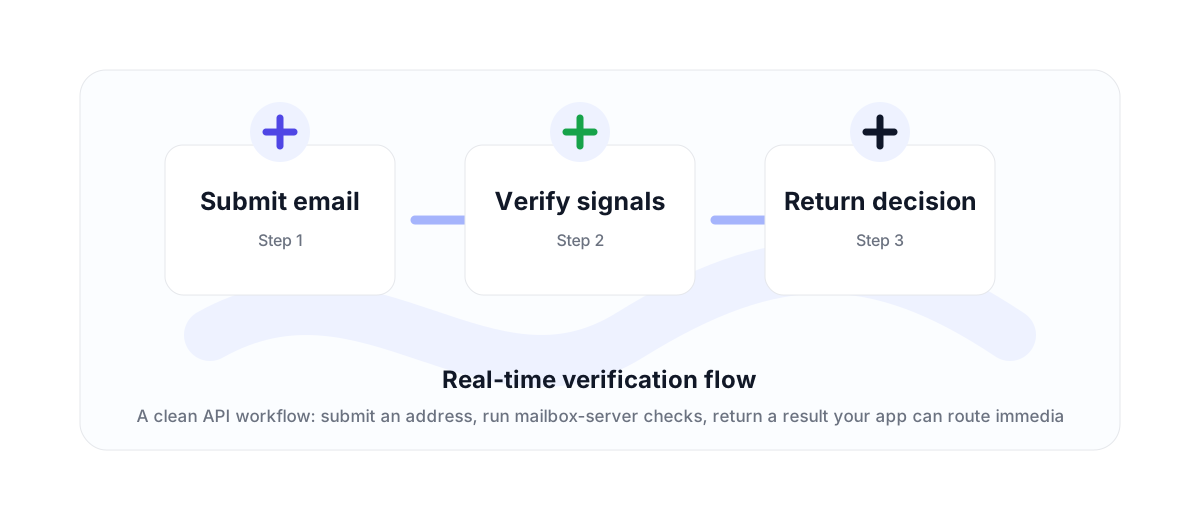
VeriMails is built for that workflow. Send an email address to the API, receive a structured result, and decide whether to accept, suppress, tag, or review the address based on the status and supporting flags.
What the API checks
A useful email validation API needs more than a regex. VeriMails combines syntax validation, domain and MX checks, live SMTP verification where the receiving server allows it, disposable email detection, role-based address detection, and catch-all detection.
That matters because different failures require different handling. A malformed address can be corrected immediately. A disposable address may be blocked in signup flows. A catch-all business domain may be routed into a lower-risk sequence rather than treated like a confirmed mailbox.
Where teams use it
Developers use the API in signup forms, lead forms, enrichment jobs, CRM syncs, and internal admin tools. Sales and marketing teams use API-backed workflows to stop bad contacts from reaching campaign systems in the first place.
For larger files, pair the real-time API with bulk CSV verification. Use the API for product flows and queues; use bulk verification when a team needs to clean a full list and download results.
Why teams use this workflow
Use the right VeriMails workflow for the job: quick manual checks, full CSV cleaning, API automation, or verified contact finding.
How the workflow fits together
Every verification workflow should lead to a clear action: send, suppress, segment, correct, or review.
Submit email
Start with the point where email quality affects revenue, deliverability, or data accuracy.
Verify signals
Run the right VeriMails workflow for the input: one address, a batch, or a file.
Return decision
Use the result to send, suppress, segment, correct, or review records before they move downstream.
Useful next pages
Keep moving through the workflow with the most relevant product, guide, pricing, or documentation page.
Email Verification API FAQ
Answers for teams comparing verification, cleaning, finder, API, and bulk workflows.
What is an email verification API?
An email verification API lets an application send an email address to a verification service and receive a structured deliverability result. VeriMails returns status fields and flags that can be used in signup flows, CRM imports, and outbound workflows.
How is the VeriMails API charged?
Email verification uses 1 credit per submitted address. New accounts receive 100 signup credits, and prepaid credits never expire.
Can I verify more than one email at a time?
Yes. The batch endpoint supports up to 500 emails per request. For full CSV files, use bulk verification instead.
Should I use the API or bulk verification?
Use the API when verification is part of a live product or automated workflow. Use bulk verification when a team needs to upload, process, and download a file.
Start with cleaner email data
Use VeriMails to verify addresses before they enter a campaign, database, product flow, or customer workflow.