Bulk Email Verifier for CSV Lists and Campaign Databases
Upload a CSV, map the email column, verify the list, and download enriched results that your team can use before the next send.
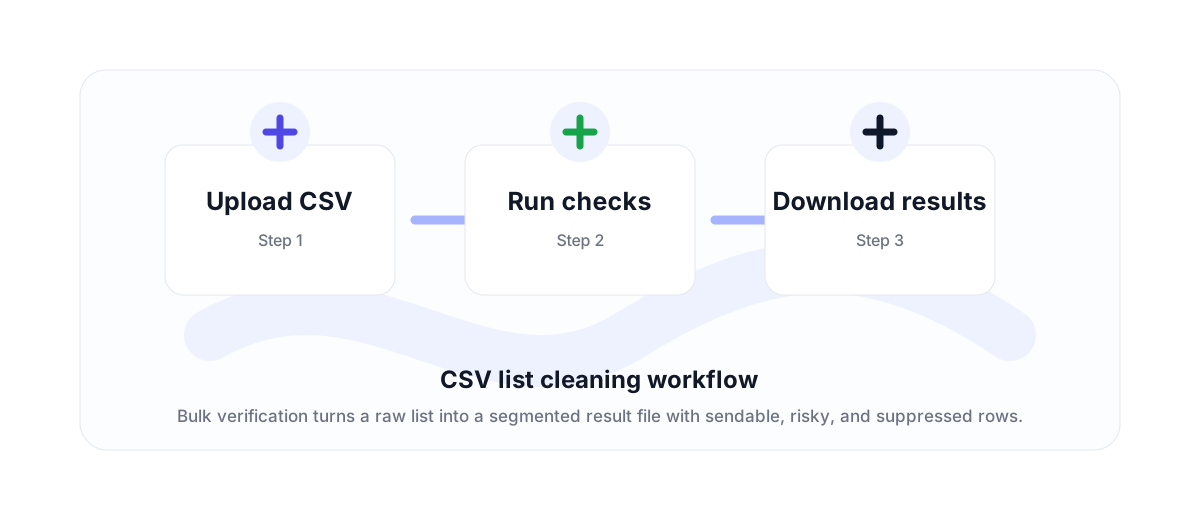
Built for list cleaning, not just file upload
A bulk email verifier is useful when the work starts with a file: exported CRM contacts, newsletter subscribers, lead lists, event attendees, ecommerce customers, or partner databases.
VeriMails keeps the workflow straightforward. Upload the CSV, choose the email column, verify the addresses, then download results that preserve the original list context.
Use enough credits before processing
Large lists should not start unless the account has enough credits for the number of addresses being submitted. That protects both the customer experience and credit accounting.
This is the logical rule for any serious bulk workflow: a 50,000-row file should require enough available credits to cover 50,000 verifications before it enters processing.
What to do with the result
Valid rows can move into the next campaign or CRM import. Invalid, disposable, and role-based rows can be suppressed or reviewed. Catch-all results should be segmented based on your risk tolerance rather than treated like confirmed mailboxes.
If your workflow is automated instead of file-based, use the email verification API. If your team needs a downloadable file, use bulk verification.
Why teams use this workflow
Use the right VeriMails workflow for the job: quick manual checks, full CSV cleaning, API automation, or verified contact finding.
How the workflow fits together
Every verification workflow should lead to a clear action: send, suppress, segment, correct, or review.
Upload CSV
Start with the point where email quality affects revenue, deliverability, or data accuracy.
Run checks
Run the right VeriMails workflow for the input: one address, a batch, or a file.
Download results
Use the result to send, suppress, segment, correct, or review records before they move downstream.
Useful next pages
Keep moving through the workflow with the most relevant product, guide, pricing, or documentation page.
Bulk Email Verifier FAQ
Answers for teams comparing verification, cleaning, finder, API, and bulk workflows.
What is a bulk email verifier?
A bulk email verifier checks many email addresses from a file or list and returns deliverability results for each row.
Does VeriMails preserve my CSV columns?
Bulk verification is designed to keep the original row context and add verification results so the output can be matched back to the original list.
Do I need credits before uploading a large CSV?
Yes. A bulk job should only run when the account has enough credits for the submitted addresses.
Can I download only valid rows?
Bulk workflows support result exports that help teams separate sendable rows from rows that should be suppressed or reviewed.
Start with cleaner email data
Use VeriMails to verify addresses before they enter a campaign, database, product flow, or customer workflow.