VeriMails vs VerifyEmailAddress.org
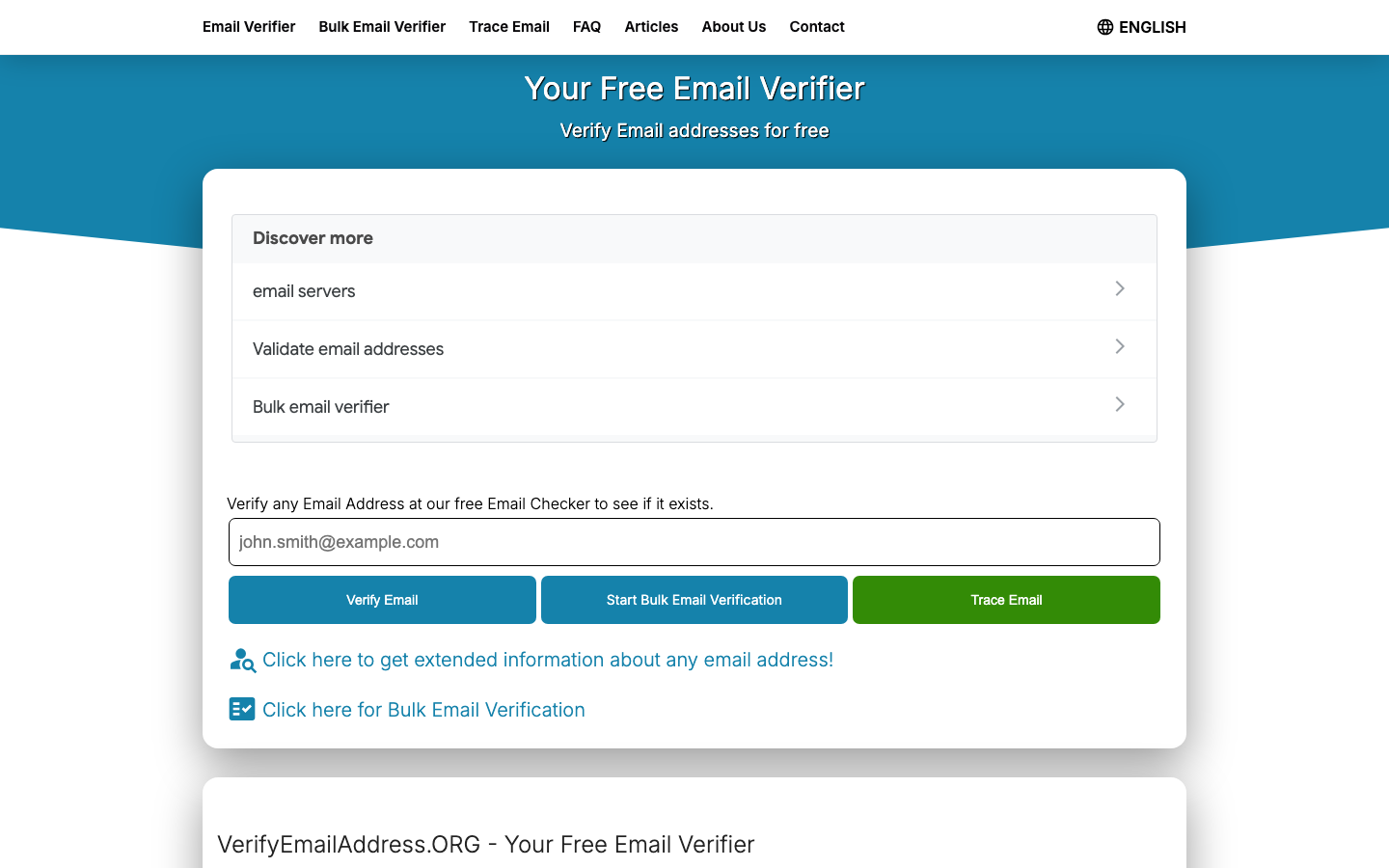
VerifyEmailAddress.org is useful for one-off manual checks. Its main page offers a free single-address form, describes syntax and MX record validation, and links bulk needs to a separate verifier path. VeriMails is for operational verification: bulk CSV cleanup, API checks, exports, non-expiring credits, and catch-all segmentation before a campaign or CRM import.
Want the full credit table in one place? Check VeriMails pricing before you choose a pack.
Updated May 21, 2026
Quick Verdict
At a Glance
| Decision point | VeriMails | VerifyEmailAddress.org |
|---|---|---|
| Primary job | Bulk verification, API checks, exports, and catch-all segmentation | Free manual lookup for a single email address |
| Best buyer | Sales, marketing, operations, and developer teams with repeatable workflows | Individuals who need a quick one-address check |
| Pricing model | 100 free signup credits, then one-time credit packs or monthly plans | Free single-address tool |
| Bulk verification | Built in for CSV cleanup | Linked from the free checker into a separate bulk verifier path |
| Developer API | API documentation and verification workflows | No developer API presented on the checker page |
| Visible check levels | List and API verification with operational output segments | FAQ describes syntax and MX record checks |
| Catch-all workflow | Separate catch-all segment for send policy | No dedicated catch-all workflow presented on the checker page |
| Output use | Export, suppress, segment, or integrate | Read a one-off result in the browser |
Free Checker vs Operational Verification
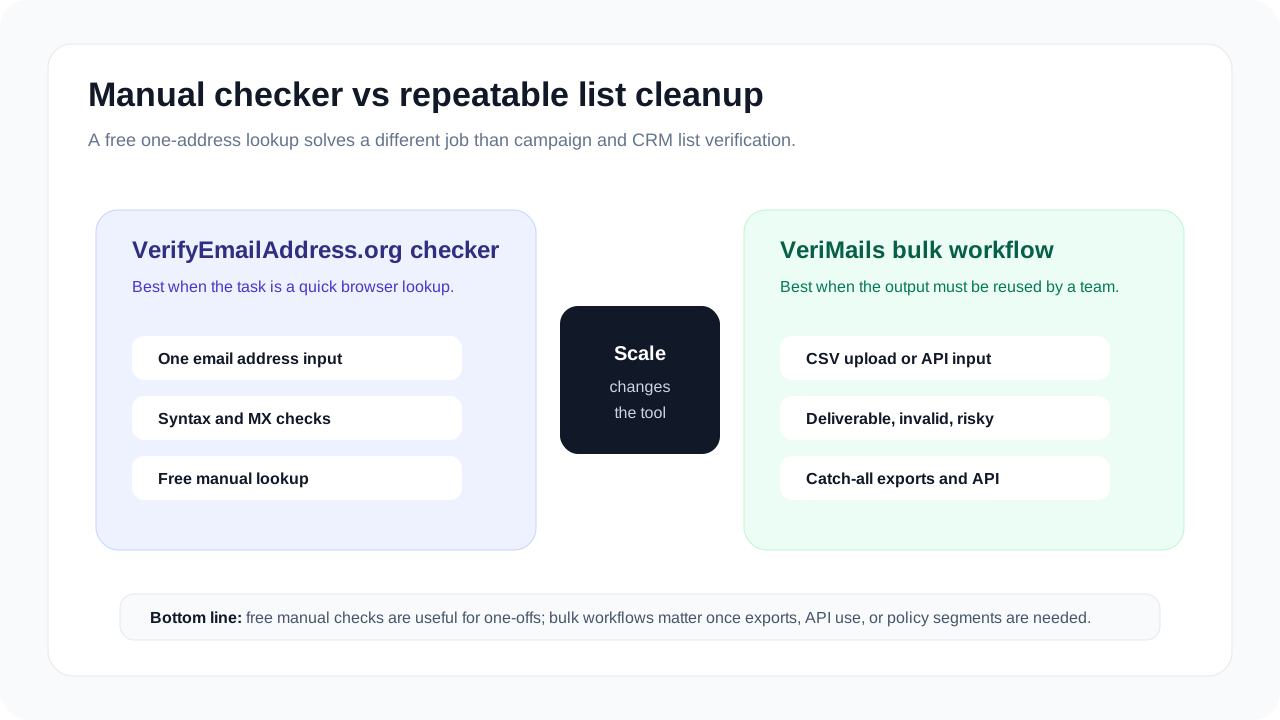
Free single-address checkers are valuable when the task is small. If a support rep, recruiter, or founder wants to check one address, a manual form is often enough. The tradeoff appears when the task becomes repeatable: campaign lists, CRM imports, lead vendor files, signup quality, and compliance-friendly exports all need a workflow instead of a one-off result.
VerifyEmailAddress.org is clear about that boundary. Its free checker page presents a single email verifier and points larger list work toward a separate bulk verifier path. Its FAQ says the checker uses two public verification levels, syntax and MX records, and that all single-email checks are free. VeriMails keeps the bulk workflow inside the product, so users can upload a CSV, review segments, export cleaned results, and use the same verification logic through an API.
Workflow Snapshots
Source-Backed Evidence to Check
The buying question is not whether a free checker can answer one lookup. It can. The question is what evidence a team can rely on when the workflow expands from one lookup to many addresses, repeatable exports, and localized campaign segments.
| Public evidence | What VerifyEmailAddress.org says | Buyer implication |
|---|---|---|
| Free checker scope | The main checker page positions the tool as a free email verifier for one email address. | Good for quick manual checks, not enough by itself for CRM or campaign operations. |
| Verification levels | The FAQ describes syntax and MX record checks as the two verification levels. | Teams that need richer deliverability segments should check whether the output supports their send policy. |
| Bulk workflow | The checker page links to bulk verification, and its bulk verification article says free bulk verification is limited and larger lists require a paid bulk tool. | Model the real list size, not only the single-address price. |
| Hygiene cadence | The FAQ recommends checking lists over 10,000 addresses every two weeks and smaller lists monthly. | Recurring verification needs a workflow that can be repeated without manual one-by-one checks. |
| Language surface | The public checker includes a language selector and localized checker pages. | Regional campaigns should preserve language, country, and consent segments when results are exported or synced. |
Source pages can change. Re-check the linked public checker and bulk-verification article before making a final purchase decision.
How to Read the Evidence
The main evidence points to two different use cases, not two identical products. A free single-address checker is a lightweight utility: type an address, read the result, and move on. That is useful for support desks, recruiters, founders, and anyone checking a single contact before replying or updating a record.
Operational verification has a different burden. The tool must preserve file context, make status results exportable, and let a team decide what happens to each segment. A sales team may suppress invalid rows, keep catch-all contacts in a separate lower-volume sequence, and route role-based addresses to manual review. A marketing team may need to preserve consent, country, language, source, lifecycle stage, and last-purchase metadata. A developer team may need the same status logic in an application workflow rather than a browser tab.
That is why the comparison should not be reduced to "free versus paid." VerifyEmailAddress.org can be the right answer for one manual lookup. VeriMails is the stronger answer when the verification output must become an auditable action: send, suppress, review, export, sync, or verify again on a schedule.
Pricing and Cost Context
For a one-off manual check, VerifyEmailAddress.org has the obvious advantage: it is free. That does not make it a substitute for bulk verification. The same page says bulk verification is available through its bulk verifier path, while its articles explain that free bulk validation is limited and that longer lists usually require a paid bulk tool. Once the job becomes "clean 5,000 CRM contacts" or "verify every new signup before it enters the database," the operational feature set matters more than the price of checking one address.
| Need | Free checker fit | VeriMails fit |
|---|---|---|
| Check one email manually | Strong fit | Available, but more product than needed |
| Clean 10,000 campaign contacts | Use the linked bulk verifier instead of the free checker | $19 one-time credit pack |
| Clean 100,000 CRM contacts | Use the linked bulk verifier instead of the free checker | $99 one-time credit pack |
| Add verification to an app | No developer API on the checker page | Developer documentation and API workflows |
VeriMails Pricing Reference
| Credits | Price | Per email |
|---|---|---|
| 10,000 | $19 | $0.0019 |
| 25,000 | $39 | $0.00156 |
| 50,000 | $59 | $0.00118 |
| 100,000 | $99 | $0.00099 |
| 250,000 | $199 | $0.000796 |
| 500,000 | $349 | $0.000698 |
| 1,000,000 | $499 | $0.000499 |
| 2,500,000 | $999 | $0.0004 |
| 5,000,000 | $1,499 | $0.0003 |
Email Finder costs 20 credits only when VeriMails returns a verified person-level email. At the 10,000-credit pack, that is $0.038 per found email. Monthly plans start at $12.50/mo when billed yearly.
One-time credits never expire, and new accounts include 100 free signup credits.
Localization and Regional Campaign Plan
VerifyEmailAddress.org exposes a language selector, which is useful for individual users, but localization for a marketing team is mostly about what happens after verification. A French newsletter list, a DACH partner campaign, and a US cold-outreach file should not be collapsed into one generic result export simply because every address has been checked.
| Regional requirement | Free-checker workflow | VeriMails workflow |
|---|---|---|
| One address in another language | Use the localized checker page if the user only needs one manual lookup. | Available, but a bulk/API workflow is usually unnecessary for one address. |
| Country-specific campaign | Manual checks do not preserve country, language, consent, or CRM segment metadata. | Keep country, language, source, and consent columns in the CSV, then return valid rows to the same local audience. |
| GDPR-sensitive list hygiene | Run one-off checks only when there is a clear reason and a lawful process for the address. | Verify the scoped segment, suppress invalid rows, and retain enough result context for operational review. |
| Multi-market send policy | Free checks can answer single records but do not define a regional suppression workflow. | Separate valid, invalid, catch-all, disposable, and role-based rows by market before syncing to local send tools. |
Practical rule: localize the list before verification, not after. Export or segment by country, language, sender domain, campaign, or consent policy first; verify that segment; then return valid rows to the same local audience.
Best-Fit Decision
Choose VeriMails if
- You need to verify more than a handful of addresses.
- Your team needs bulk upload, export, API, or repeatable cleanup workflows.
- You need catch-all and risky results separated before sending.
- You want a credit balance that can be used across multiple campaigns.
Use VerifyEmailAddress.org if
- You only need to check one address manually.
- You do not need exports, API access, account history, or team workflows.
- A syntax and MX-oriented free check is enough for the decision.
- You are not cleaning an outreach, marketing, or CRM list.
Verification Accuracy
VerifyEmailAddress.org can be useful when you need a small validation API or a lightweight checker. VeriMails is built for the full list-cleaning job: single checks, bulk CSV jobs, and exports that your sender can use immediately.
The practical accuracy test is simple: check a real sample, compare valid, invalid, catch-all, disposable, and unknown rows, then send only the confirmed valid segment. Guessing on uncertain mailboxes is what creates bounce risk.
Catch-all Detection
Catch-all domains accept mail for many or every mailbox at a domain, so an SMTP check cannot prove that one specific person exists. Treating those addresses as confirmed valid is how avoidable bounces and weak replies enter a campaign.
VeriMails flags catch-all domains as their own result so you can keep confirmed valid addresses separate. If VerifyEmailAddress.org does not expose the catch-all result clearly in exports or API responses, ask for that field before using the data in a live send.
API and Developer Experience
VeriMails gives developers single and bulk REST endpoints with clear JSON results. VerifyEmailAddress.org may have its own API shape, limits, or product assumptions, so compare response fields before wiring either tool into production.
The safe build is boring: validate one address in real time, queue large files as bulk jobs, and keep catch-all or unknown rows out of automated sends until a human policy decides what to do with them.
Who VeriMails Is Best For
Choose VeriMails when verification is the job and you want the result before the send.
- You already have a list and need to clean it before a campaign.
- You want prepaid verification credits that never expire.
- You need both real-time API checks and bulk cleanup from the same credit balance.
Who VerifyEmailAddress.org Is Best For
Choose VerifyEmailAddress.org when its broader product strengths match the job you are buying for.
- Choose VerifyEmailAddress.org when you need its specific API bundle, free checker, hosted form, or validation endpoint.
- Choose it for small one-off checks if the pricing and limits fit your usage.
- Choose it when its response format already matches an existing integration you do not want to change.
Frequently Asked Questions
Related Comparisons
Move Beyond One-Off Checks
Start with 100 free credits. Verify a real CSV or API workflow and see how VeriMails turns results into action-ready segments.
Start Free