VeriMails vs UnwrapEmail
UnwrapEmail is built for teams that want email checks inside signup forms, imports, and product flows. VeriMails is built for teams that need to clean full email lists, review catch-all records, export usable segments, and buy verification credits around real campaign schedules.
At a Glance
| Question | VeriMails | UnwrapEmail |
|---|---|---|
| Best starting point | A CSV, CRM export, campaign list, or enrichment file | A signup form, app import, or product flow that needs an API check |
| Main job | Bulk list cleaning, API checks, exports, and catch-all review | API email validation with disposable, role-based, domain, and risk signals |
| Pricing style | One-time credit packs plus monthly plans | Monthly validation tiers with a free monthly allowance |
| Free usage | 100 signup credits | 1,000 free validations each month |
| Around 10,000 checks | $19 one-time credit pack | Inside UnwrapEmail's $25 monthly validation tier after the free allowance |
| Around 50,000 checks | $59 one-time credit pack | Inside UnwrapEmail's $25 monthly validation tier after the free allowance |
| Catch-all handling | Catch-all records are separated for review | Domain and risk signals help the app make a fast decision |
What the Products Show
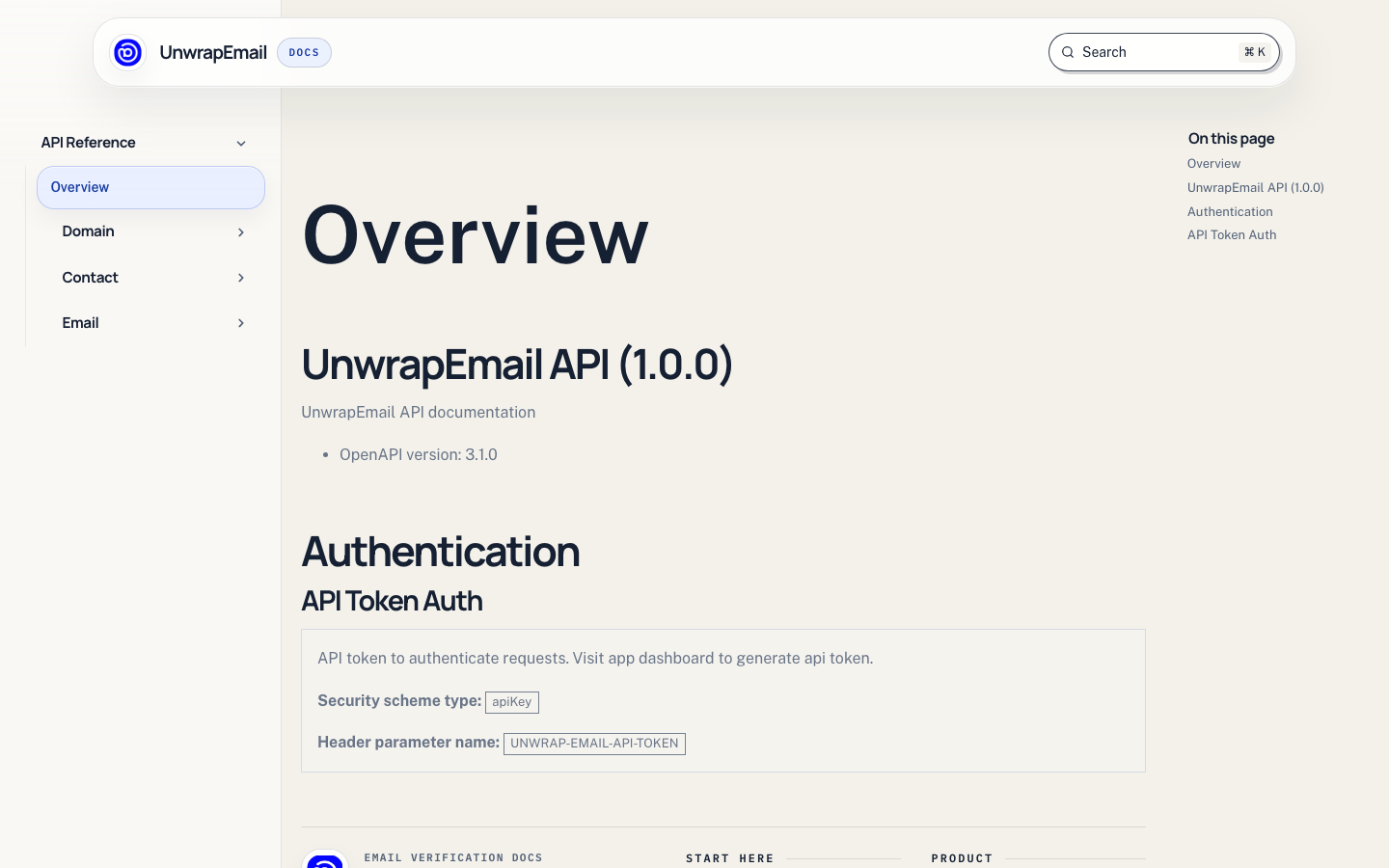
UnwrapEmail's homepage focuses on API validation. It highlights disposable and role-based detection, MX and domain checks, risk-oriented verdicts, bulk processing for list cleanup, and usage visibility. Its docs show an email validation endpoint with token authentication and optional domain checks.
VeriMails is easier to evaluate when the work starts with a file. Upload the list, verify the addresses, review result groups, then export the records you are comfortable using. That makes VeriMails a better fit for a sales team cleaning prospect lists, a marketer preparing a campaign, a recruiter checking candidate contacts, or an agency cleaning client data.
Pricing and Budget Fit
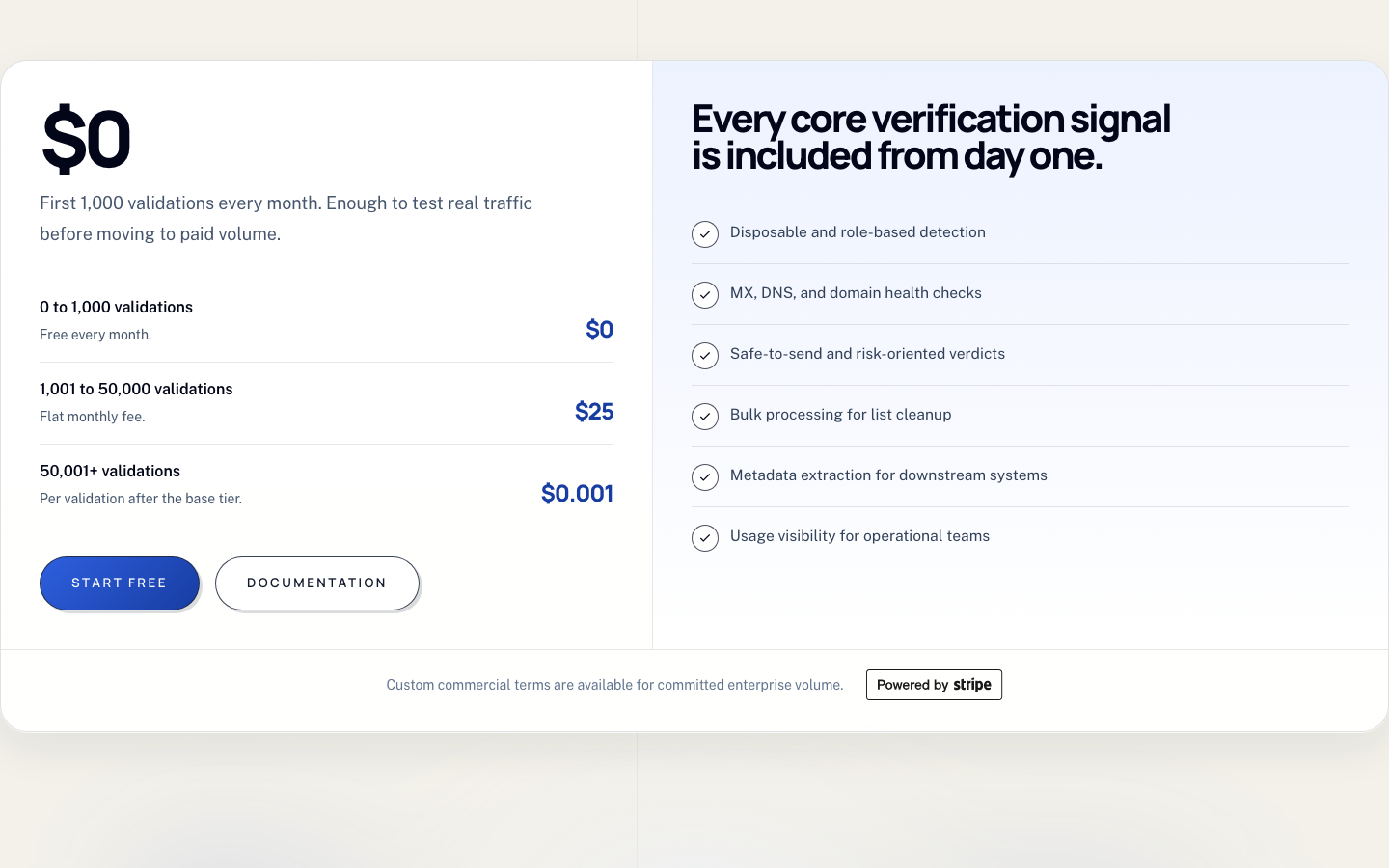
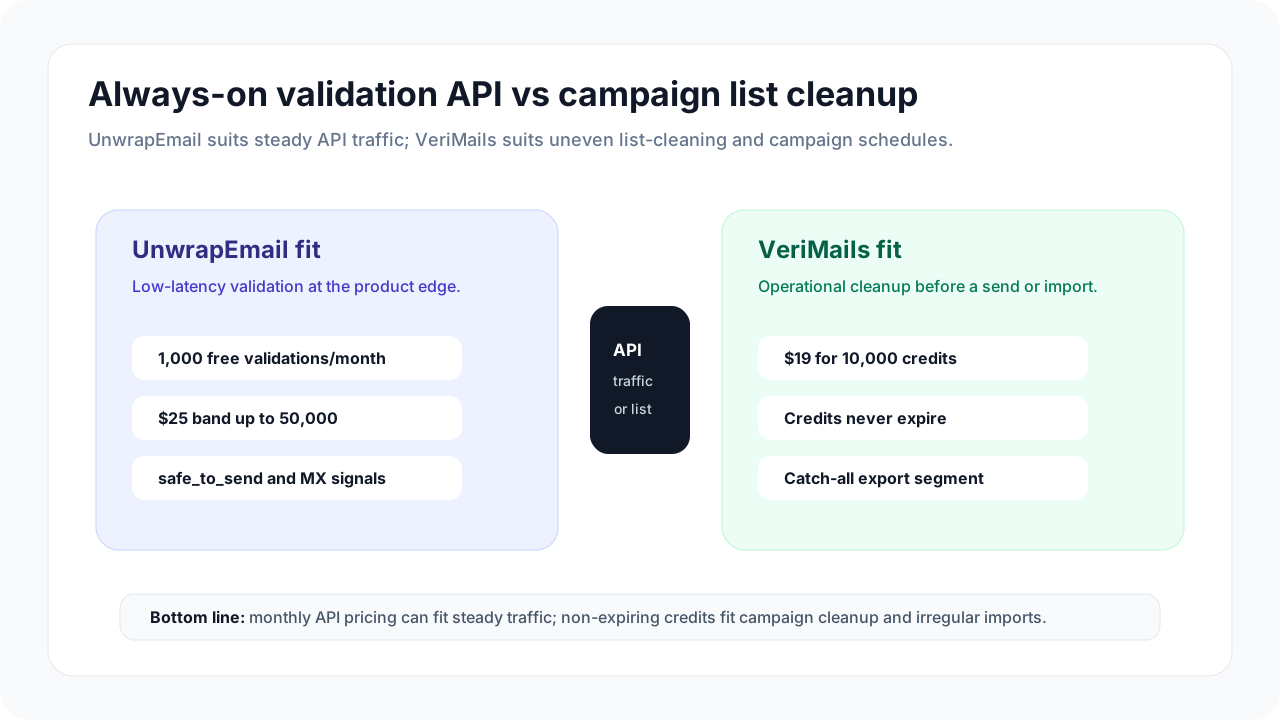
UnwrapEmail pricing is attractive when validation happens steadily every month. Its public pricing section says the first 1,000 validations are free each month, 1,001 to 50,000 validations use a $25 monthly fee, and 50,001 or more are priced at $0.001 per validation after the base tier.
VeriMails fits a different pattern: a team has a list today, needs it cleaned before a campaign or CRM import, and may not need the same number of checks every month. One-time credit packs are easier for that kind of work because unused credits stay available for later list-cleaning jobs.
| Usage pattern | Better fit | Why it matters |
|---|---|---|
| Signup form checks | UnwrapEmail | The monthly allowance and API fit steady product traffic. |
| CRM import cleanup | VeriMails | Upload the file, review result groups, and export the cleaned records. |
| Cold outreach list | VeriMails | Catch-all and uncertain records can be separated before any send. |
| App-side risk check | UnwrapEmail | The response can include disposable, role-based, domain, MX, and send-decision signals. |
| Uneven monthly volume | VeriMails | One-time credits are easier when list-cleaning work comes in batches. |
Pricing can change. Confirm current checkout terms on both sites before purchasing.
VeriMails Credit Pricing
| Credits | VeriMails Price | Price per Email |
|---|---|---|
| 10,000 | $19 | $0.0019 |
| 25,000 | $39 | $0.00156 |
| 50,000 | $59 | $0.00118 |
| 100,000 | $99 | $0.00099 |
| 250,000 | $199 | $0.000796 |
| 500,000 | $349 | $0.000698 |
| 1,000,000 | $499 | $0.000499 |
| 2,500,000 | $999 | $0.0004 |
| 5,000,000 | $1,499 | $0.0003 |
VeriMails credits never expire. Email Finder costs 20 credits only when VeriMails returns a verified person-level email. At the 10,000-credit pack, that is $0.038 per found email. Monthly plans start at $12.50/mo when billed yearly.
API Checks vs List Cleaning
| Need | VeriMails path | UnwrapEmail path |
|---|---|---|
| Check one email in an app | Use the VeriMails API when the same account also needs bulk cleanup | Use the validation API during signup, import, or contact creation |
| Clean a file before sending | Upload the list, verify, review groups, and export | Use only if your team has built a separate process around the API or bulk option |
| Review catch-all records | Keep catch-all results visible as a separate review group | Use domain and risk signals when the app only needs a quick decision |
| Support sales and marketing teams | Give non-technical users a file-based flow and exports | Best when a developer-owned product flow is the main use case |
Catch-All and Risky Records
Catch-all records are not automatically bad, but they should not be treated the same as clearly verified addresses. A catch-all domain may accept mail broadly, which means the exact mailbox can still be uncertain. For sales, recruiting, and marketing teams, that uncertainty affects send policy.
UnwrapEmail's public docs focus on fast validation and risk signals such as disposable, role-based, domain, MX, no-reply, irregular-pattern, Unicode, and send-decision fields. VeriMails is clearer when the practical question is what to do with a full list: keep valid records, suppress invalid records, and hold catch-all or uncertain records for review.
| Result group | Recommended action | Why it matters |
|---|---|---|
| Valid | Use for normal outreach or CRM import | These are the records most likely to support a clean send. |
| Invalid | Suppress or remove | Bad addresses waste credits and increase bounce risk. |
| Catch-all | Review separately before sending | The domain may accept mail without confirming the exact mailbox. |
| Disposable or role-based | Apply stricter rules for sales and marketing | These addresses may be less useful for personal outreach or long-term account quality. |
| Uncertain | Segment, test carefully, or suppress | Teams should decide the risk policy before the campaign starts. |
Localized and International Lists
International lists need more than a single email check. Teams often manage different languages, regions, consent rules, suppression lists, and sender domains. If all countries are mixed into one export, the verification result can be harder to act on.
For country-specific outreach, verify and export each market separately. Keep country, language, source, consent date, and suppression status in your CRM or email platform. Then use verification results to decide which records are ready, which should be reviewed, and which should stay out of the campaign.
| Situation | Practical step | Tool fit |
|---|---|---|
| One country list | Verify the full file and export clean groups | VeriMails is usually enough. |
| Multiple countries | Split by country or region before verification | VeriMails helps keep result groups tied to each market. |
| Signup or import form | Check the email before the record enters the product | UnwrapEmail can fit this API use case. |
| Strict consent requirements | Keep consent and suppression status outside the verifier | Verification should support compliance checks, not replace them. |
Which Should You Choose?
Choose VeriMails if...
- You clean CSV lists before campaigns, recruiting outreach, or CRM imports.
- You want one-time verification credits that stay available until used.
- Your team needs valid, invalid, catch-all, disposable, role-based, and uncertain records separated for review.
- You want a file-based flow that sales, marketing, recruiting, and agency teams can use without building around an API.
Choose UnwrapEmail if...
- You need email checks inside a signup form, import flow, or application feature.
- The 1,000 free monthly validations and $25 monthly tier match your normal traffic.
- Your application needs disposable, role-based, domain, MX, and send-decision signals.
- You already have the team to build the email decision into your product flow.
How Teams Can Use Both
Some teams will not need both products. If the whole job is a signup check, UnwrapEmail may cover it. If the whole job is cleaning CSV files before campaigns, VeriMails may cover it. The overlap appears when a company has both a product signup flow and recurring outbound or CRM cleanup work.
| Step | Tool | What happens |
|---|---|---|
| 1. Signup or import | UnwrapEmail | Check the address before it enters the product, form, or import queue. |
| 2. CRM cleanup | VeriMails | Clean older records, enrichment files, and campaign lists in batches. |
| 3. Campaign review | VeriMails | Separate valid, invalid, catch-all, and uncertain records before launch. |
| 4. Suppression rules | CRM or email platform | Keep consent, unsubscribe, and suppression decisions in the system used for sending. |
Sources Used for This Comparison
Sources checked for the May 21, 2026 update include UnwrapEmail's public product, pricing, and documentation pages, plus VeriMails' current pricing page.
Verification Accuracy
Both VeriMails and UnwrapEmail can help reduce bad addresses before a campaign. The difference is how clearly the result fits your next send: VeriMails keeps valid, invalid, disposable, role-based, catch-all, and unknown rows separate for decision-making.
Use a recent sample from your own CRM, not a perfect test list. The addresses that matter are the ones you plan to mail this week: old leads, imported contacts, role inboxes, catch-all domains, and records from mixed sources.
Who VeriMails Is Best For
Choose VeriMails when verification is the job and you want the result before the send.
- You already have a list and need to clean it before a campaign.
- You want prepaid verification credits that never expire.
- You need API and CSV verification without paying for a larger sales platform.
Who UnwrapEmail Is Best For
Choose UnwrapEmail when its broader product strengths match the job you are buying for.
- Choose UnwrapEmail when its existing dashboard, integrations, or deliverability features already fit your workflow.
- Choose it when you value that specific result model or account setup more than lower self-serve verification pricing.
- Choose it when your team has already standardized on its exports, API fields, or support process.
Frequently Asked Questions
Why teams switch to VeriMails
“We export our customer database quarterly and run it through VeriMails. Last cleanup removed 8K dead addresses from a 60K list. Our campaigns immediately performed better.”
— James A. — Digital Marketing Manager at Outdoor Gear Brand, Australia
“Built our MVP with VeriMails verification on the signup form. Kept fake and disposable signups out from day one. Took 20 minutes to set up with the API.”
— Max S. — Technical Co-Founder at Marketplace Startup, Sweden
Related Comparisons
Clean Your Next List
Start with 100 free credits. Verify a sample list and review catch-all records before you send.
Start Free