VeriMails vs GMass
GMass is a popular Gmail-based mail merge and cold email tool that lets you send, schedule, and sequence campaigns directly from your inbox. It bundles free email verification on every paid plan. Here is how that built-in check stacks up against a dedicated verification layer, and why teams clean their lists with VeriMails before sending through GMass.
Updated May 24, 2026
At a Glance
| Feature | VeriMails | GMass |
|---|---|---|
| Primary purpose | Dedicated email verification | Gmail-based mail merge and sending |
| Price | From $0.0019 per email, credits never expire | From around $29.95 per month, free verification bundled |
| Free tier | 100 credits on signup, no card, never expire | Limited free sending, plus free verification on paid plans |
| Catch-all handling | Explicit catch-all detection and flagging | No dedicated catch-all segment in the published verifier statuses |
| Verification workflow | Dedicated bulk and API verification with catch-all segmentation | Built into Gmail sending, the web verifier, and the GMass API |
| Bulk verification | CSV upload, ~10K rows under 5 minutes, filtered export | Verification on the list before a send |
| Speed | Fast API response | API limited to 5,000 verifications per hour |
VeriMails and GMass do different jobs. The table compares the verification side, not GMass's Gmail sending and mail merge features.
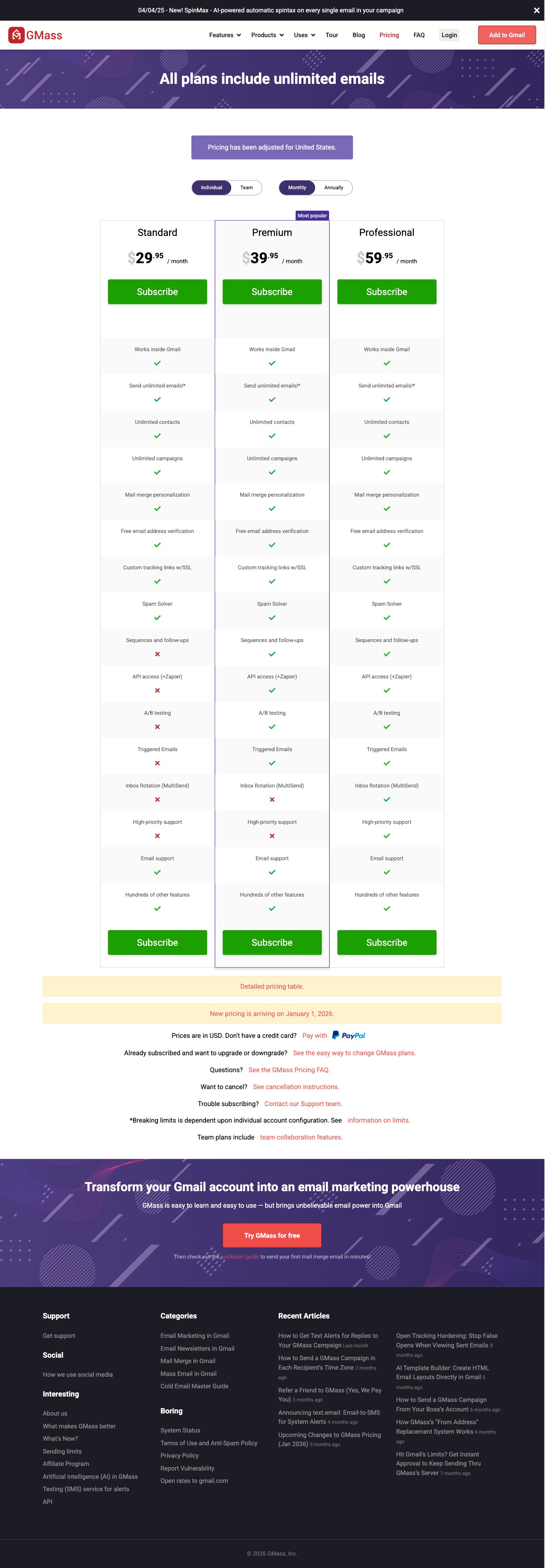
GMass Pricing and Verification Screens
GMass is attractive because verification is bundled into a Gmail sending workflow. The tradeoff is that a free in-sender check should not be the only quality gate before a list touches a real Gmail mailbox.
Verification Depth
GMass deserves credit for bundling verification at no extra charge. Free email verification is included on all paid GMass plans, and GMass also exposes a verification API. The tool tests each address before a campaign sends and automatically bounces invalid addresses, which protects the sender reputation of the Gmail account behind the campaign. For a quick, low-cost safety check on a small Gmail-based send, this is a genuine convenience.
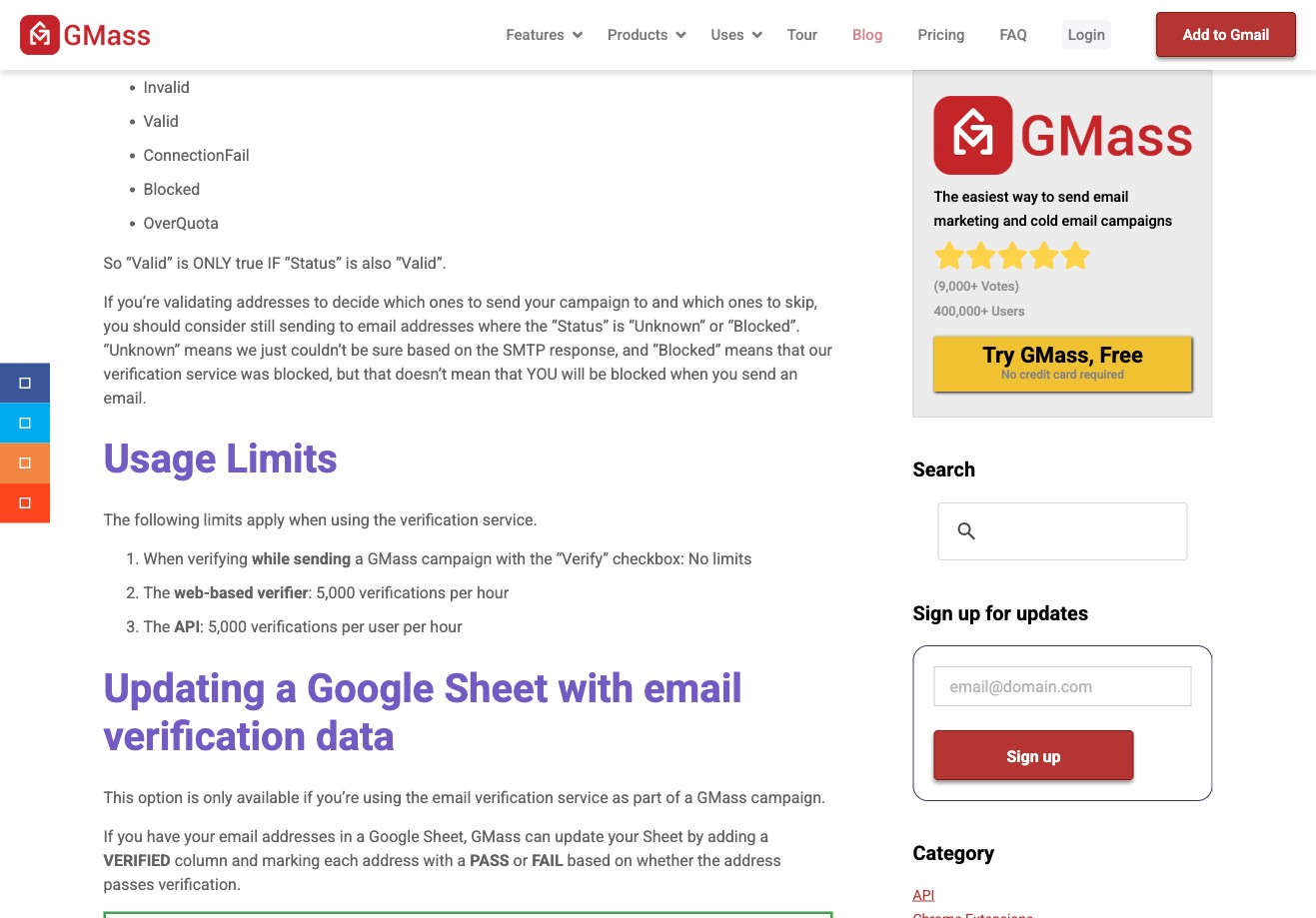
The limitation is product focus. GMass's own feature page says its verification is probably not as accurate as single-purpose email verification tools because GMass is primarily a Gmail sending extension. Its web verifier and API are also limited to 5,000 verifications per user per hour, which is fine for light checks but less convenient for large list-cleaning jobs.
VeriMails is built only for verification. It gives operators a clear status, catch-all segmentation, risk labels, and a downloadable filtered file before the list reaches a sender. It does not send campaigns; its job is to help decide which addresses are ready for GMass and which should be suppressed or reviewed.
Catch-all Handling
Catch-all domains are where a dedicated verifier gives operators a cleaner decision point. GMass publishes verifier statuses such as Valid, Invalid, Blocked, Mailbox Full, Unknown, NoMxRecord, and ConnectionFail, and recommends sending to several non-failing statuses. That is useful for simple pre-send filtering, but it does not present catch-all addresses as their own operational segment.
VeriMails handles this with explicit catch-all detection. It identifies which domains on your list are configured as catch-all and labels them clearly in the results file. It keeps catch-all addresses out of the confirmed segment when address-level certainty is not available. You get an honest label on every catch-all domain, so you can keep your confirmed contacts in one segment and route the catch-all contacts into a separate, slower, lower-volume segment. For B2B lists, where a large share of company domains are catch-all, that explicit separation is what prevents the surprise bounce spikes that hurt a Gmail sender reputation.
Using VeriMails With GMass
VeriMails and GMass are complementary, and they work best in a fixed order: verify the raw list with VeriMails first, then load the cleaned file into GMass.
The workflow looks like this. You collect a list from a lead source, a data provider, or a CRM export, often as a Google Sheet since GMass reads from Sheets. Before that list reaches a campaign, upload the CSV to VeriMails, review the verified, invalid, catch-all, disposable, and role-based segments, then download the filtered result. Load the clean file into GMass and build the campaign there.
This step matters more with GMass than with many tools because GMass sends from your real Gmail account. A high bounce rate affects a mailbox you may depend on every day. GMass's built-in check can still run as a second safety net, while VeriMails handles the separate list-cleaning pass first: confirmed addresses stay in the main list, catch-all addresses can move to a safer segment, and invalid or disposable records stay out of the campaign.
Pricing and Value
GMass and VeriMails are priced for different jobs, so a head-to-head price is not the right comparison. GMass is a monthly subscription for sending from Gmail. Current indexed USD individual plans start at $29.95 per month for Standard, with Premium at $39.95 and Professional at $59.95 when billed monthly, with team plans available, and free email verification is bundled into every paid plan. GMass's verification therefore costs nothing extra, which is a real strength. The trade-off is focus: GMass verification is bundled into a sending product, while VeriMails is a dedicated list-cleaning layer with clearer catch-all segmentation.
VeriMails sells verification credits outright. You buy a credit pack, use it whenever you want, and the credits never expire, so there is no lost balance and no monthly commitment for one-time credit packs. The cost is small relative to what a damaged Gmail reputation costs to repair. For teams that verify large lists in waves, a flat per-credit rate is predictable and inexpensive. VeriMails also offers annual plans from $12.50/month when billed yearly if predictable billing suits you better.
VeriMails Credit Pricing
| Credits | VeriMails Price | Price per Email |
|---|---|---|
| 10,000 | $19 | $0.0019 |
| 25,000 | $39 | $0.00156 |
| 50,000 | $59 | $0.00118 |
| 100,000 | $99 | $0.00099 |
| 250,000 | $199 | $0.000796 |
| 500,000 | $349 | $0.000698 |
| 1,000,000 | $499 | $0.000499 |
| 2,500,000 | $999 | $0.0004 |
| 5,000,000 | $1,499 | $0.0003 |
Email Finder costs 20 credits only when VeriMails returns a verified person-level email. At the 10,000-credit pack, that is $0.038 per found email. Monthly plans start at $12.50/mo when billed yearly.
Credits never expire. No subscription is required for credit packs. New accounts receive 100 free credits on signup.
Who Should Verify Separately
Run VeriMails before GMass if your list comes from third-party data, older CRM records, event exports, or any source where stale addresses are likely. Verify separately if your audience is B2B and contains many catch-all company domains, if you send meaningful volume from a Gmail account whose reputation you cannot afford to risk, or if you need a filtered export before the list reaches the sender.
Who GMass's Built-in Check Is Enough For
GMass's built-in verification is a real, free feature, and for some sends it is all you need. If your lists are small, freshly sourced from reputable providers, and made up mostly of standard consumer or business mailboxes with few catch-all domains, the bundled check will catch the obvious bad addresses at no extra cost. If you run light, occasional Gmail campaigns and only need a bundled pre-send check, keeping verification inside GMass is simple. The case for a dedicated verifier grows as your lists get older or messier, your catch-all share rises, your volume climbs, and the value of your Gmail sender reputation increases.
Run the Next Check in VeriMails
Before a Gmail campaign, test a representative sample in VeriMails, review the catch-all and invalid segments, then import only the cleaned rows into GMass.
Verification Accuracy
GMass sits close to the sending workflow, so its verification value is tied to campaign prep. VeriMails stays independent of the sending tool. You can check the same list before it reaches any sequencer, CRM, or mail-merge workflow.
For accuracy, separate confirmed valid addresses from invalid, disposable, role-based, and catch-all rows before upload. That keeps your sending tool focused on campaign execution instead of cleaning the list after bounces appear.
API and Developer Experience
GMass is useful when the API or integration work belongs inside an outreach stack. VeriMails is useful when verification should happen before data enters that stack.
Check new records through the API, store the status, and pass only the confirmed valid rows into your sequence. Bulk jobs handle older campaign lists before a rep or marketer starts sending.
Who VeriMails Is Best For
Choose VeriMails when verification is the job and you want the result before the send.
- You want to clean contacts before they enter a sequence or mail-merge campaign.
- You want prepaid verification credits that never expire.
- You need API and CSV verification without paying for a larger sales platform.
Frequently Asked Questions
Why teams switch to VeriMails
“We used to split verification across three tools depending on volume. Now it's all VeriMails. One dashboard, simpler invoicing for clients, lower cost across the board.”
— Marcus W. — Account Director at Performance Agency, United Kingdom
“We send 50K cold emails a week across three brands. VeriMails handles all of it from one account. One credit balance, no per-seat fees, no surprises.”
— Matt D. — Director of Sales Development at B2B Services Company, United States
Related Comparisons
Try VeriMails Free
100 free credits on signup. No credit card required. See why teams switch to VeriMails.
Start Free