Email Finder for Missing Business Contact Emails
Find a professional email when you have a person and company domain, then verify it before it enters a campaign or CRM.
100 free credits. No credit card required.
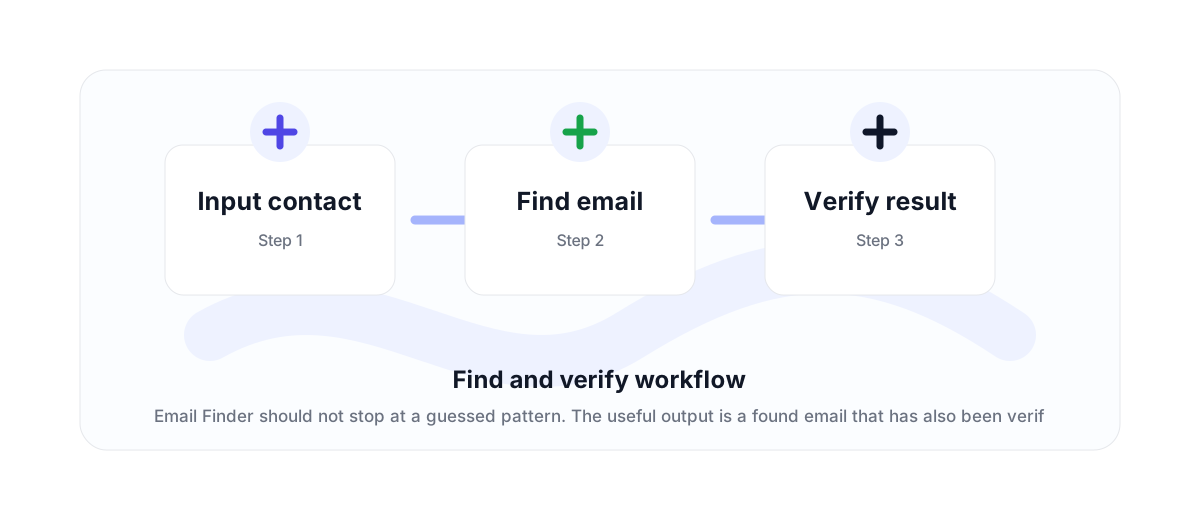
Finder plus verification
An email finder is useful when a lead list has names and companies but missing email addresses. The important part is not just finding a likely pattern; it is verifying the result before it enters a campaign.
VeriMails positions Email Finder as a find-and-verify workflow. It is designed for business contact discovery, CRM enrichment, and outbound preparation where missing emails slow down the process.
Pricing that matches successful finds
Email Finder uses 20 credits when a verified email is found. That means the pricing should be understood as a successful find cost, not the same as a normal one-credit verification check.
Finder pricing is separate from standard verification pricing, so customers can distinguish between checking an address they already have and finding a verified business email that was missing from the list.
Where it fits in the funnel
Use Email Finder for missing contacts. Use the email verification API for addresses you already have. Use bulk verification for lists that need cleaning before a send.
For a sales team, those three workflows often sit together: find missing contacts, verify the full list, then send only the approved segment.
Why teams use this workflow
Use the right VeriMails workflow for the job: quick manual checks, full CSV cleaning, API automation, or verified contact finding.
How the workflow fits together
Every verification workflow should lead to a clear action: send, suppress, segment, correct, or review.
Input contact
Start with the point where email quality affects revenue, deliverability, or data accuracy.
Find email
Run the right VeriMails workflow for the input: one address, a batch, or a file.
Verify result
Use the result to send, suppress, segment, correct, or review records before they move downstream.
Useful next pages
Keep moving through the workflow with the most relevant product, guide, pricing, or documentation page.
Email Finder FAQ
Answers for teams comparing verification, cleaning, finder, API, and bulk workflows.
What is an email finder?
An email finder helps identify a likely business email address from contact and company information.
How does VeriMails charge for Email Finder?
Email Finder costs 20 credits when a verified email is found.
Is Email Finder the same as email verification?
No. Email verification checks an email address you already have. Email Finder helps find a missing business email and verify the result.
Should I use Email Finder for every lead?
Use it when the email is missing. If you already have an address, use verification instead.
Start with cleaner email data
Use VeriMails to verify addresses before they enter a campaign, database, product flow, or customer workflow.