VeriMails vs FindThatLead
FindThatLead helps teams find prospects, verify found emails, and send cold email from one dashboard. VeriMails helps teams clean existing email lists, review catch-all records, and export safer lists before outreach, recruiting, marketing, or CRM imports.
At a Glance
| Question | VeriMails | FindThatLead |
|---|---|---|
| Best starting point | A CSV, CRM export, signup list, event list, or address collected in a form | A target company, person, market, or prospecting campaign |
| Main job | Verify existing emails and separate valid, invalid, catch-all, risky, and uncertain records | Find business emails, verify found emails, build lists, and send outreach |
| Pricing style | One-time verification credit packs plus monthly plans | Monthly lead generation plans with email, mobile phone, sender, and campaign limits |
| Free usage | 100 signup credits | 7-day test with 50 email credits, two mobile phone credits, one user, and one email account |
| Around 10,000 checks | $19 one-time credit pack | Starter includes 2,000 email credits; larger use depends on the selected plan and fair use terms |
| Bulk cleanup | Built for list verification and export | Bulk processing is included as part of the broader prospecting suite |
| Public verification API docs | Documented verification API for single and bulk checks | Public pricing pages emphasize dashboard tools, CRM integrations, bulk processing, and campaigns |
| Catch-all handling | Catch-all records stay separate for review before sending | Email verifier page shows Valid, Catch-All, Invalid, Unknown, and Pending status categories |
What the Products Show
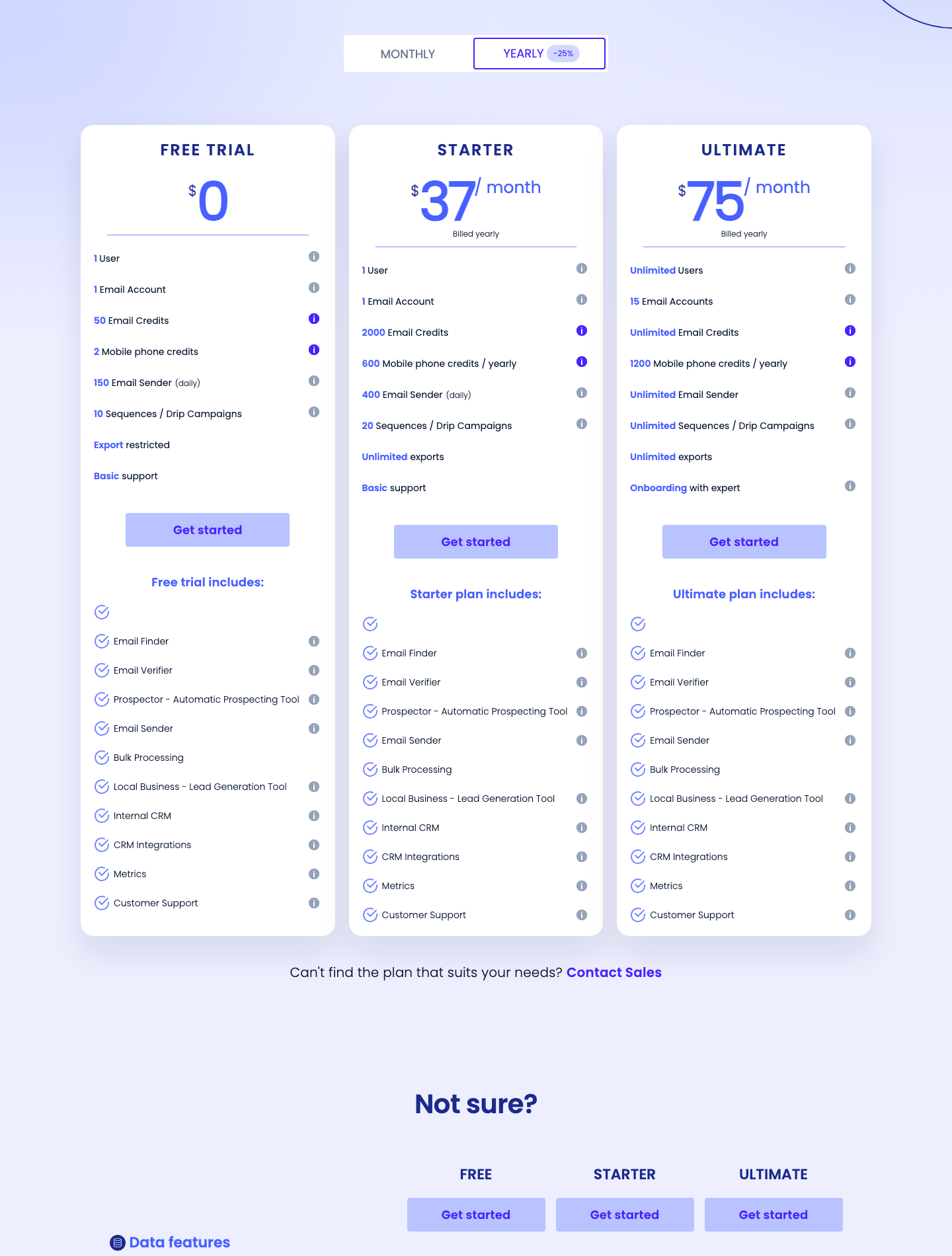
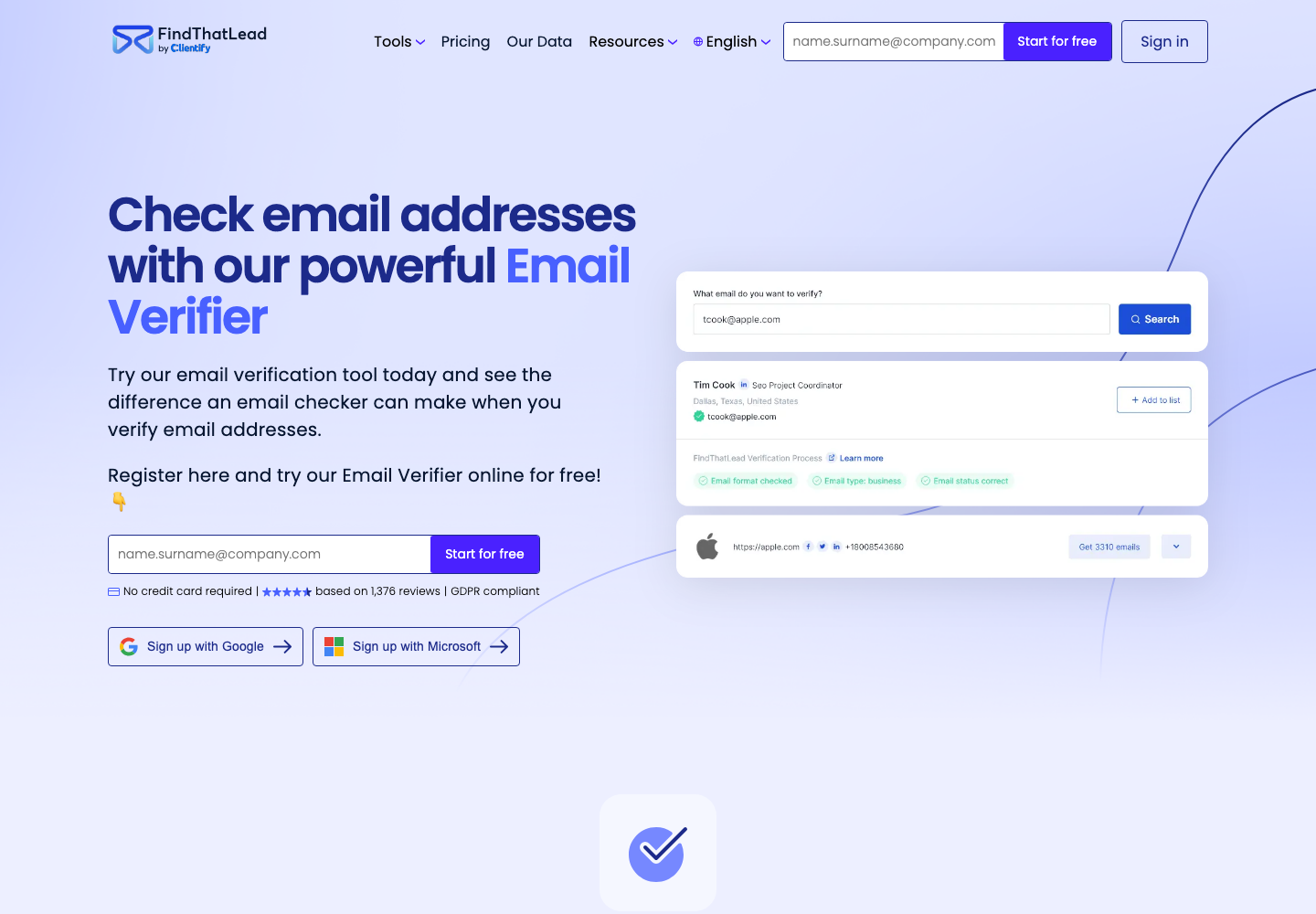
FindThatLead's public pages position it as a lead generation and outreach platform. The pricing page includes Email Finder, Email Verifier, Prospector, Email Sender, Bulk Processing, Local Business, CRM integrations, metrics, and customer support. The email verifier page shows verification as one part of that larger workflow.
VeriMails is narrower by design. It is for teams that already have email addresses and need to decide which records to use, which to suppress, and which to review before a campaign or CRM import.
Pricing and Credit Model
FindThatLead pricing is built around a monthly sales workflow. Its pricing page lists a free 7-day test, Starter at $49 per month or $37 per month billed yearly, and Ultimate at $99 per month or $75 per month billed yearly. Starter includes one user, one email account, 2,000 email credits, 50 monthly mobile phone credits, bulk processing, 20 sequences or drip campaigns, unlimited exports, and basic support. Ultimate includes unlimited users, 15 email accounts, unlimited email credits subject to fair use, 100 mobile phone credits, and higher sender and campaign limits.
FindThatLead's credit help article says one credit equals one successful email. It says email search, email verification, social search, and prospector workflows consume credits when they return or verify a successful email. That makes sense for a prospecting product: the credit is tied to a contact result, not just a standalone list-cleaning task.
VeriMails sells verification credits directly. You buy credits, use them when you need to check a file or API request, and do not need a monthly prospecting suite just to clean a list.
| Need | VeriMails path | FindThatLead path | What to confirm |
|---|---|---|---|
| Try a small sample | 100 free verification credits | 7-day test with 50 email credits | Use records that look like your real list. |
| Clean around 10,000 existing emails | $19 one-time credit pack | Starter includes 2,000 email credits; larger use depends on plan terms | Use VeriMails if you do not need email finding or sending. |
| Build prospects and contact them | Verify the final addresses after discovery | Use finder, prospector, sender, CRM integrations, and campaign metrics | FindThatLead makes more sense when discovery is part of the work. |
| High-volume verification | One-time packs scale from 10,000 to 1,000,000 credits | Ultimate lists unlimited email credits subject to fair use | Review fair use terms before relying on unlimited wording. |
Pricing and plan packaging can change. Confirm the current checkout page before purchasing.
VeriMails Credit Pricing
| Credits | VeriMails Price | Price per Email |
|---|---|---|
| 10,000 | $19 | $0.0019 |
| 25,000 | $39 | $0.00156 |
| 50,000 | $59 | $0.00118 |
| 100,000 | $99 | $0.00099 |
| 250,000 | $199 | $0.000796 |
| 500,000 | $349 | $0.000698 |
| 1,000,000 | $499 | $0.000499 |
| 2,500,000 | $999 | $0.0004 |
| 5,000,000 | $1,499 | $0.0003 |
VeriMails credits never expire. Email Finder costs 20 credits only when VeriMails returns a verified person-level email. At the 10,000-credit pack, that is $0.038 per found email. Monthly plans start at $12.50/mo when billed yearly.
Where Each Tool Fits
| If your team needs... | VeriMails path | FindThatLead path |
|---|---|---|
| Find emails for target accounts | Not the primary use case | Use Email Finder, Prospector, Local Business, and related discovery tools |
| Clean a CRM export | Upload, verify, review result groups, and export | Use only if the same team also wants prospecting and sending tools |
| Prepare a campaign list | Separate usable, invalid, catch-all, risky, disposable, role-based, and uncertain records | Build or enrich the list first, then decide whether the final export needs a dedicated verification pass |
| Automate checks in a product or workflow | Use documented verification endpoints for single and bulk checks | Confirm whether the public documentation covers your exact use case before planning around it |
Catch-All and Risky Records
FindThatLead's email verifier page describes five verification states: Valid, Catch-All, Invalid, Unknown, and Pending. That is useful if your team is using FindThatLead to source contacts and wants a basic status before adding a record to a list.
VeriMails is a better fit when catch-all records need their own review step. A catch-all address may not bounce immediately, but that does not mean the individual mailbox is safe to use. For sales, recruiting, and marketing teams, the practical question is whether to send now, review manually, route to a lower-risk sequence, or leave the address out.
| Record type | What it means for a campaign | Practical next step |
|---|---|---|
| Valid | Best candidate for normal outreach after consent and suppression checks | Keep in the ready-to-send group |
| Catch-all | The domain may accept mail broadly, so the exact mailbox is less certain | Review separately or route to a cautious workflow |
| Invalid | Higher bounce risk | Suppress before sending |
| Unknown or pending | Not enough confidence to treat as ready | Recheck later or leave out of the next campaign |
Localized and International Lists
FindThatLead's site shows language choices including English, Spanish, French, Portuguese, and Catalan, and its footer lists Barcelona and Miami office locations. That makes it natural for international sales teams that source prospects across different markets.
For cross-border outreach, separate the jobs clearly. Use a finder to build contacts by market, language, and campaign segment. Then verify each exported list before sending. Consent records, suppression lists, local sending rules, and unsubscribe handling should stay in the CRM or email platform that owns the campaign.
| International workflow | Recommended setup | Why it matters |
|---|---|---|
| Country-specific prospecting | Build separate exports for each country or language | Teams can review copy, consent basis, and suppression rules by market. |
| List verification | Verify each export before importing or sending | Bad records from one segment do not pollute the rest of the campaign. |
| Shared CRM work | Keep source, market, and consent fields in the CRM | Verification improves contact quality but does not replace compliance records. |
| Campaign launch | Send only records that passed your team's quality rules | Clean segmentation is easier to audit and explain. |
How Teams Can Use Both
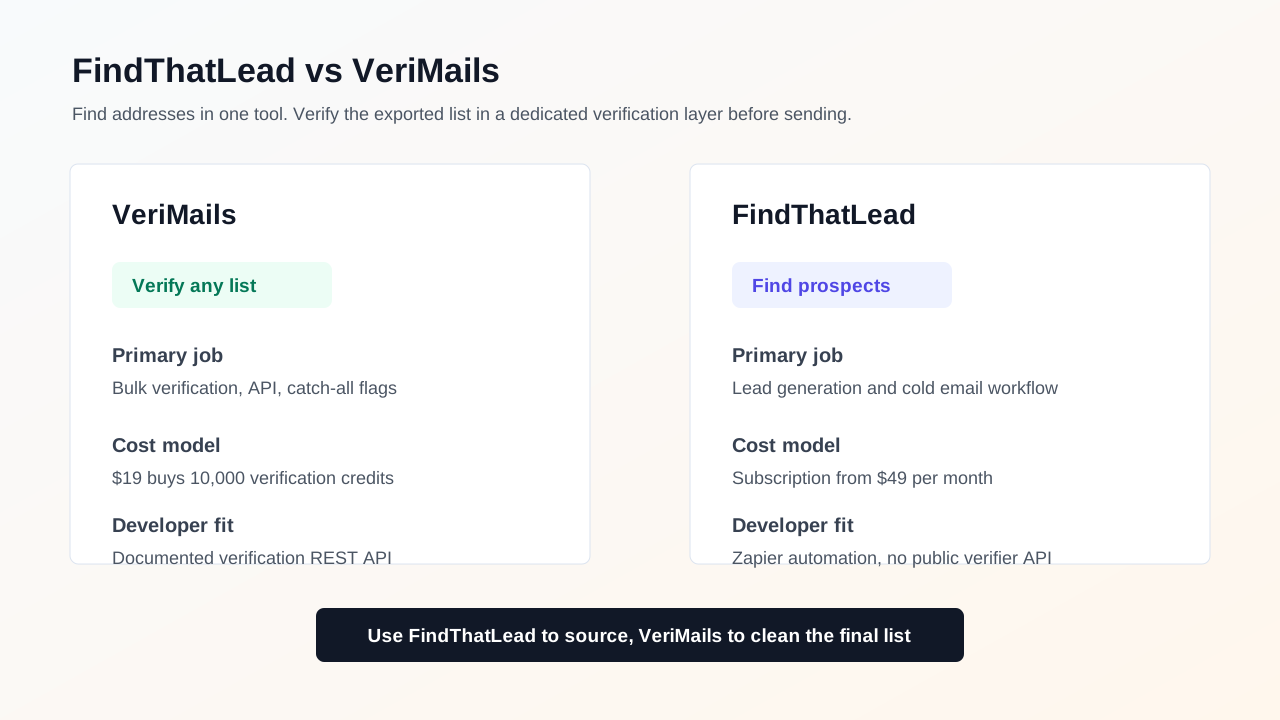
The most practical setup is not always either-or. A sales team can use FindThatLead to discover contacts, enrich prospect lists, and organize outreach. Before those contacts move into a large campaign, the same team can export the list and run it through VeriMails to separate valid, catch-all, invalid, risky, and uncertain records.
This split keeps each tool in its strongest role. FindThatLead handles prospect discovery. VeriMails handles list cleanup. The CRM or email platform handles consent, suppression, unsubscribe history, and send governance.
Which Tool Fits Your Team?
| Choose... | When this is true | Why |
|---|---|---|
| VeriMails | You already have a list and need to clean it before sending, importing, or enriching records | Pricing and workflow are centered on verification rather than prospect discovery. |
| VeriMails | You need a clear catch-all review group | Catch-all results can be held out, reviewed, or routed differently before campaign launch. |
| FindThatLead | You need to find prospects, reveal business emails, and manage outreach from one dashboard | The product bundles finding, verification, sending, CRM integrations, and campaign metrics. |
| FindThatLead and VeriMails | You want discovery and a separate quality check before sending | Use FindThatLead to build the list, then use VeriMails to verify the final export. |
Sources Used for This Comparison
Verification Accuracy
Accuracy depends on when the address is checked and what job the tool is built for. FindThatLead is strongest when you need new contact data or enrichment. VeriMails is strongest after you already have a list and need a fresh deliverability result before you send.
Run the list through syntax, domain, MX, SMTP, disposable, role-based, and catch-all detection checks close to the campaign date. That gives you current valid, invalid, catch-all, and risky buckets instead of trusting an older discovery label.
API and Developer Experience
If your product needs to check addresses at signup, checkout, import, or form submit, VeriMails gives you a direct verification API without buying a contact database. FindThatLead is better when the API job includes finding or enriching people.
Use the single-check endpoint for real-time forms and the bulk endpoint when you already have a CSV or CRM export. Both paths return the same status model, so developers and campaign operators work from the same result.
Who VeriMails Is Best For
Choose VeriMails when verification is the job and you want the result before the send.
- You already sourced contacts and now need to check which addresses are safe to send.
- You want prepaid verification credits that never expire.
- You need API and CSV verification without paying for a larger sales platform.
Who FindThatLead Is Best For
Choose FindThatLead when its broader product strengths match the job you are buying for.
- Choose FindThatLead when you need to find new contacts, phone numbers, company data, or enrichment.
- Choose it when your budget is for prospect discovery rather than cleaning a list you already own.
- Choose it when sales workflow, browser extension, CRM enrichment, or database coverage matters more than verification cost.
Frequently Asked Questions
Why teams switch to VeriMails
“Every new client engagement starts with a list cleanup. VeriMails is part of our onboarding SOP now. Upload the CSV, get results in 20 minutes, start the campaign.”
— Emily R. — Client Success Lead at Digital Growth Agency, Canada
“We load 15K emails into SmartLead every week. Running them through VeriMails first cut our bounce rate in half and we stopped getting domains flagged.”
— Jordan M. — SDR Manager at Staffing Firm, United States
Related Comparisons
Verify a Real Sample
Start with 100 free credits. Clean a sample list and review catch-all records before the next campaign.
Start Free