Bulk Email Verification API for Queues, Imports, and Data Jobs
Process groups of emails through API-backed workflows when verification belongs inside a queue, import job, or data pipeline.
100 free credits. No credit card required.
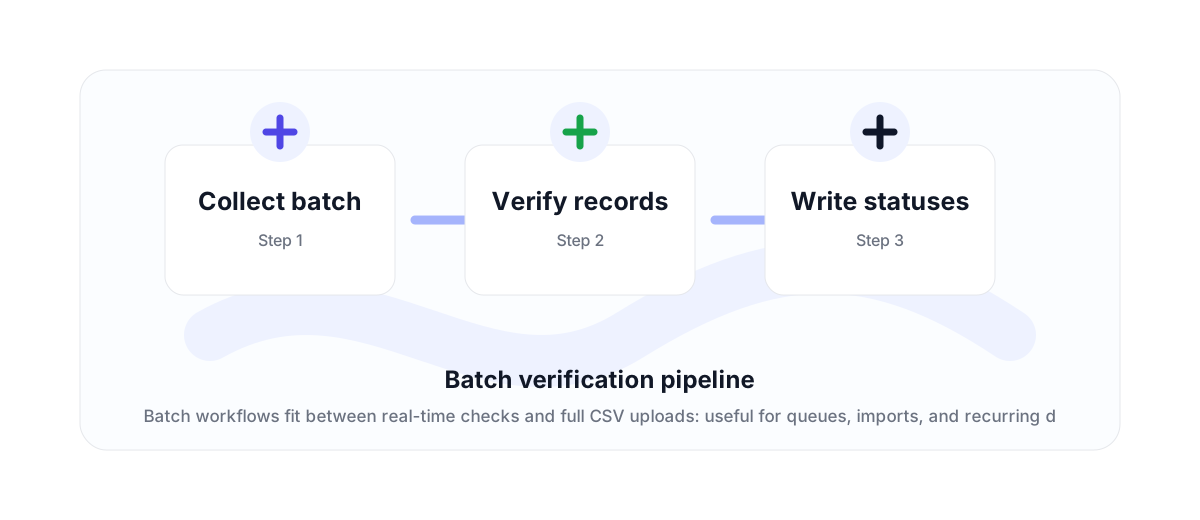
The middle ground between one-off API and CSV upload
Some teams do not need a manual CSV upload, but they also do not want to verify one address at a time. A bulk email verification API workflow fits imports, queues, scheduled jobs, enrichment pipelines, and CRM syncs.
Use the batch endpoint for groups of up to 500 emails per request. For full files where a human expects a downloadable result, use CSV bulk verification instead.
Design around results, not only requests
The output matters as much as the request. Store the verification status, safe-to-send decision, and supporting flags beside each record so downstream tools can filter and segment correctly.
That makes the workflow repeatable: import contacts, verify them, write the status back to the database, then only push approved contacts into campaign systems.
Plan credits and rate limits
Bulk API workflows should account for available credits, daily volume, and rate limits before running large jobs. The correct pattern is to queue work, process in controlled batches, and handle throttling gracefully.
This is also where a clean OpenAPI file and Markdown docs help developers implement the workflow without guessing endpoint behavior.
Why teams use this workflow
Use the right VeriMails workflow for the job: quick manual checks, full CSV cleaning, API automation, or verified contact finding.
How the workflow fits together
Every verification workflow should lead to a clear action: send, suppress, segment, correct, or review.
Collect batch
Start with the point where email quality affects revenue, deliverability, or data accuracy.
Verify records
Run the right VeriMails workflow for the input: one address, a batch, or a file.
Write statuses
Use the result to send, suppress, segment, correct, or review records before they move downstream.
Useful next pages
Keep moving through the workflow with the most relevant product, guide, pricing, or documentation page.
Bulk Email Verification API FAQ
Answers for teams comparing verification, cleaning, finder, API, and bulk workflows.
What is a bulk email verification API?
It is an API workflow that verifies groups of email addresses in batches instead of one at a time or through a manual CSV upload.
How many emails can I send in a batch request?
The batch endpoint supports up to 500 emails per request.
When should I use CSV upload instead?
Use CSV upload when a human team is starting from a file and expects downloadable results.
How should I handle large API jobs?
Queue the work, process controlled batches, monitor credits and rate limits, and store verification results beside the original records.
Start with cleaner email data
Use VeriMails to verify addresses before they enter a campaign, database, product flow, or customer workflow.