VeriMails vs Skrapp
Skrapp helps sales teams find business emails from LinkedIn, Sales Navigator, company search, and websites. VeriMails helps teams verify email addresses they already have, clean CSV or CRM exports, review catch-all records, and export safer lists before outreach, recruiting, marketing, or CRM cleanup.
At a Glance
| Question | VeriMails | Skrapp |
|---|---|---|
| Best starting point | A CSV, CRM export, signup list, campaign list, or API check | A target company, LinkedIn profile, Sales Navigator list, or company website |
| Main job | Verify existing emails and separate usable, invalid, catch-all, and uncertain records | Find business emails, enrich records, export lists, sync to CRM, and verify found emails |
| Pricing style | One-time verification credit packs plus monthly plans | Recurring prospecting plans with shared credits and rollover |
| Free usage | 100 signup credits | 50 credits per month |
| 10,000 checks | $19 one-time credit pack | Available in a paid Skrapp plan if the team also needs prospecting features |
| 50,000 checks | $59 one-time credit pack | Enterprise starts at 50,000 credits per month on Skrapp's pricing page |
| Catch-all handling | Catch-all records stay separate so teams can review before sending | Skrapp says Valid and Catch-all emails consume credits; Invalid and Unknown do not |
What the Products Show
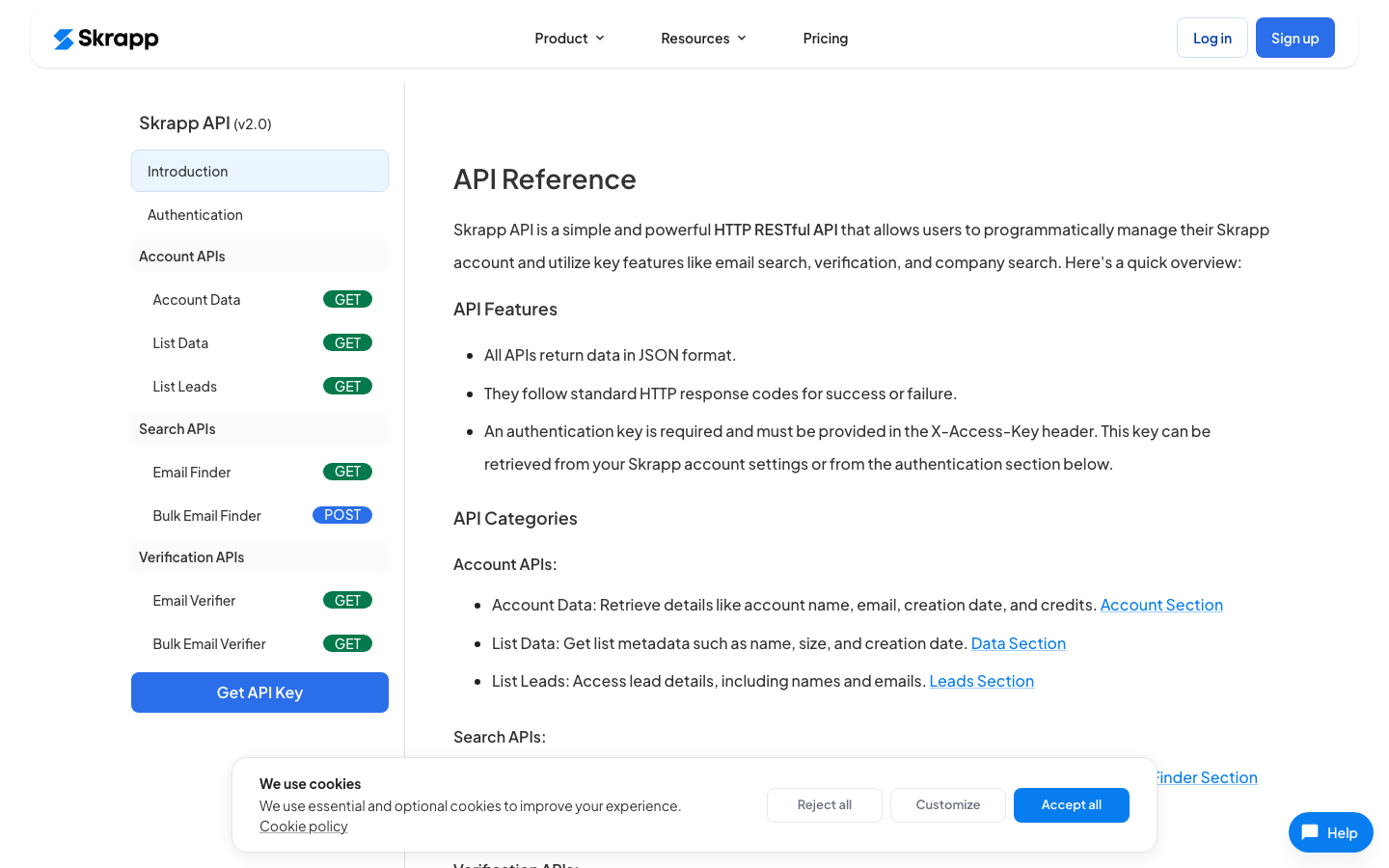
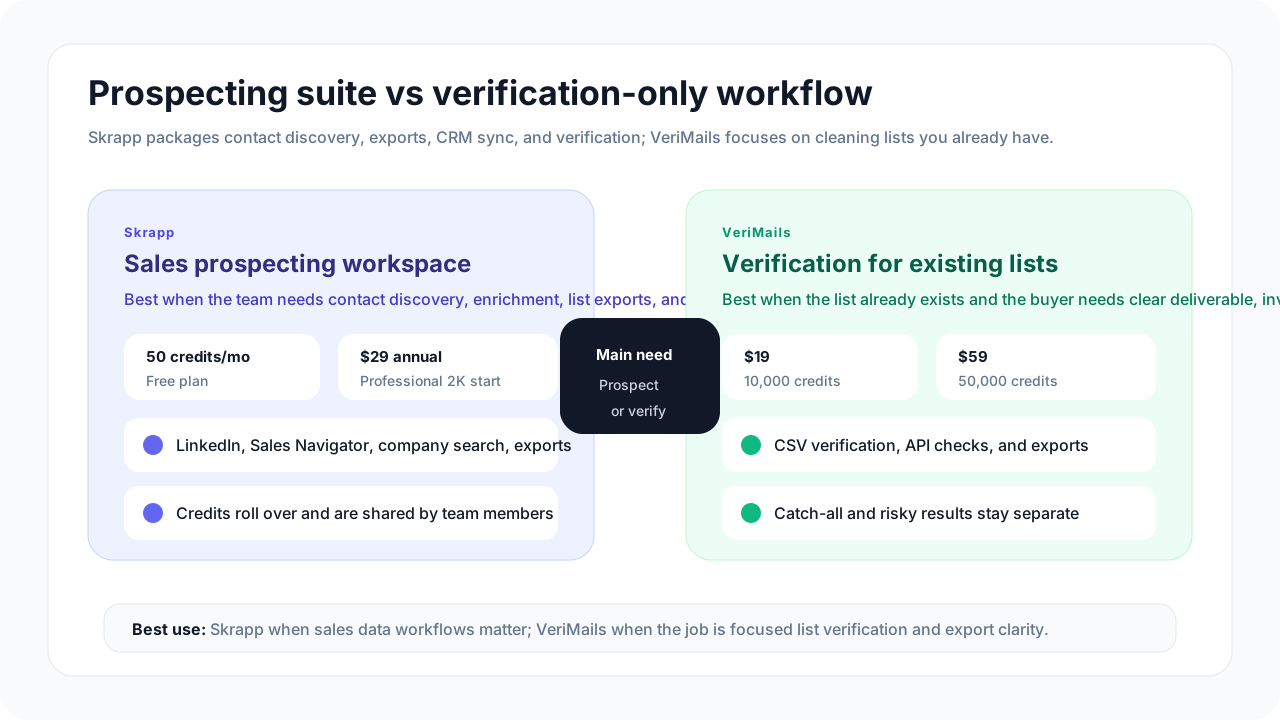
Skrapp's public site is clear about its main use case: finding verified business emails and building targeted lead lists. The product menu includes an email finder, lead finder, company search, LinkedIn and Sales Navigator workflows, email extractor, CRM sync, enrichment, email verifier, and API documentation.
VeriMails is aimed at the verification step after a list exists. It is the cleaner fit when the practical question is not “where do we find contacts?” but “which records in this file should we use, suppress, or review?”
Pricing and Credit Model
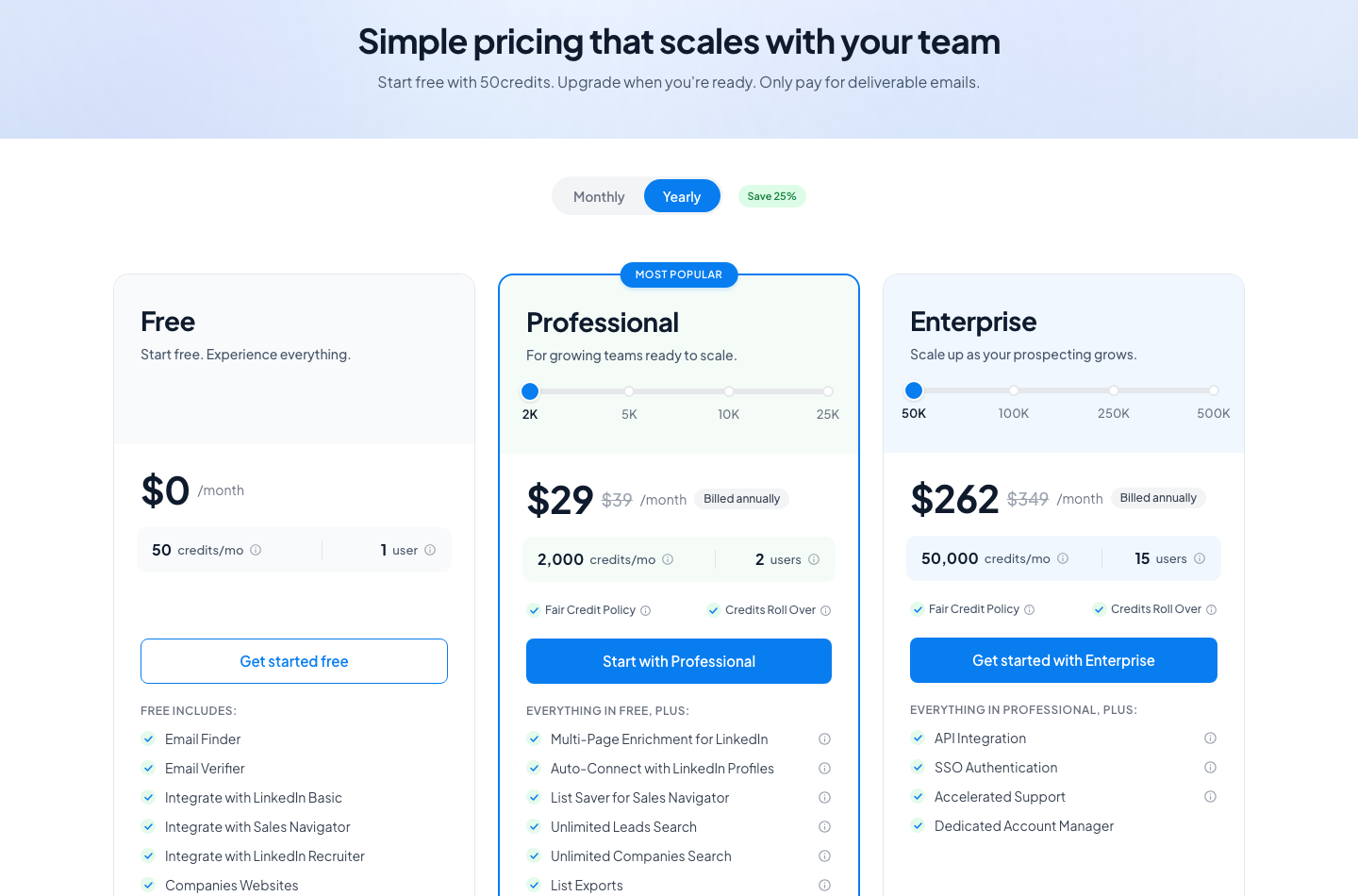
Skrapp pricing is built around email credits for prospecting. Its pricing page lists a Free plan with 50 credits per month, a Professional plan starting at 2,000 credits per month with $29 monthly pricing when billed annually and $39 monthly pricing month to month, and an Enterprise plan starting at 50,000 credits per month with $262 monthly pricing when billed annually and $349 monthly pricing month to month.
Skrapp also explains that email credits are used to find a professional email address marked Valid or Catch-all, or to verify a single email address. Its pricing FAQ says Invalid and Unknown emails are not charged, unused credits roll over, and team members can share credits.
| Need | VeriMails path | Skrapp path | What to confirm |
|---|---|---|---|
| Try a small sample | 100 free verification credits | 50 credits per month on the Free plan | Test with records that look like your actual list. |
| Clean around 10,000 existing emails | $19 one-time credit pack | Requires a paid prospecting credit tier | Use VeriMails if your team does not need email finding. |
| Clean around 50,000 existing emails | $59 one-time credit pack | Enterprise starts at 50,000 credits per month | Compare a verification-only job against a broader prospecting plan. |
| Find new leads and verify them | Verify the emails after discovery | Use Skrapp's finder, enrichment, export, and CRM features | Skrapp makes sense when discovery is part of the job. |
Pricing changes over time. Confirm current checkout terms and selected credit tiers before purchasing.
VeriMails Credit Pricing
| Credits | VeriMails Price | Price per Email |
|---|---|---|
| 10,000 | $19 | $0.0019 |
| 25,000 | $39 | $0.00156 |
| 50,000 | $59 | $0.00118 |
| 100,000 | $99 | $0.00099 |
| 250,000 | $199 | $0.000796 |
| 500,000 | $349 | $0.000698 |
| 1,000,000 | $499 | $0.000499 |
| 2,500,000 | $999 | $0.0004 |
| 5,000,000 | $1,499 | $0.0003 |
VeriMails credits never expire. Email Finder costs 20 credits only when VeriMails returns a verified person-level email. At the 10,000-credit pack, that is $0.038 per found email. Monthly plans start at $12.50/mo when billed yearly.
Where Each Tool Fits
| If you need... | VeriMails path | Skrapp path |
|---|---|---|
| Find emails from LinkedIn or company pages | Not the primary job | Use Skrapp's finder, extension, company search, and export tools |
| Clean a CRM export | Upload, verify, review groups, and export | Use only if the same team also wants discovery features |
| Check one email in an app | Use the VeriMails API when the account also needs list cleanup | Use Skrapp's API if it is already part of your prospecting setup |
| Prepare a campaign list | Separate valid, invalid, catch-all, disposable, role-based, and uncertain records | Find and enrich contacts first, then decide how to verify the final list |
Catch-All and Risky Records
Skrapp treats Valid and Catch-all emails as deliverable outcomes for credit use, while Invalid and Unknown emails are not charged according to its pricing FAQ. That is fair for a prospecting product, because the user is paying for found contacts that may be useful.
For sending decisions, catch-all records deserve a separate review. A catch-all domain may accept mail broadly, which does not always prove that a specific inbox is safe to use. VeriMails keeps catch-all and uncertain records visible so teams can decide what to send, suppress, or test separately.
| Record type | Recommended action | Why it matters |
|---|---|---|
| Valid | Use for normal outreach or CRM import | These records are the strongest candidates for a clean send. |
| Invalid | Suppress or remove | Known bad addresses waste credits and increase bounce risk. |
| Catch-all | Review separately before sending | The domain may accept mail without confirming the exact inbox. |
| Unknown or uncertain | Hold for review or test carefully | These records should not be mixed into the safest send group by default. |
Localized and International Lists
Skrapp can help international teams discover contacts across markets, but verification and send policy should still be handled by segment. Country, language, source, consent date, and suppression status should stay attached to the record in the CRM or email platform.
When an international list is ready to use, verify each region separately. That makes it easier to export clean groups, review catch-all records, and avoid mixing uncertain addresses into high-confidence campaign segments.
| Situation | Practical step | Tool fit |
|---|---|---|
| Need contacts in a new market | Build the lead list first | Skrapp can help with discovery. |
| Have a country-specific CSV | Verify the full file and export result groups | VeriMails is usually enough. |
| Multiple countries | Split by country or region before verification | VeriMails helps keep results tied to each market. |
| Strict consent requirements | Keep consent and suppression status outside the verifier | Verification supports compliance checks; it does not replace them. |
Which Should You Choose?
Choose VeriMails if...
- You already have the email list and need to clean it before sending or importing.
- You want verification credits without paying for a broader prospecting platform.
- You need catch-all, invalid, disposable, role-based, and uncertain records separated for review.
- You want a focused verification API or a simple CSV cleanup workflow.
Choose Skrapp if...
- You need to find emails from names, companies, LinkedIn, Sales Navigator, or websites.
- Your team values lead search, enrichment, exports, CRM sync, and shared credit pools.
- You want verification included as part of a larger prospecting workflow.
- Credit rollover and team-based prospecting plans match how your sales team works.
Sources Used for This Comparison
Sources checked for the May 21, 2026 update include Skrapp's public product, pricing, email verifier, and API pages, plus VeriMails' current pricing page.
Verification Accuracy
Accuracy depends on when the address is checked and what job the tool is built for. Skrapp is strongest when you need new contact data or enrichment. VeriMails is strongest after you already have a list and need a fresh deliverability result before you send.
Run the list through syntax, domain, MX, SMTP, disposable, role-based, and catch-all detection checks close to the campaign date. That gives you current valid, invalid, catch-all, and risky buckets instead of trusting an older discovery label.
API and Developer Experience
If your product needs to check addresses at signup, checkout, import, or form submit, VeriMails gives you a direct verification API without buying a contact database. Skrapp is better when the API job includes finding or enriching people.
Use the single-check endpoint for real-time forms and the bulk endpoint when you already have a CSV or CRM export. Both paths return the same status model, so developers and campaign operators work from the same result.
Who VeriMails Is Best For
Choose VeriMails when verification is the job and you want the result before the send.
- You already sourced contacts and now need to check which addresses are safe to send.
- You want prepaid verification credits that never expire.
- You need API and CSV verification without paying for a larger sales platform.
Who Skrapp Is Best For
Choose Skrapp when its broader product strengths match the job you are buying for.
- Choose Skrapp when you need to find new contacts, phone numbers, company data, or enrichment.
- Choose it when your budget is for prospect discovery rather than cleaning a list you already own.
- Choose it when sales workflow, browser extension, CRM enrichment, or database coverage matters more than verification cost.
Frequently Asked Questions
Why teams switch to VeriMails
“We cleaned our Klaviyo list of 180K subscribers before Black Friday. Found 22K invalid addresses we'd been paying to email every week. ROI was immediate.”
— Emma H. — Email Marketing Manager at DTC Fashion Brand, United States
“100 free credits let me test before paying anything. Now I buy the $19 pack whenever I have a new list ready. Dead simple, no commitment.”
— Lucas V. — Founder at Early-Stage Startup, Portugal
Related Comparisons
Verify a Real Sample
Start with 100 free credits. Clean a sample list and review catch-all records before the next campaign.
Start Free