Catch-all Email Verifier for Risk-Aware Outreach Lists
Catch-all domains can accept mail for many addresses, which makes them harder to classify. VeriMails flags them so your team can decide how to handle the risk.
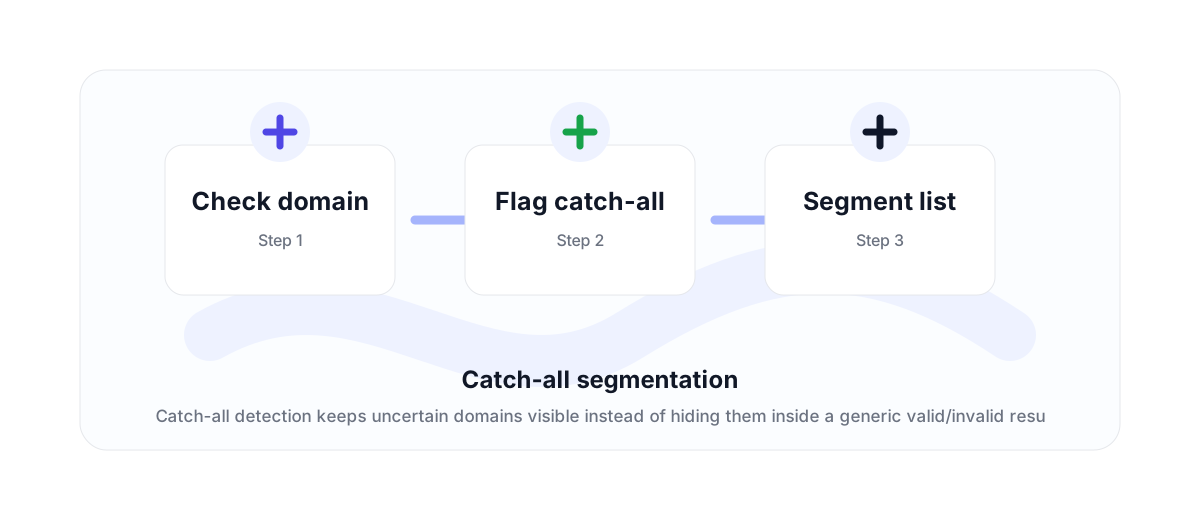
Why catch-all detection matters
Some domains are configured to accept mail for many or all addresses. That does not prove every mailbox exists; it means the receiving server does not clearly reject the address during verification.
A catch-all email verifier helps teams avoid the false confidence that comes from treating every accepted SMTP response as a confirmed individual mailbox.
How teams should use catch-all results
For cold outreach, catch-all addresses should often be segmented into a more careful send path. For high-value accounts, a catch-all result may still be worth reviewing. For low-value or high-volume campaigns, it may be safer to suppress or throttle them.
The important part is visibility. VeriMails flags catch-all domains so the sender can make an explicit decision instead of mixing them with confirmed valid contacts.
Where it fits in verification
Catch-all detection sits alongside syntax, MX, DNS, SMTP, disposable, and role-based checks. It is one of the reasons a full verification workflow is more useful than a simple format checker.
If you need to clean a file, use bulk verification. If you need to check new contacts as they arrive, use the API.
Why teams use this workflow
Use the right VeriMails workflow for the job: quick manual checks, full CSV cleaning, API automation, or verified contact finding.
How the workflow fits together
Every verification workflow should lead to a clear action: send, suppress, segment, correct, or review.
Check domain
Start with the point where email quality affects revenue, deliverability, or data accuracy.
Flag catch-all
Run the right VeriMails workflow for the input: one address, a batch, or a file.
Segment list
Use the result to send, suppress, segment, correct, or review records before they move downstream.
Useful next pages
Keep moving through the workflow with the most relevant product, guide, pricing, or documentation page.
Catch-all Email Verifier FAQ
Answers for teams comparing verification, cleaning, finder, API, and bulk workflows.
What is a catch-all email domain?
A catch-all domain is configured to accept email for many or all addresses at that domain, which makes mailbox-level verification less certain.
Does catch-all mean safe to send?
Not automatically. Catch-all results should be segmented and reviewed based on campaign risk and business context.
Can VeriMails detect catch-all domains?
Yes. VeriMails flags catch-all domains as part of the verification result.
Should I suppress every catch-all address?
Not always. High-value B2B lists may still review catch-all contacts, while high-volume campaigns may choose a stricter suppression rule.
Start with cleaner email data
Use VeriMails to verify addresses before they enter a campaign, database, product flow, or customer workflow.